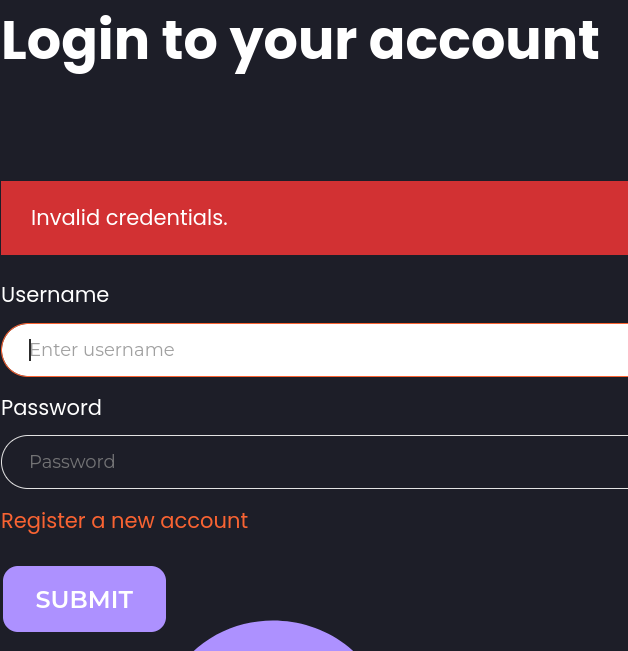
Server response should NOT indicate any difference based on the validity of any of the supplied field. This must be applied for all measurable output :
An invalid username must return the same “incorrect login” output than a valid username with a wrong password.
The response time should be flattened. An invalid username shouldn’t trigger a faster response than a valid one who proceed to check the password in a second time or supplementary verifications.
Otherwise such an application is vulnerable to username enumeration. We can take advantage of Ffuf parameters such as -fr or -ft to filter based on response content or response time(Check Attacking Web Applications with Ffuf note for more details).
Enumerate a valid user on the web application. Provide the username as the answer.
cookster
Solution
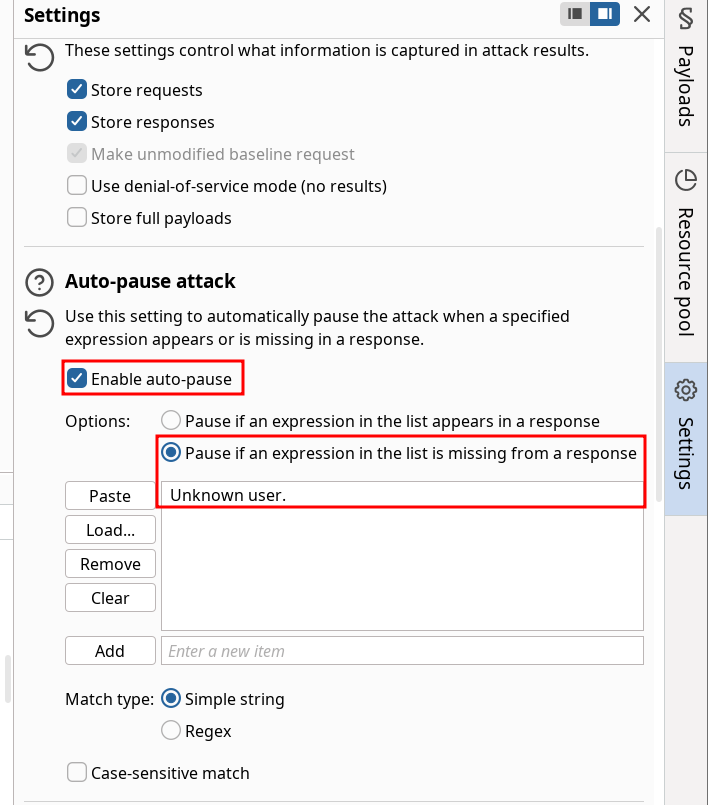
We solve the exercise using Burp Intruder by playing with the settings :
We can start the enumeration and eventually the scan will pause on finding the user cookster since the response changed from “Unkown user” to “Invalid credentials”.
This section is closely linked to both Password Attacks and Login Brute Forcing modules. Quick mention of password spraying when we have a very wide list of username and maximum trials protects the server against usual brute-force.
As explained in the Hybrid Attacks there is a recap on filtering our usual wordlists to match password policies. They still give some insightful commands to achieve that with keywords I didn’t know before :
In the section it is assumed we determined the admin username exists (despite the response time being flattened and the generic response).
Questions
What is one prominent issue with passwords?
password reuse
What is the password of the user 'admin'?
Ramirez120992
Solution
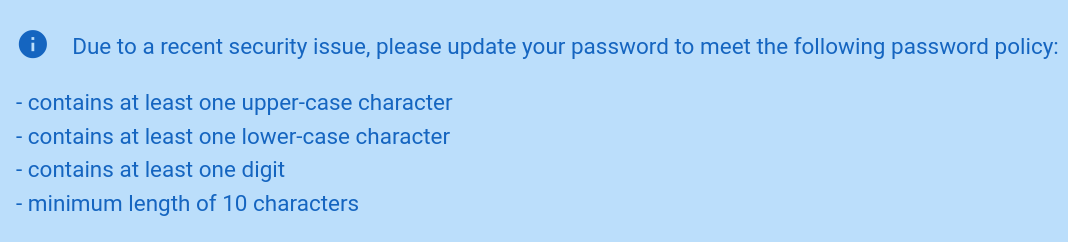
The lab directly indicates the password policy on the login screen. In real scenarios it can be interesting to look for the registration account webpage or the reset password. These have a better chance of indicating such information.
We can filter that against the usual rockyou.txt wordlist to reduce the number of candidates :
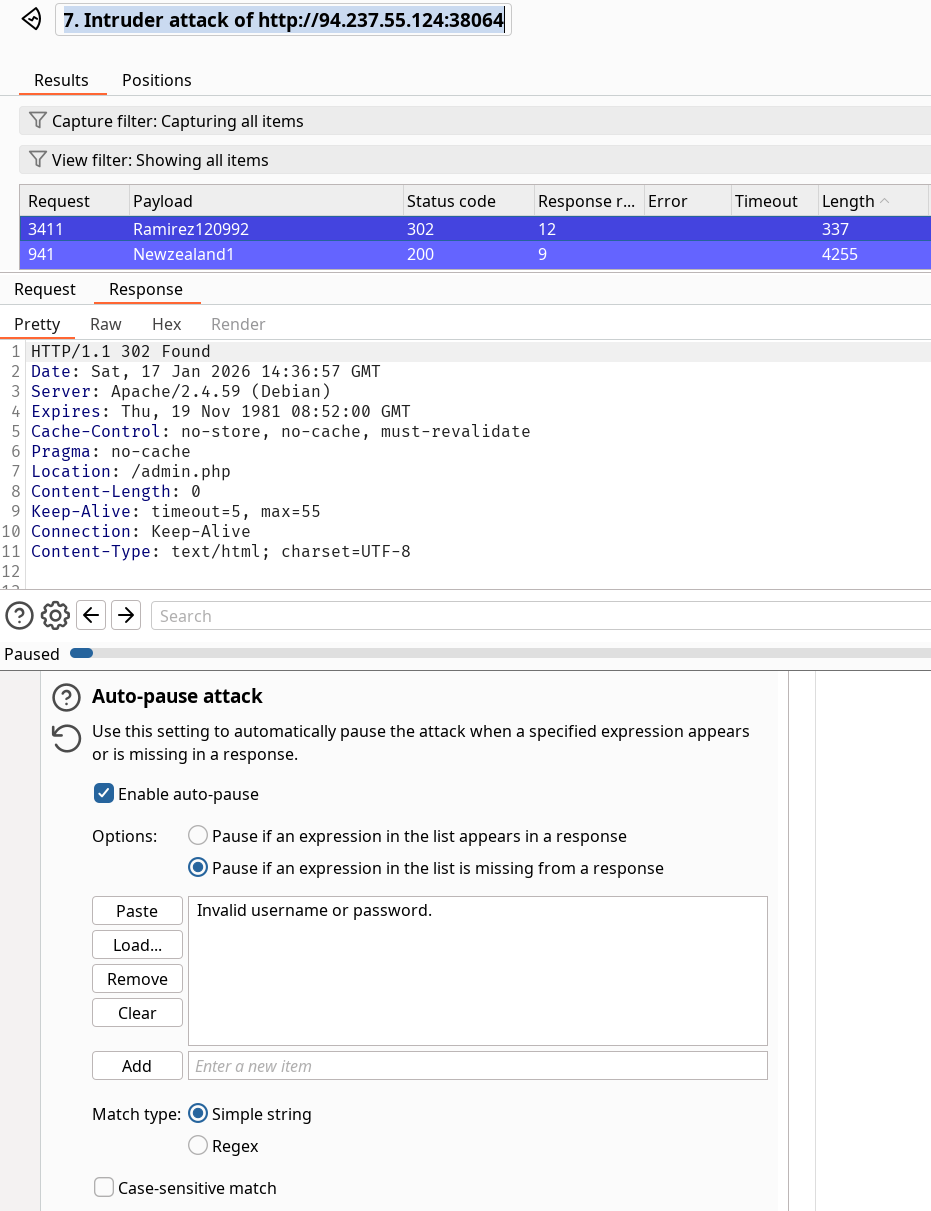
We went down from 14M+ passwords candidates to 150k~. Now we can load that wordlist into Intruder or the tool of your choice. Take note of the error from the webpage upon wrong login and use it (Invalid username or password.)
We found the password and I don’t know why there is a flag since it’s not the point of the question here.
This section is very similar in execution to the Cracking the PIN section from the login brute forcing module. The objective here is to identify the password reset process and look for weak token or mechanism. If account creation is possible you can identify the complete process by doing it on your own. This way you’ll be able to precisely identify the workflow and attack it.
Questions
On what do password recovery functionalities provided by web applications typically rely to allow users to recover their accounts?
one-time reset token
Which flag of seq pads numbers by prepending zeros to make them the same length?
-w
How many possible values are there for a 6-digit OTP?
1000000
Takeover another user's account on the target system to obtain the flag.
HTB{36da098385e641d54e1b2750721d816e}
Solution
This exercise makes 0 sense workflow wise but let’s solve it anyway. When you ask for a password reset, the username provided should have an associated identifier / resource used when sending the reset password request. This is not the case here because the request is aimed at the admin user anyway.
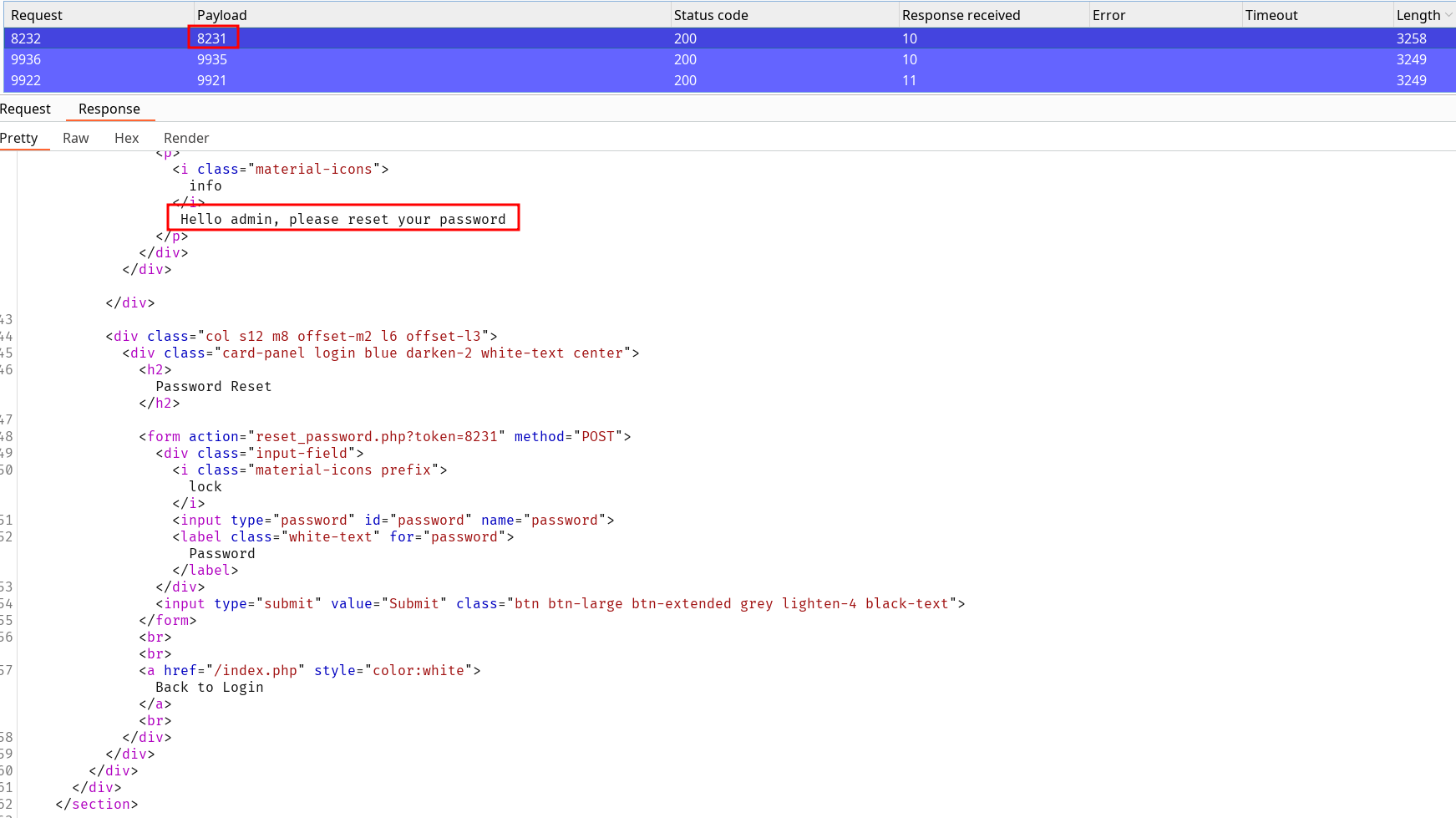
We can fuzz over the same way we cracked the pin and also add failure condition. If we try a simple token we’ll obtain a response with “The provided token is invalid”. This should be our validation check (if missing, we found the token).
Doing this gets us to the token 8231 allowing to change the password account. Note this type of action on platforms should be check before hand since you overwrite an existing resource (the admin’s password) you don’t know. Hence this change is not restorable.
For the sake of the exercise we’ll do it anyway :
Connecting to the account with the modified password gives us the flag.
Exact same principle as before but we can look to replay the 2FA POST request. Correct credentials initiate the connection process so your session can be tied up to the 2FA verification.
Brute-force the admin user's 2FA code on the target system to obtain the flag.
HTB{9837b33a1ef678c380addf7ef8a517de}
Solution
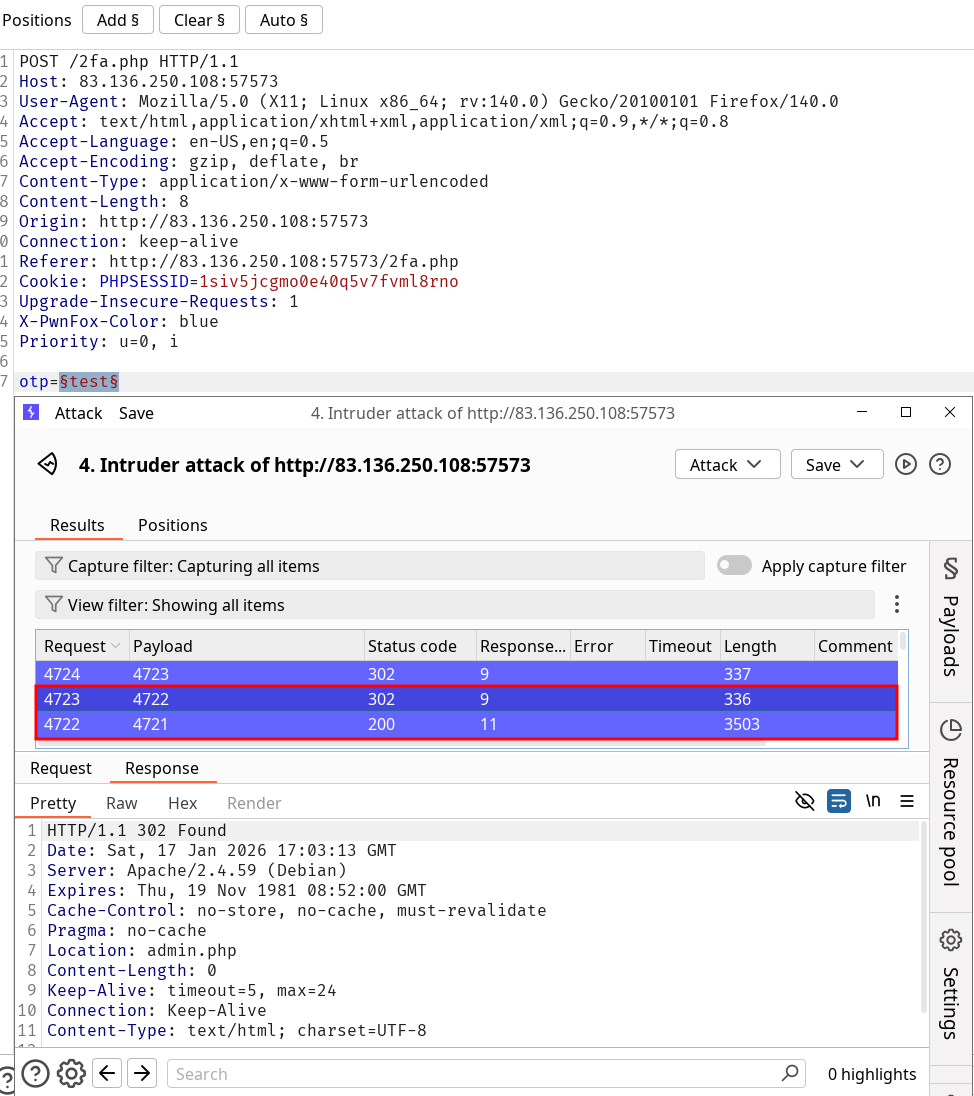
Using admin:admin credentials we follow the complete 2FA process even by failing it. It allows us to identify the expected request to brute-force afterwards and gives us the “Invalid 2FA Code.” string to stop our brute-force if it is missing in the response.
The 2FA code is supposedly 4722 (uncertain because of the amount of parallel requests sent) and then we can follow the resulting redirection to directly access to the dashboard and retrieve the flag.
Rate Limits should be enforced although it’s quite a deep topic. X-Forwarded-For based rate limiting can be bypassed. IP based rate-limiting is not the best solution either. This topic deserves more research other than the implementation but the consideration of the workflow. Check Cloudflare Rate Limiting article, Nginx rate limit …
CAPTCHAs can be a solution but this might be checked twice now with AI solving capabilities. Interesting research topic nevertheless.
Fixing a maximum amount of trials on a specific account (not global) before temporary blockage might be a good idea if it’s IP based.
This should never have been a thing in the first place but I guess it still exists on the latest versions of Windows.
OSINT or brute-force can solve these questions depending on their nature. Provided example birth city can be tested out with specific wordlists like world-cities.csv (check datasets repository it’s by the way, it might give you some ideas of topic to learn about).
The mentioned wordlist can be cleaned to suit our needs :
From there the whole section is a follow along with the brute-force on the cities question.
It goes on to an other example where you can abuse the implementation of the reset password functionality by changing the username in the body after the security question validation.
Questions
Which city is the admin user from?
Manchester
Solution
Same process as the previous question. Follow the execution flow until you reach the invalid field verification. Note the expected failure response and brute-force the value with the wordlist until successful answer. In this case the “Manchester” city is the valid response.
Reset the admin user's password on the target system to obtain the flag.
HTB{d4740b1801d9880ff70de227a54309f0}
Solution
I’m not even sure what was I supposed to do since the request didn’t tie any username in the body to the functionality. I simply changed the value after solving the first question and received a response indicating the admin password was indeed changed.
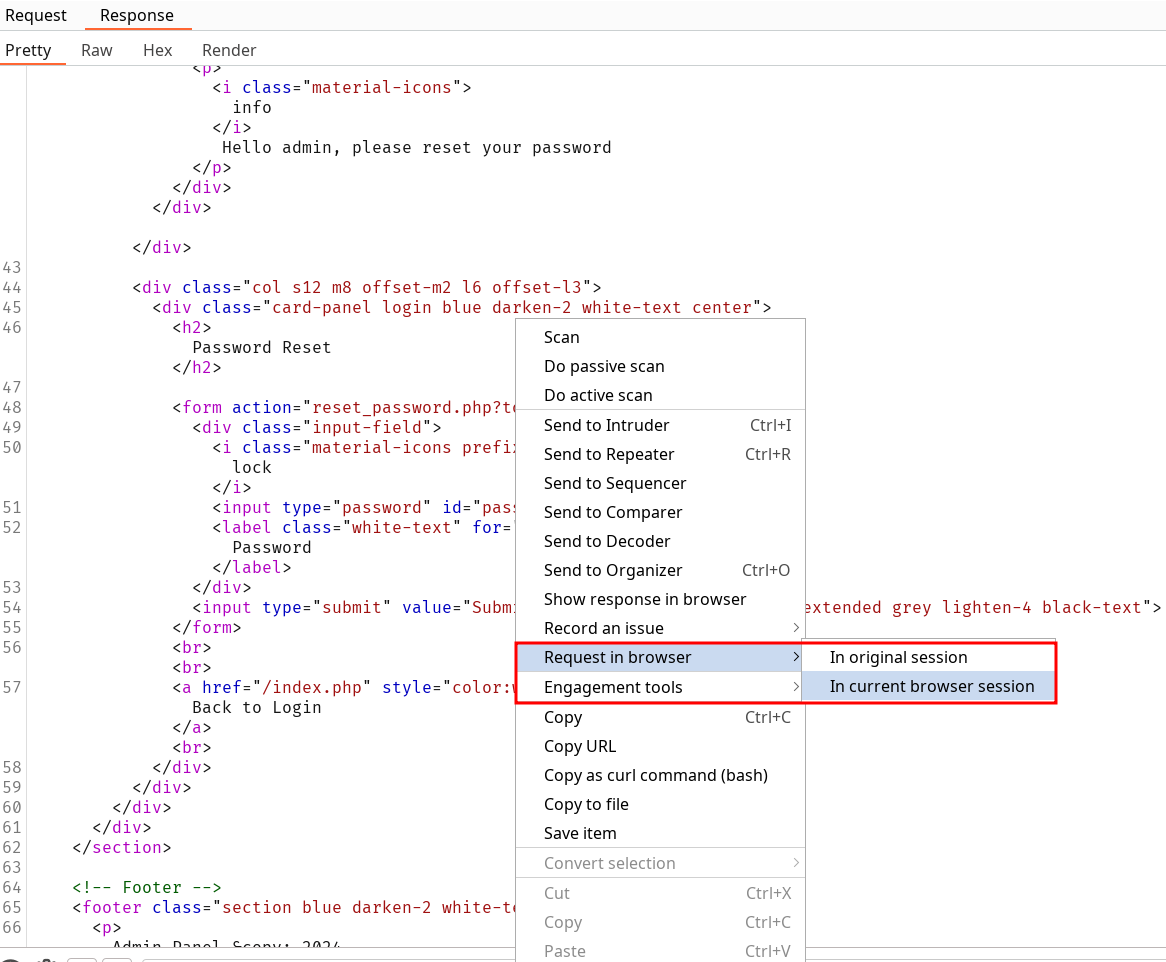
Not really convinced by this section. It’s possible a server include the page content in it’s response even on redirection. While you might not notice anything through the browser it can be logged or intercepted. HTB provides an example of response interception though don’t even need that. Simply access the HTTP history and check the response from the server upon reaching the path.
Questions
Apply what you learned in this section to bypass authentication to obtain the flag.
HTB{913ab2d84b8db21854c696dee1f1db68}
Solution
Fetch /admin.php webpage, get redirected by inspect the history and retrieve the flag in the server response.
Taking a quick look at how sometimes authentication or authorization flows can be wrongly implemented. They present really quickly the IDOR vulnerability even though their example is a bit weird.
Suppose we are logged in and redirect to admin.php with the parameter user_id=183. Replaying the request while removing this parameter gets us back to the index.php.
Seeing this, it could be interesting to change the user_id value to observe the resulting behavior. What the section shows is if user_id is the only check done to reach the admin page, then maybe the session cookie isn’t even needed.
Questions
Apply what you learned in this section to bypass authentication to obtain the flag.
HTB{63593317426484ea6d270c2159335780}
Solution
After login, fuzz over the parameter to identify potential admin resources. Note that if the value is incremental it’s probable the admin associated one might be in the first ones. We can keep applying the pause upon missing the “Could not load admin data. Please check your privileges.” content in the response to find our valid id (372). Once that’s done we can simply inspect the response to look for the flag.
Session token entropy should be tested by making the server do the session setting a huge amount of time to retrieve the biggest token samples possible. Burpsuite has a feature called Sequencer which can be used to retrieve tokens and evaluate the entropy.
Brute-force Attack
Always try to identify if the session token :
is complete randomness
looks like an existing hash format
is it encoded in any way partially or totally
Creating multiple ones can help identify similarities between the different values.
A session token can be brute-forced if it lacks sufficient what?
entropy
Obtain administrative access on the target to obtain the flag.
HTB{d1f5d760d130f7dd11de93f0b393abda}
Solution
Login, identify the two session tokens. the PHPSESSID isn’t suspicious but the session clearly is hexadecimal value. Decoding it returns user=htb-stdnt;role=user. We can change it through our cookie editor extension to user=htb-stdnt;role=admin by encoding it. Replace the session value by 757365723d6874622d7374646e743b726f6c653d61646d696e). After that refresh the page and retrieve the flag.
Mention of Session Fixation : Making a target authenticate through a crafter link that preemptively set the session. The server doesn’t refresh the session token upon validation and now the attacker can use the known session to hijack the session’s account.
Improper Session Timeout leading to permanent sessions token validity.
The tech company SecureMint Innovations has tasked you to perform a security assessment of their web application after deploying an entirely new authentication concept, including an updated password policy designed to strengthen overall account security. The client wants assurance that no hidden weaknesses could still put user accounts at risk. Your task is to focus specifically on identifying vulnerabilities within the authentication process. Try to utilize the various techniques you learned in this module to identify and exploit vulnerabilities found in the web application.
Discover the app
The web app only functionality that is available is currently the login one so we’ll focus on this first.
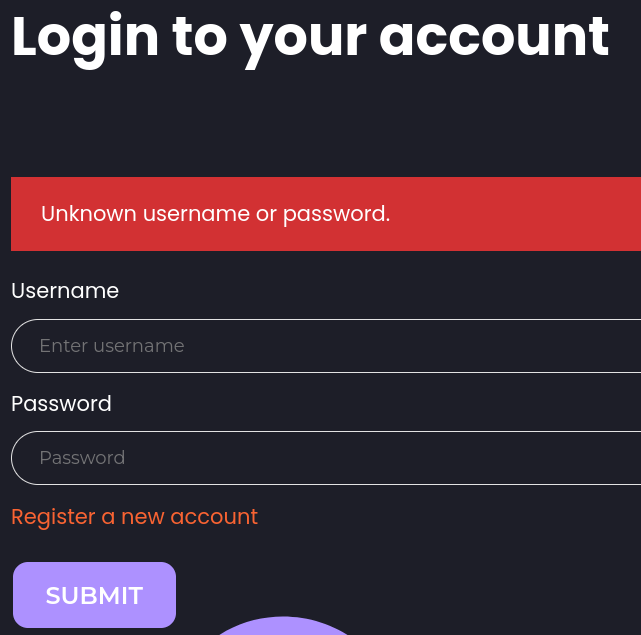
First thing to notice is the server response doesn’t seem having a generic “Unknown username or password” to give a different answer depending on the username validity.
Identify password policy
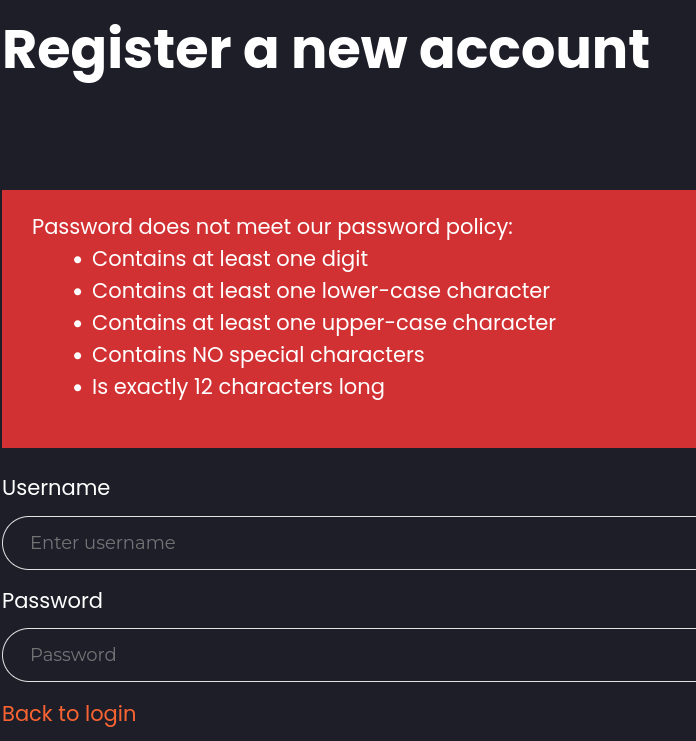
We can try to check response time difference if we’re able to register an account and in the same time look for a password policy :
The “exactly” 12 characters long and “NO special characters” criteria narrow down our search for password combination.
Using grep to match the password policy when filtering wordlists :
I used this password to create an account quickly Aaaaaaaaaaa1. The session token doesn’t look suspicious BUT logout and reconnect gives you the same one so it is not expired on log out.
Invalid password on existing account
Now that we have a valid account we can try to login using the wrong password and notice if something is different :
Bingo. We can now try to find a username by filtering responses who include “Invalid Credentials” (or don’t include “Unknown username or password.”).
Enumerating users
After testing the login feature against the xato-net-10-million-usernames.txt And flagging on matching “Invalid credentials” we find the user gladys. We can filter out the rockyou.txt wordlist with the existing password policy to try to find the user password. With only 17042 possibilities left and sorting by the status code, we can identify the password dWinaldasD13.
Bypassing 2FA
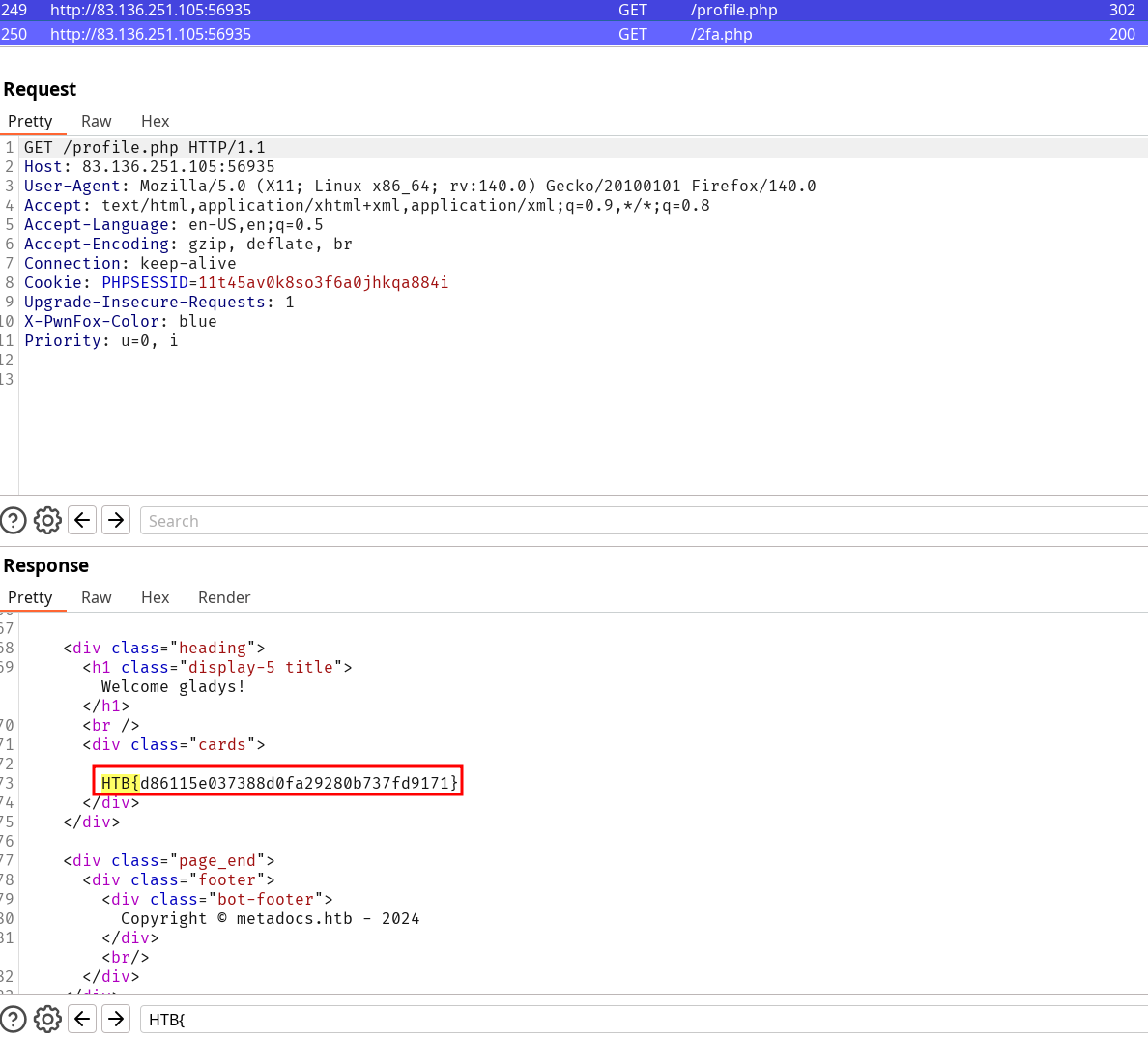
We have the credentials gladys:dWinaldasD13 but now we’re greeted with a 2FA OTP step. Trying to reach directly the content by fetching /profile.php redirects us. However, when looking at the response from the server in the redirection we still get the content of the “unauthorized” page.
And we retrieve the flag this way : HTB{d86115e037388d0fa29280b737fd9171}.