TL;DR
Look for web pages content and lookup for Sink keyword vectors. Identify the regex triggering an open redirect using
locationand use it to redirect to the exploit server and solve the lab.
Learning Material
DOM-based open-redirection vulnerabilities arise when a script writes attacker-controllable data into a sink that can trigger cross-domain navigation. For example, the following code is vulnerable due to the unsafe way it handles the location.hash property:
let url = /https?:\/\/.+/.exec(location.hash);
if (url) {
  location = url[0];
}
An attacker may be able to use this vulnerability to construct a URL that, if visited by another user, will cause a redirection to an arbitrary external domain.
This behavior can be leveraged to facilitate phishing attacks against users of the website, for example. The ability to use an authentic application URL targeting the correct domain and with a valid TLS certificate (if TLS is used) lends credibility to the phishing attack because many users, even if they verify these features, will not notice the subsequent redirection to a different domain.
If an attacker is able to control the start of the string that is passed to the redirection API, then it may be possible to escalate this vulnerability into a JavaScript injection attack. An attacker could construct a URL with the javascript: pseudo-protocol to execute arbitrary code when the URL is processed by the browser.
Lab
This lab contains a DOM-based open-redirection vulnerability. To solve this lab, exploit this vulnerability and redirect the victim to the exploit server.
Write-up
We’re working with DOM, this means we’ll inspect the page content and stuff. If we’re looking for open-redirection reading the whole page. Sink indicators keywords that should raise attention are (not exhaustive) :
locationredirectnexturldesttargettoreturncontinue
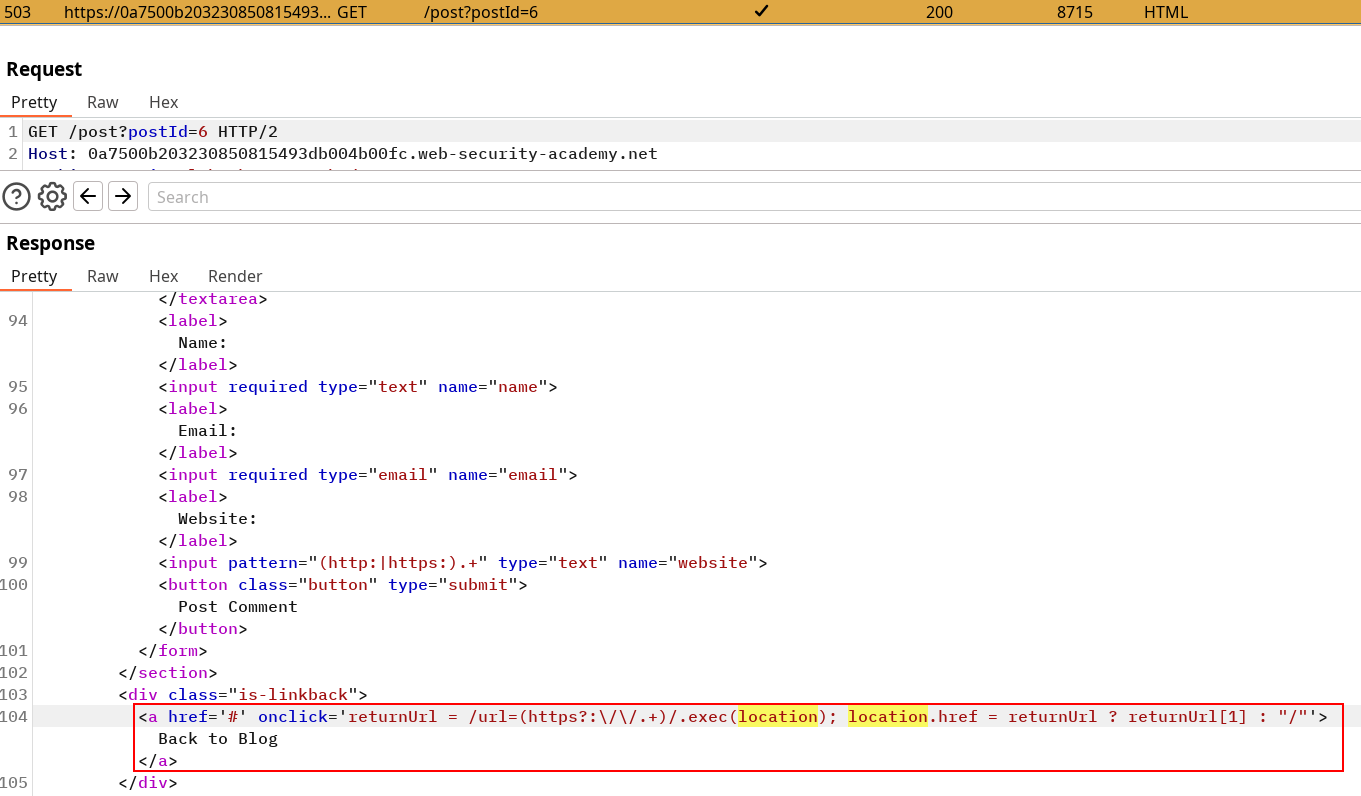
Our sink looks for any string after a =url that start with http:// or https://. Once it does, it sets up a location.href redirection to that URL and associate it to Back to Blog.
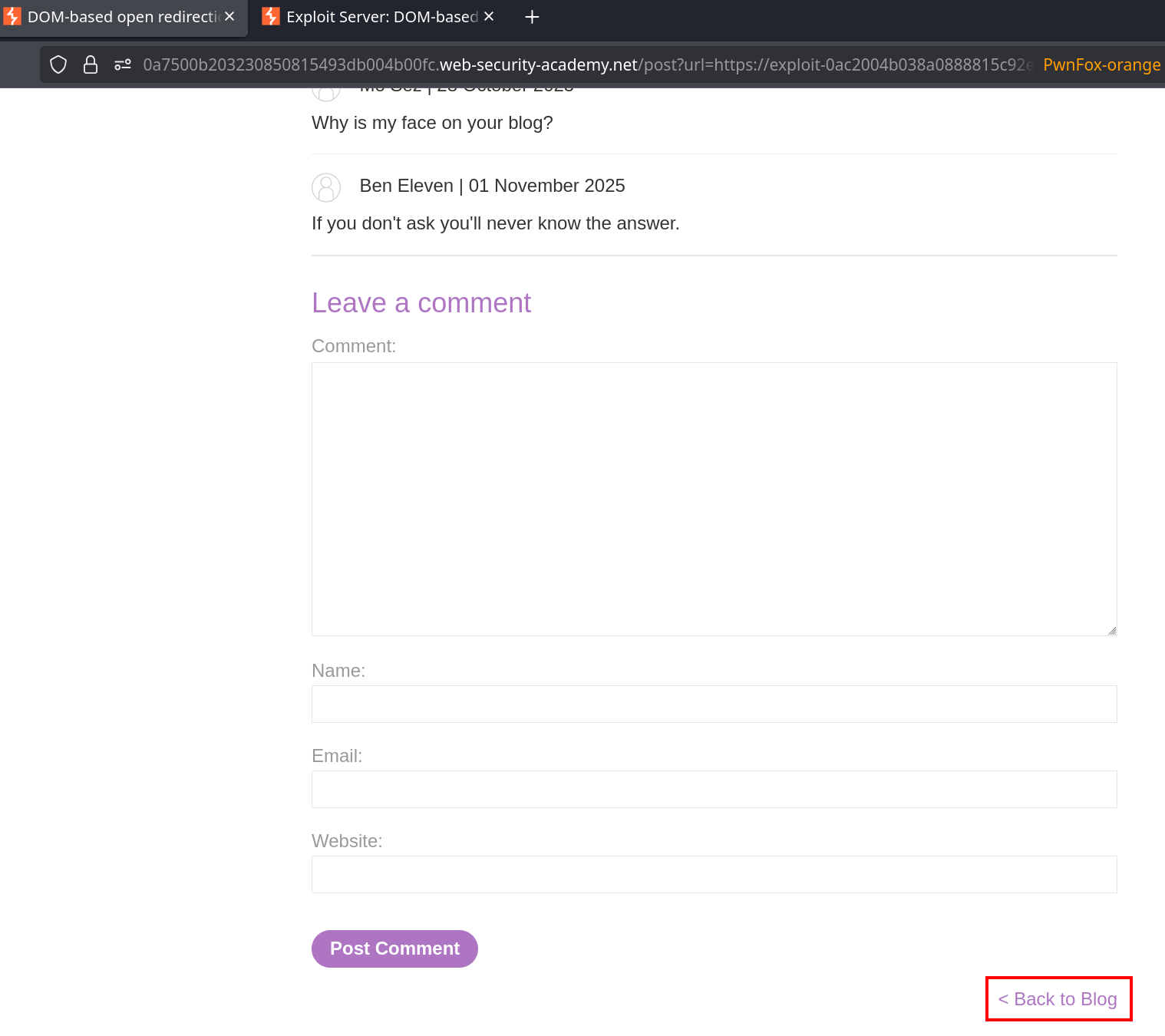
It means if someone uses a link like
https://0a7500b203230850815493db004b00fc.web-security-academy.net/post?url=https://exploit-0ac2004b038a0888815c92e70177004a.exploit-server.net/&postId=1AND clicks on the back to blog anchor, he’ll be redirected to the exploit server. Firing this GET request from your own browser solves the lab because it’s meant to be sufficient for a POC.
This lab got me like
Honestly I thought I had to do something more and triggered the solution while I was testing things. Basically it wasn’t needed to interact in any way with a target, triggering the vulnerability on myself was sufficient to solve the lab.