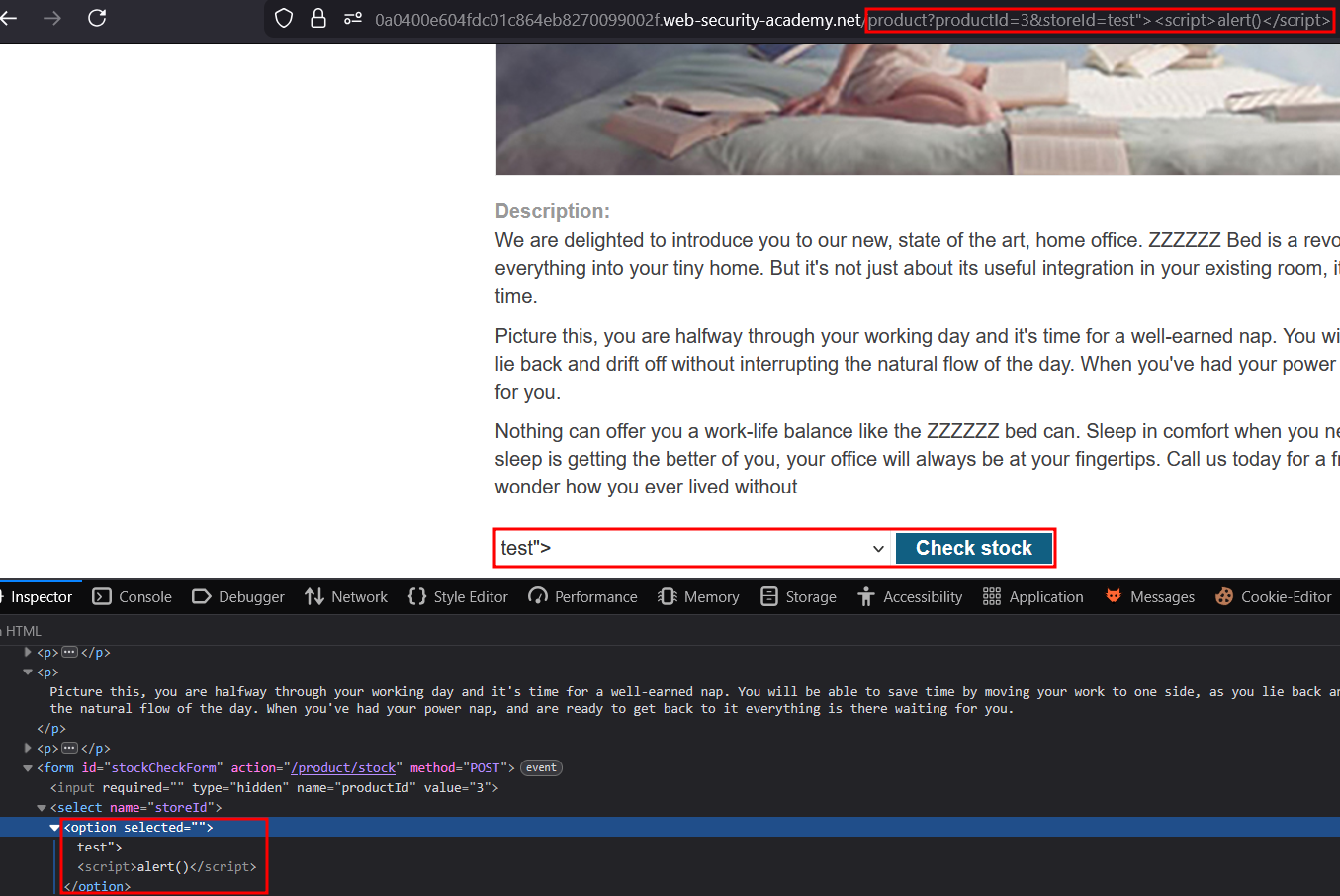
Check the scripts on product page and notice the storeId value is inserted in the page among different existing value. If an unknown value is sent, it’s added to the array and rendered when selected without sanitization. It being inserted at outerhtml allow us to trigger an XSS by crafting a GET request using the /product?productId=3&storeId=test"><script>alert()</script> path.
In principle, a website is vulnerable to DOM-based cross-site scripting if there is an executable path via which data can propagate from source to sink. In practice, different sources and sinks have differing properties and behavior that can affect exploitability, and determine what techniques are necessary. Additionally, the website’s scripts might perform validation or other processing of data that must be accommodated when attempting to exploit a vulnerability. There are a variety of sinks that are relevant to DOM-based vulnerabilities. Please refer to the list below for details.
The document.write sink works with script elements, so you can use a simple payload, such as the one below:
Note, however, that in some situations the content that is written to document.write includes some surrounding context that you need to take account of in your exploit. For example, you might need to close some existing elements before using your JavaScript payload.
This lab contains a DOM-based cross-site scripting vulnerability in the stock checker functionality. It uses the JavaScript document.write function, which writes data out to the page. The document.write function is called with data from location.search which you can control using the website URL. The data is enclosed within a select element.
To solve this lab, perform a cross-site scripting attack that breaks out of the select element and calls the alert function.
Write-up
For DOM-based XSS, we want to find sinks. We can check pages on the app (notably the products pages). Searching for document.write is one good way of identifying potential vulnerable sinks, such as this one :
var stores = ["London","Paris","Milan"];var store = (new URLSearchParams(window.location.search)).get('storeId');document.write('<select name="storeId">');if(store) { document.write('<option selected>'+store+'</option>');}for(var i=0;i<stores.length;i++) { if(stores[i] === store) { continue; }document.write('<option>'+stores[i]+'</option>');}document.write('</select>');
This script is available in products pages and seems intended to be triggered for checking stocks in product. However, it does something that is very unusual. If the value is different than the ones in stores[], it adds it to the array.
This is particularly strange since there is no way of triggering that naturally on the website, other than adding the parameter in the URL ourselves. However, it looks like totally intended to solve this lab so I’ll just craft a GET request by adding &storeId=somevalue"><script>alert()</script> to the URL :
Since it’s inserted directly into the DOM, it triggers the XSS and solves the lab.